What is Claude Science
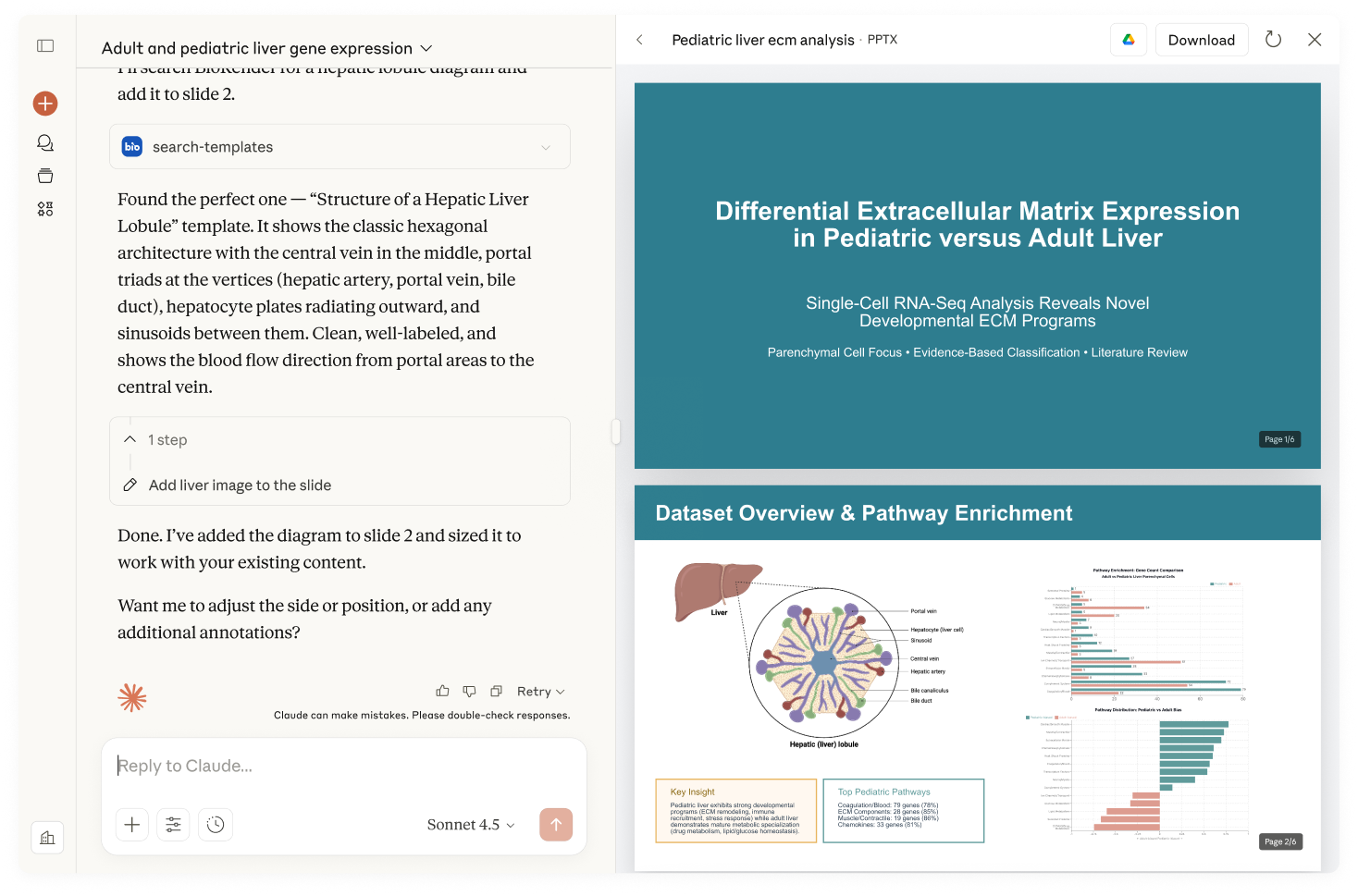
Claude Science is an app that serves as your AI workbench for scientific research. It connects to the data sources, tools, and systems that teams use daily across R&D, clinical operations, and regulatory affairs — eliminating the need to toggle between platforms and enabling insights that span your entire product lifecycle. It also runs analyses locally on your machine. The result: accelerated timelines from discovery through approval, with the rigor and traceability these workflows demand. This guide walks you through getting started: installing the app, connecting your data sources, and exploring what you can do.
How do I access Claude Science?
Claude Science is available in beta for macOS 13 or later and Linux x64.
macOS: Download the installer from the Claude Science product page and double-click to install. First launch takes a few minutes to set up the runtime, then opens in a browser tab.
Linux: Run curl -fsSL https://claude.ai/install-claude-science.sh | sh, then claude-science serve.
Sign in with your claude.ai account on a Pro, Max, Team, or Enterprise plan. Team and Enterprise: your admin needs to enable Claude Science for your organization first. After you sign in, a setup wizard walks you through enabling connectors and skills.
See the Claude Science documentation for full requirements, remote-server setup, and troubleshooting.
Connectors for the life sciences development cycle
Claude Science lets you connect bioscience research connectors like BioMart, CellGuide, and Benchling, so you can query your data in natural language and get answers with source citations.
Scientific research & discovery
- Benchling connects Claude to Benchling R&D platform data, enabling scientists to ask questions and receive clear summaries with links back to source experiments, notebooks, and structured records—all while maintaining existing access permissions.
- 10x Genomics transforms single cell and spatial analysis into a simple, conversational workflow. Biologists can easily analyze their own sequencing data, while core labs can quickly perform batch processing.
- PubMed provides access to millions of biomedical research articles and clinical studies, allowing Claude to access abstracts and full papers to clarify experimental approaches, identify key findings, determine novelty and applicability, and surface specific papers for deeper exploration.
- Synapse.org allows researchers to discover biomedical data across all of Synapse, see the structure of projects, and retrieve information on their data assets for authorized users.
- BioRender searches BioRender's extensive scientific figure template and icon collection for relevant content to create figures faster.
- Scholar Gateway by Wiley provides authenticated access to the most relevant snippets of scientific research papers to utilize within Claude.
- bioRxiv / medRxiv gives Claude access to bioRxiv and medRxiv preprint servers, enabling researchers to search, retrieve, and analyze non-peer-reviewed scientific manuscripts in biological and health sciences before formal journal publication.
- ChEMBL gives Claude access to a manually curated repository of bioactive molecules with drug-like properties, their biological targets, and quantitative activity measurements.
- ToolUniverse gives Claude access to a library of 600+ vetted scientific tools to explore large hypothesis spaces, compare competing hypotheses, and iterate through fast-to-slow cycles of analysis.
- Owkin powers Pathology Explorer, an Owkin AI agent that transforms H&E pathology slides into queryable insights for drug discovery and development and clinical research.
- Open Targets gives Claude access to the Open Targets Platform for identifying and prioritizing therapeutic drug targets based on disease associations.
Clinical operations & regulatory
- Medidata, a leader in clinical trial solutions, connects Claude to Medidata platform data.
- ClinicalTrials.gov gives Claude access to the NIH/NLM registry of 500,000+ clinical studies to search trials, analyze endpoints, and support research operations.
Note: the tutorials linked above describe connecting in claude.ai.
In Claude Science, manage connectors under Customize → Connectors — featured connectors are on by default, partner connectors are available from the Connectors Directory, and +Add connector lets you add your own via a remote MCP server URL or local command. See the Claude Science documentation for the full list of available Connectors.
Common research & discovery use cases
- Single-cell RNA-seq analysis: Go from raw count matrices to annotated clusters and publication-ready figures, with QC and analysis built on scverse and Bioconductor best practices.
- CRISPR screen design and analysis: Design guide libraries, run enrichment analysis on screen results, and trace every hit back to its supporting data.
- Phylogenetic and evolutionary analysis: Build alignments and trees, run selection and ancestral-reconstruction analyses, and view results alongside the sequences that produced them.
- Protein structure and language-model work: Pull and compare structures, run structure- and sequence-based predictions, and inspect results in a native 3D viewer.
- Cheminformatics and molecular design: Search and compare compounds across chemistry databases, sketch and edit structures, and compute properties without leaving your analysis.
- Genomics and proteomics pipelines: Query 60+ built-in biology databases, process sequencing and mass-spec data, and keep full provenance from raw reads to final result.
To try any of these, connect the relevant data sources — see the connector list above.
For full setup and in-depth guides, see the Claude Science documentation.