Your favorite work tools are now interactive connectors inside Claude
Open Asana, Slack, Figma, and more in chat with MCP Apps
Starting today, we’re bringing interactive connectors to Claude with MCP Apps. You can open and interact with tools in Claude. Build and update project timelines in Asana. Draft, edit and send Slack messages in a formatted preview. Visualize ideas as diagrams in Figma—all without switching tabs.
Claude already connects to your tools and takes actions on your behalf. Now, with MCP Apps, those tools show up as interactive connectors right in the conversation, so you can see what's happening and collaborate in real time.
Here's what you can now do directly in Claude:
- Amplitude – Build analytics charts, then explore trends and adjust parameters interactively to uncover hidden insights.
- Asana – Turn chats into projects, tasks, and timelines your team can see and execute in Asana.
- Box - Search for files, preview documents inline, then extract insights and ask questions about your content.
- Canva - Create presentation outlines, then customize branding and design in real-time to produce client-ready decks.
- Clay - Research companies, find contacts with email and phone info, pull data like company size and funding, then draft personalized outreach directly in your conversation.
- Figma – Prompt to turn text and images into flow charts, Gantt charts, or other visual diagrams in FigJam.
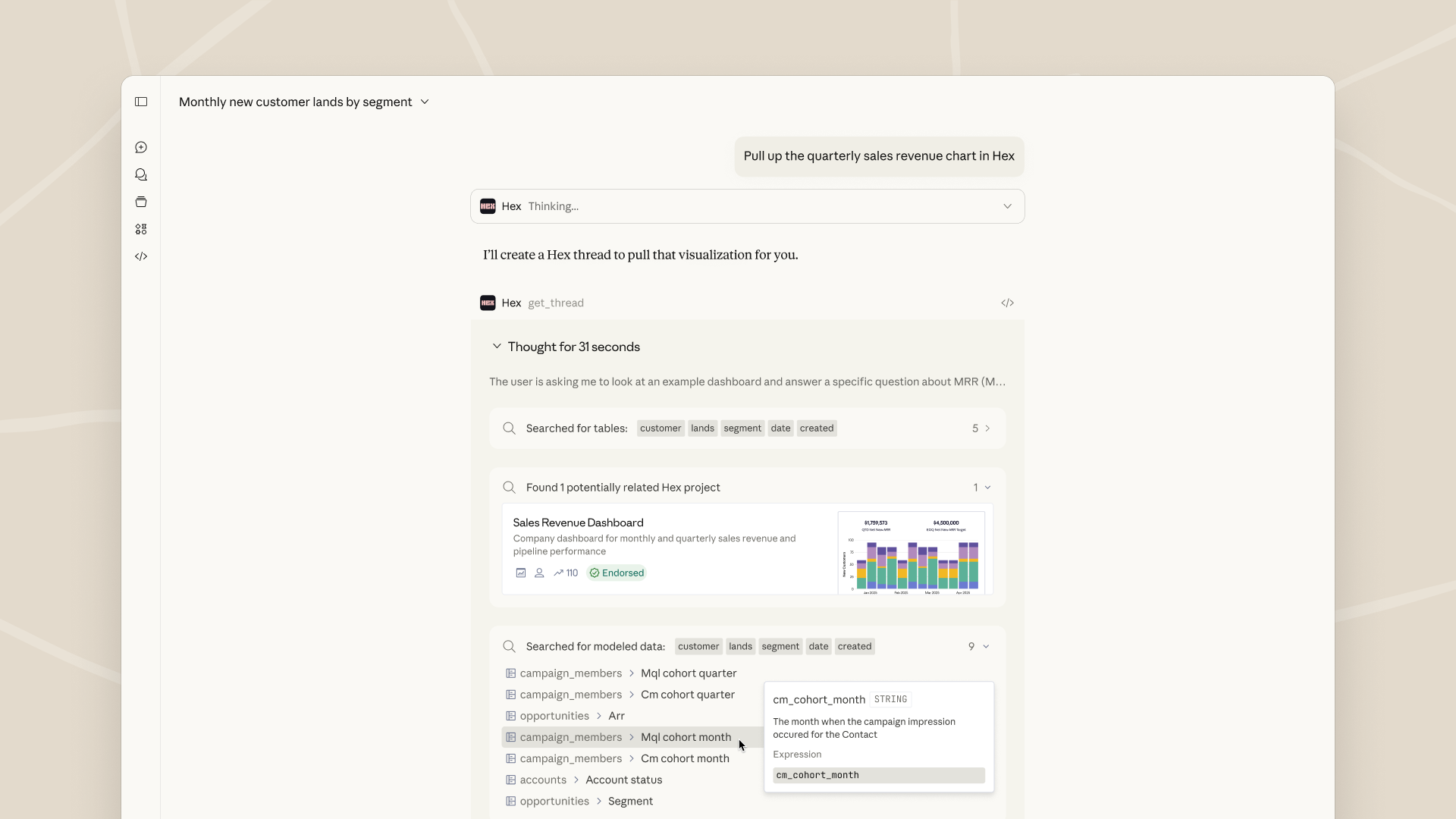
- Hex - Ask data questions and get answers complete with interactive charts, tables, and citations.
- monday.com - Manage your work, run projects, update boards, smartly assign tasks, and visualize progress with insights.
- Slack (from Salesforce) – Search and retrieve Slack conversations for context, generate message drafts, format them your way, and review before you post.
Coming soon: Salesforce - Bring enterprise context to Claude with Agentforce 360, enabling teams to reason, collaborate, and act from a single, connected interface.
MCP Apps: Built on an open standard
The underlying technology is built on the Model Context Protocol (MCP), the open standard for connecting tools to AI applications. MCP Apps is a new extension to MCP that lets any MCP server deliver interactive connectors with a rich user interface within any supporting AI product—not just Claude.
We open sourced MCP to give the ecosystem a universal way to connect tools to AI. Now we're extending MCP further so developers can build interactive UI on top of it, wherever their users are.
To learn more, see the announcement of MCP Apps - The First Official MCP Extension.
Getting started
Start using interactive connectors (MCP Apps) in Claude today. Head to claude.ai/directory and connect to apps under the "featured" section to get started. Available in Claude on mobile, web and desktop for Free, Pro, Max, Team, Enterprise plans. Also now available on Claude Cowork.