Finance
Connectors
Skills

Update your financial model after earnings

Cowork pulls the release and transcript from S&P and checks them against your financial model. You take the flags into Claude for Excel to edit the cells, then open the deck in Claude for PowerPoint to build the page.
Try in Claude
  • Author
    Anthropic
  • Category
    Finance
  • Model
    Opus 4.6
  • Features
    Connectors
    Skills
  • Share
    Copy link
    https://claude.com/resources/use-case/update-your-financial-model-after-earnings
1

Describe the task

The print drops after hours and the stock is moving. You've got the model in a folder somewhere, the release open in one tab, the transcript in another, and a PM meeting in the morning.

In Cowork, Claude pulls the earnings release and call transcript through the S&P Global connector, reads your model from the attached folder, and tells you where your forecast was off — and which assumptions the transcript doesn't back up. You take that brief into Claude for Excel to make the cell changes, then open the deck in Claude for PowerPoint. The Excel-to-PowerPoint handoff carries the conversation, so Claude already knows which cells you changed when you build the page.

Claude handles the data pull and the cross-referencing; you make the call on what moves.

ACME just jumped 8% after hours — what's driving this? I need to update my model and build a page for tomorrow's PM meeting.

Steps:

  • Pull the earnings release and call transcript from S&P
  • Read my model in the folder and flag where my forecast was off
  • Tell me which assumptions the transcript doesn't support
  • Give me a brief I can take into Excel — cell refs, what to change, why

Show me the flags before I touch anything.

Next
Ask Claude
2

Give Claude context

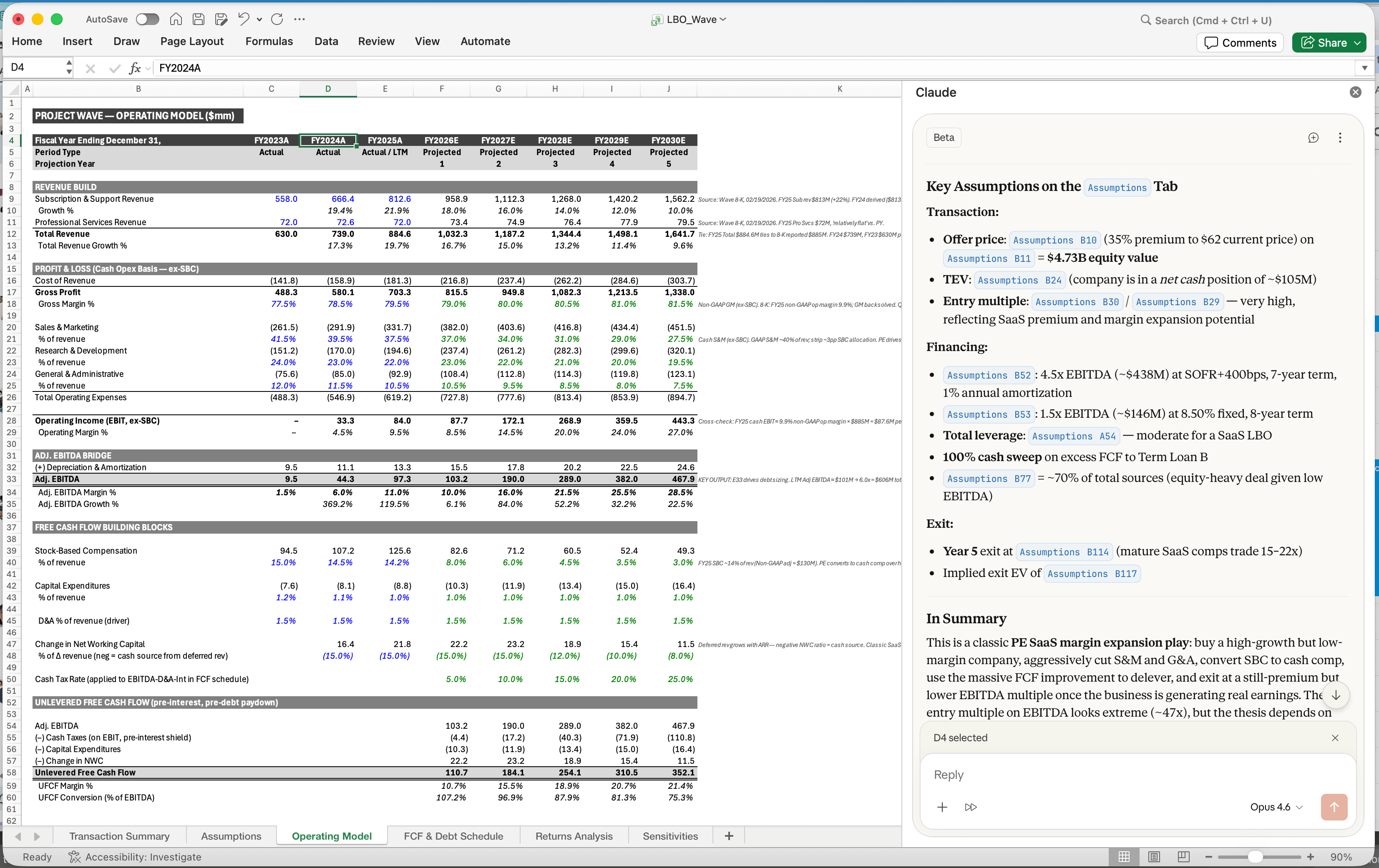
Cowork pulls earnings data through the S&P Global connector and reads your model from the attached folder — that's where the cross-referencing happens. Cell edits happen in Claude for Excel with the workbook open, and the conversation carries into Claude for PowerPoint so the deck build picks up where you left off.

Required context

Attach your portfolio folder with the model. Enable the S&P Global connector. Have Claude for Excel and PowerPoint add-in installed — that's where the cell edits and slide builds happen.

S&P Global
ACME valuation model
XSLX
Prior PM deck
PPTX
ACME valuation model
XSLX

Optional context

The earnings-analysis skill runs the full post-earnings loop — beat/miss, estimate revisions, and the formal client report. The Financial Analysis plugin adds DCF, comps, and LBO skills if you need them for the scenarios.

Skill: earnings-analysis

Plugins: financial-analysis

No items found.
3

What Claude creates

A brief you can act on: what moved the stock, where your forecast was off, and the exact cells to look at when you open the workbook.

From Claude

What moved the stock — Q4 FY26

  • Revenue: $2.72B — beat $2.58B guide, $130M above your $2.61B forecast
  • Adj. EPS: $2.05 — beat $1.90 Street
  • Gross margin: 45.7% vs. your 42.4% implied — this is the driver

1 assumption to review

Assumptions!C7 — FY28E gross margin at 43.0%

Management didn't guide FY28 on the call. Baird asked about out-year margin durability; CFO said "2026 is an investment year, benefits build into 2027" — nothing past that. Your 60bp expansion in FY28E is your call, not theirs.

In your Excel workbook

With the Claude for Excel add-in installed, paste this into the sidebar with the workbook open:

Q4 print: rev $2.72B (beat), GM 45.7% vs my 42.4%.

Flag on Assumptions!C7 — FY28E GM at 43.0%, mgmt didn't guide past FY27. Walk me through C7, then build best/base/worst scenarios on the margin range.

Once you've signed off on the cells, open the deck in Claude for PowerPoint. The conversation carries from Excel, so the page build already knows what changed.

4

Follow up prompts

Continue the conversation with Claude to refine, expand, or explore further.

Compare to your forecast

In Cowork, ask where the actual landed against what you had.

oh ok how does the actual number compare to what I had in my model?

Next
Ask Claude

Check an assumption against the call

See if management said anything that should move a specific cell.

is my FY28 gross margin too aggressive? what did they actually say about out-year margins on the call

Next
Ask Claude

Build scenarios in the workbook

In Claude for Excel, once you've signed off on the assumptions.

ok keep the 43% — build me best/base/worst around the margin range in a new Scenarios tab

Next
Ask Claude
5

Tricks, tips, and troubleshooting

Ask Cowork for the Excel-ready brief

End your Cowork session by asking for a one-paragraph brief with the cell refs — that's what you paste into the Claude for Excel sidebar. Tighter than scrolling back through the chat.

Click the cell reference

When Claude flags Assumptions!C7 in the Excel sidebar, click it and Excel jumps to that cell. Check the number before you agree to change anything.

Excel to PowerPoint carries the conversation

When you open the deck in Claude for PowerPoint, it already knows what you changed in Excel. You're not re-explaining the print or the thesis — just say "build me the page."

Save it as a skill

Post-earnings is the same loop every quarter. Once the Cowork conversation works, save it as a skill so the next print starts one click in.

Ready to try for yourself?

Try it on your next earnings print. Attach your model folder in Cowork, ask what moved the stock, and review the flags before anything changes.
Try in Claude
Open artifact in new window