Think through hard problems in voice mode
Starting today, voice mode runs on Claude Opus, Claude Sonnet, and Claude Haiku, reaches the tools you’ve connected like Gmail and Slack, and speaks many more languages.
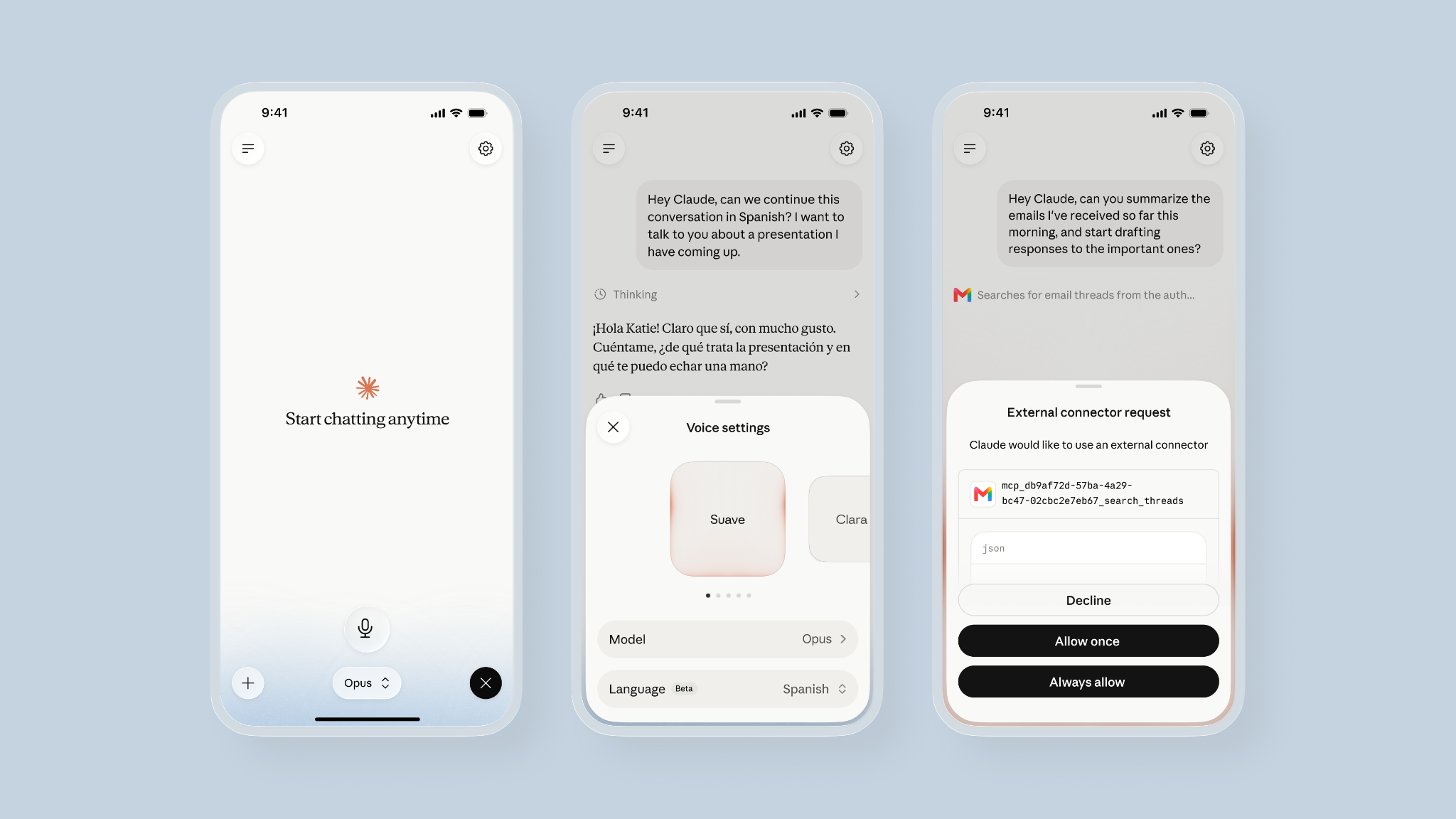
Some problems you can't type your way through. Voice mode is for practicing for an important pitch meeting, deciding between multiple offers, reviewing your own process out loud, or brainstorming new ideas.
A sounding board that keeps up
After we added hands-free conversation earlier this year, people started using voice mode for more than quick questions. They began working through real business problems across longer sessions, out loud rather than through text. But until now, voice mode only ran on our Claude Haiku model, which we chose for speed. It kept conversations quick, but not always deep.
Claude Opus and Sonnet, models designed for hard problem-solving, are now available in voice mode. You can switch models mid-conversation from the model picker. Voice mode uses the fastest version of whichever model you’ve selected, so the conversation runs smoothly. It defaults to the last model you used in text chat, so you can move between voice and text without starting over.
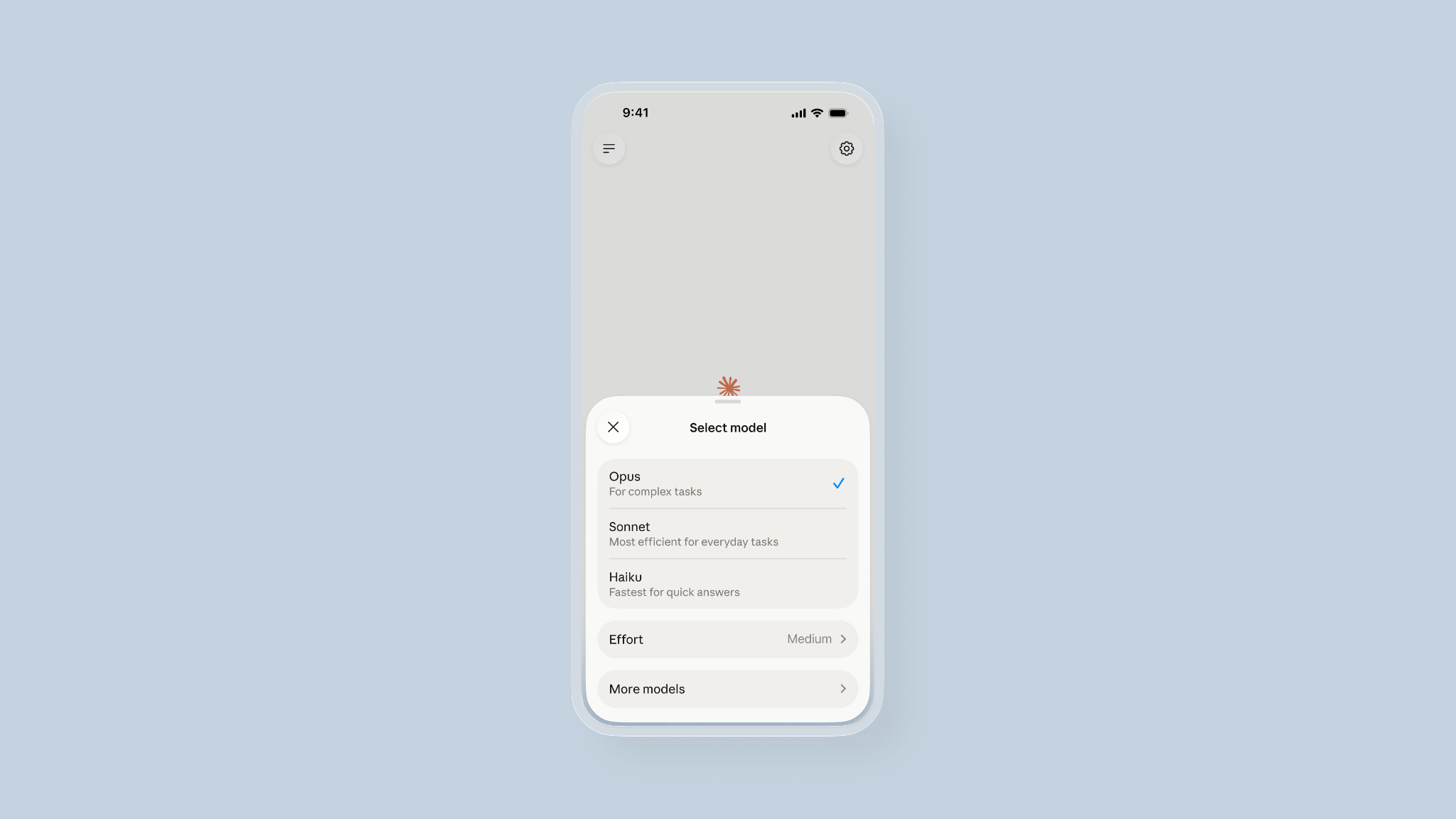
With more capable models, you can talk through a half-formed idea and work out what you actually think. Claude asks follow-up questions and builds on your thinking rather than handing you an answer. Voice mode takes turns, meaning Claude listens, pauses to think, and then responds.
A few things to try:
- Practice for an important conversation and ask Claude for feedback on your communication style.
- Talk through a client pitch and ask Claude to find gaps in your logic.
- Brainstorm ideas for your product roadmap and ask Claude to validate them with competitive research.
- Ask Claude to help you evaluate a few different hypotheses for why your last video went viral.
From talking to doing
When you’ve decided what to do, ask Claude to do it. Some examples of what you can achieve in your tools:
- Running late? Ask Claude to push a meeting on your Google Calendar by 30 minutes.
- Turn a conversation about a client pitch into a one-pager in Canva.
- Ask Claude to summarize the emails you’ve received today and draft responses to the most critical ones.
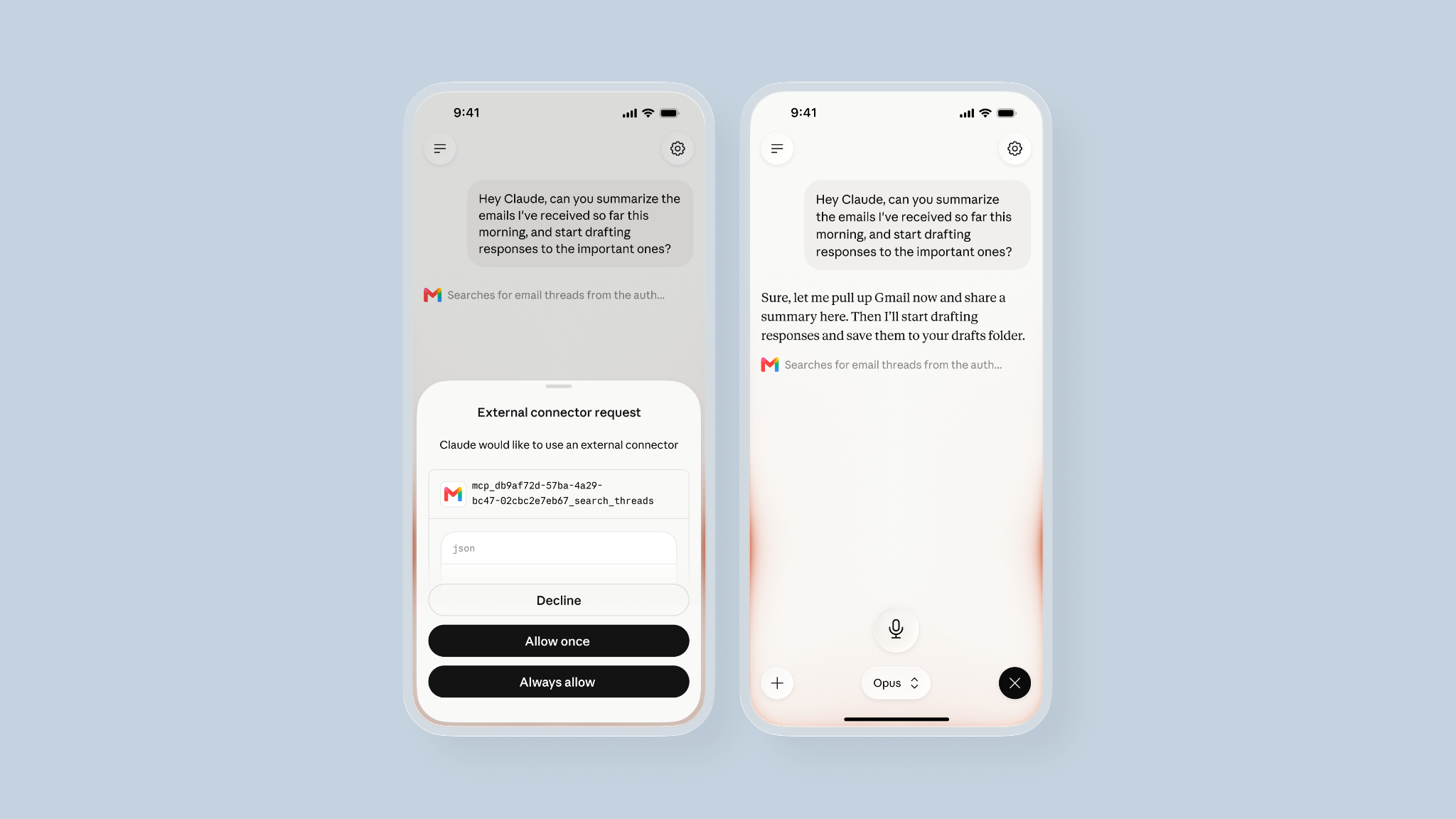
Claude will ask for permission before using one of your connected tools. You can connect a new tool in Settings > Connectors on the Claude mobile, desktop or web apps.
Converse in many more languages
With many more languages now available in voice mode on every plan, you can talk with Claude in the language you think in, switching mid-conversation. Available languages include:
- English
- French
- German
- Hindi
- Indonesian
- Italian
- Japanese
- Korean
- Portuguese (Brazilian)
- Spanish (Latin America)
- Spanish (Spain)
Tell Claude out loud to switch from English to your language of choice, or select your language from the language picker in voice settings.
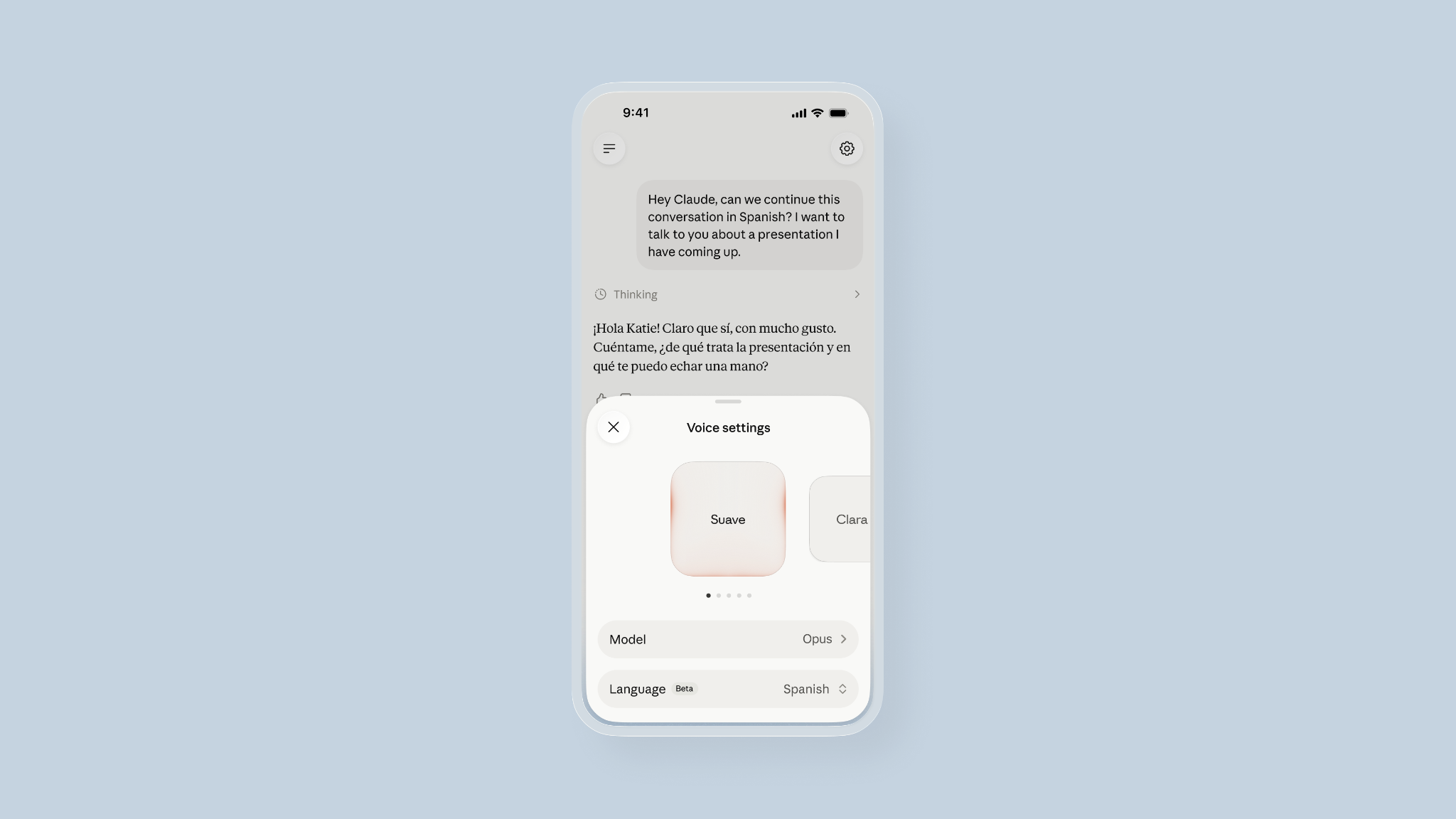
Claude doesn’t automatically detect your language, so you’ll need to ask out loud or select your language to make the switch from English. You will need to set your language specifically for voice mode, as your previous language settings will not carry over.
Getting started
The latest update to voice mode is available in beta to all chat users on mobile, desktop, and web, but works best from your phone. On the Free plan, you get Claude Haiku, one connected tool, and all available languages. Paid plans can access expanded models and all your connected tools. Voice conversations count toward your regular usage limits.
Try voice mode in the Claude mobile app by tapping the sound wave icon, or download the app to get started.