











Read every contract.
Miss nothing.

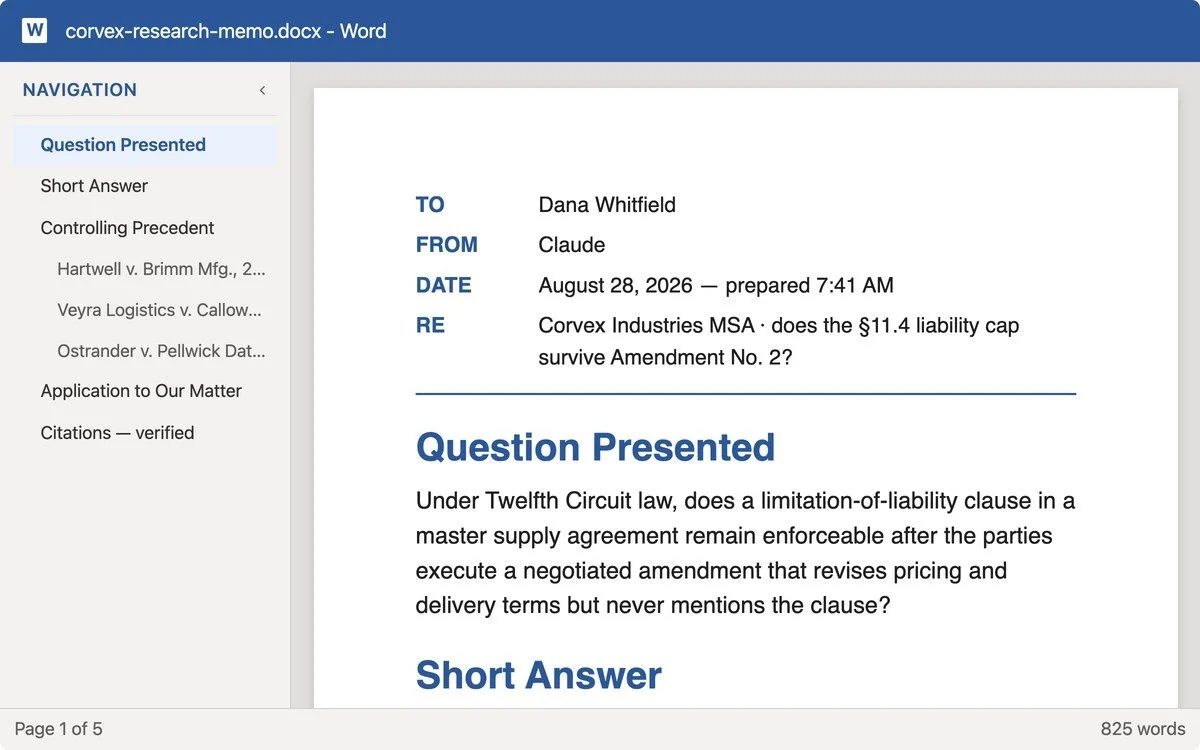
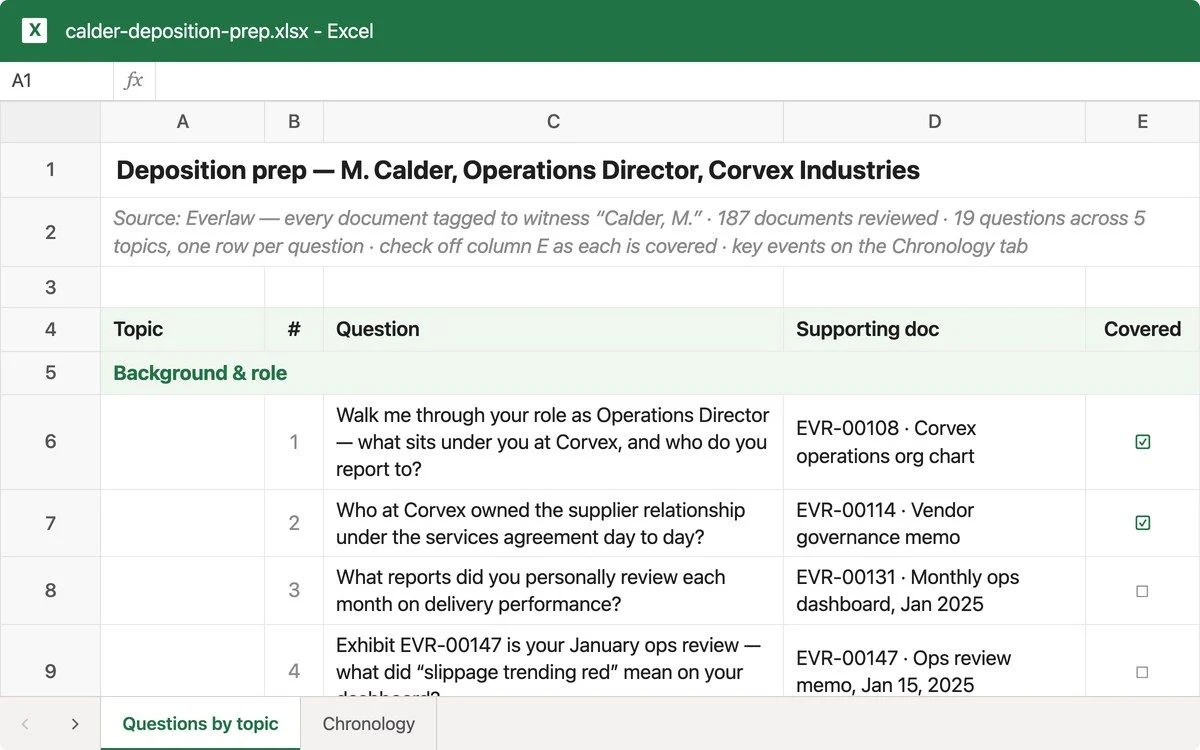
Cowork reads entire folders of agreements, flags what deviates from your standards, and builds the comparison tables you'd spend hours assembling by hand. You focus on the judgment calls. Now in research preview.

Download Claude

Read every contract.
Miss nothing.

Cowork reads entire folders of agreements, flags what deviates from your standards, and builds the comparison tables you'd spend hours assembling by hand. You focus on the judgment calls. Now in research preview.

Download Claude
Contact sales

Download the Claude app, navigate to the toggle at the top of the app, and click "Cowork". Support is not available for Windows (arm64) at this time. Open to all paid users. Not on a paid plan? Upgrade now

Play video

Why legal teams choose Cowork

Built for teams that review more documents than they can read in a day. Cowork is available on desktop only.

Cowork for Legal icon

Query your contracts like a database

Ask Cowork "which vendors have a non-compete?" across 50+ agreements. Get back a structured comparison table with the relevant clauses pulled and organized.

Cowork for Legal icon

Reviews run against your standards

Cowork compares incoming NDAs and contracts against your standard terms, flags every deviation, and explains why it matters, before you've opened the document yourself.

Cowork for Legal icon

Reach all your tools in one place

Cowork runs in the Claude desktop app and connects to your everyday apps, and your local files. Upload a folder of contracts or point it at a shared drive so Claude can get things done.

Tool icon
Tool icon

You stay in control

Cowork handles the work, but you make the calls. You can choose to review outputs before they're sent, approve actions before they're taken, and stay informed every step of the way.

Use cases for legal teams

Database icon
Database icon

Contract clause querying

Point Cowork at a folder of 50+ contracts and ask a question. Get back a comparison table with the relevant provisions extracted and organized side by side.

Edit icon
Edit icon

NDA review and redlining

Compare an incoming NDA against your company's standard terms. Cowork flags deviations, explains the risk, and produces a redlined document with tracked changes.

Checklist icon
Checklist icon

Compliance audit prep

Scan a documentation folder against a regulatory checklist. Cowork verifies which required documents exist, flags what's missing, and drafts a gap report.

Files icon
Files icon

Due diligence document review

Analyze a data room of agreements, surface key risks and unusual terms, and produce a structured summary ready for review.

Filter icon
Filter icon

Clause extraction across agreements

Need to find every indemnification clause, liability cap, or termination provision across your portfolio? Cowork reads them all and organizes the results.

File icon
File icon

Contract summaries for stakeholders

Turn dense legal agreements into plain-language summaries for business teams, delivered via email or Slack.

logo
logo
logo
logo
logo
logo
logo
logo
logo
logo
logo
logo
logo
logo

Customize Cowork with domain expertise and tools

Cowork ships with plugins built for legal workflows, including NDA review against your standard terms. If your team uses tools beyond the standard set, you can extend Cowork with custom plug-ins, skills, or MCP connectors.

Browse plugins
Explore connectors

Spend your time on judgment, not busy work

Download Claude
Contact sales