New connectors in Claude for everyday life
Today we’re expanding what you can connect to Claude. Alongside the work tools you already use, you can now connect the apps you use throughout your week, including AllTrails, Instacart, Audible, Tripadvisor, Intuit TurboTax, and more.
How people have been using connectors
Since launching in July 2025, the Claude directory has grown to over 200 connectors, spanning popular apps for design, finance, productivity, and health used by millions of people every day. We’ve found that people often connect multiple apps and use them together in a single conversation with Claude. For example, a product manager will pull a query from Amplitude, turn it into a Canva deck, and drop the link into Asana for the team, all without leaving the conversation.
This expansion extends that functionality to more of the tools you use outside of work. Starting today, Claude connects to AllTrails, Audible, Booking.com, Instacart, Intuit Credit Karma, Intuit TurboTax, Resy, Spotify, StubHub, Taskrabbit, Thumbtack, Tripadvisor, Uber, Uber Eats, and Viator, with more on the way.
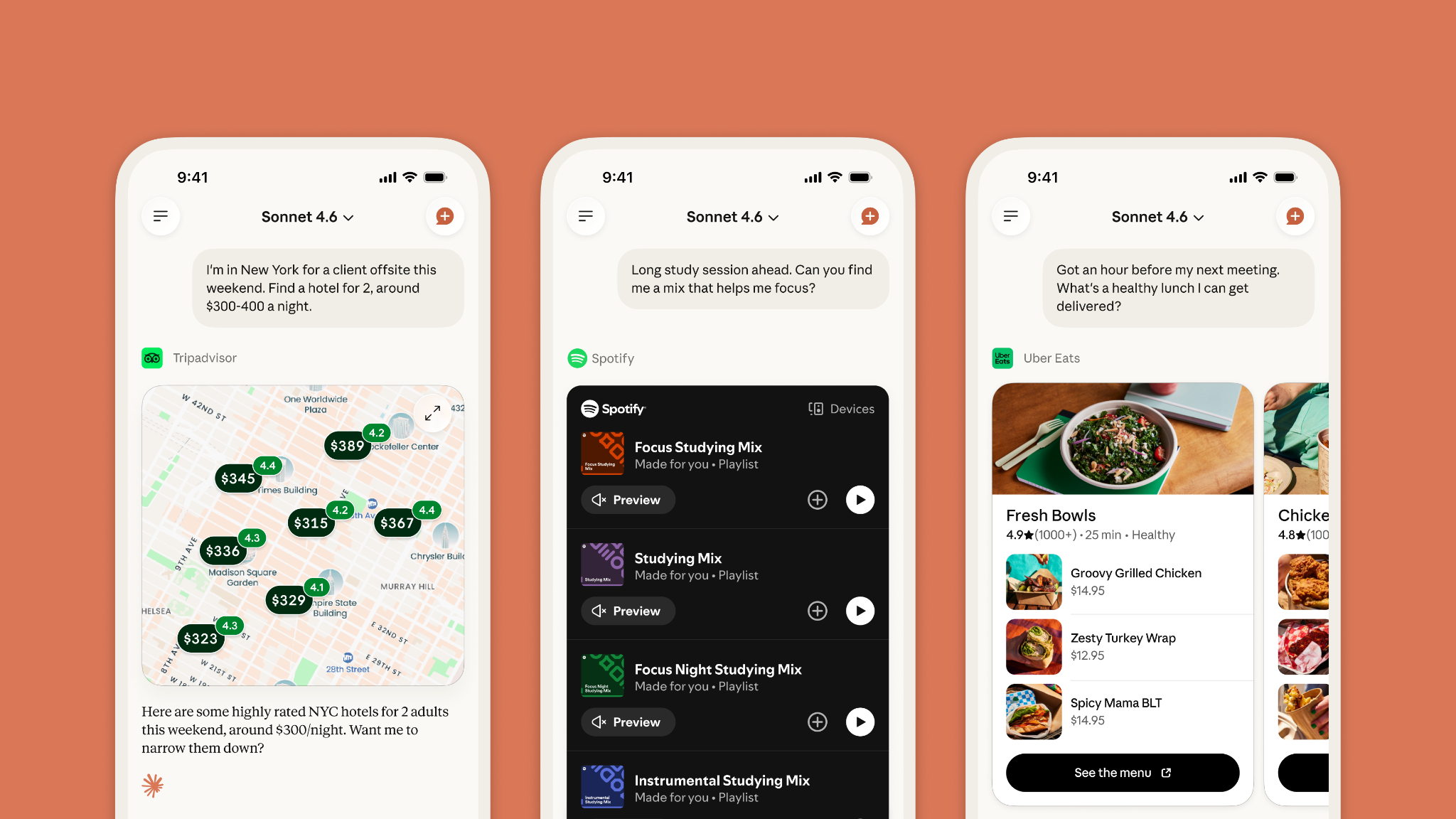
Connectors dynamically show up in conversations
We’ve also changed how connectors show up in conversations. Claude now suggests the right app for what you’re doing, like finding a reservation, adding to a grocery cart, or identifying a flight. It’s working from what you’ve told it: your preferences, your context, your conversation.
This all happens inside your conversation. Ask Claude to recommend a weekend hike, and AllTrails will surface trails nearby that match your preferences. You can then refine the recommendations by asking for something shorter, more scenic, or dog-friendly without leaving the thread. When more than one connected app could help answer your question, Claude shows them all and lets you choose.
You control what you see and share
Claude is ad-free and will stay that way. There are no paid placements or sponsored answers in conversations with Claude. When two connectors could help, you see both, ranked by what’s most useful to you.
Connecting a service gives Claude access to it on your behalf. Your data from that app isn’t used to train our models, and the app doesn’t see your other conversations with Claude. You can also disconnect it at any time.
Claude suggests connectors and makes recommendations. But you stay in control of its actions: before it books or purchases something on your behalf, it’s designed to check with you first.
Getting started
The more apps you connect, the more Claude can do. Claude suggests relevant connectors as you work, which you can install with a click on desktop or a few taps on mobile. Once connected, the service is available in every conversation.
Connectors are available on all plans, with mobile in beta. See the full list at claude.ai/directory/connectors. If you build a product that would be useful in Claude, submit it to our directory here.
For more information on getting started with connectors, along with security and privacy best practices when connecting data sources to Claude, visit our Help Center.