Agent view in Claude Code
Today we're introducing agent view in Claude Code: one place to manage all your Claude Code sessions.
When running agents in parallel before, you've probably had to manage multiple terminal tabs, a tmux grid, and an overloaded mental ledger of what you need to tackle next.
With agent view in Claude Code, you can kick off new agents, send them to the background, and jump in only when Claude needs you. See at a glance which agents are waiting on you, which are still working, and which are done, so you can easily steer many all at once.
How it works
Agent view improves visualizing and interacting with your Claude Code sessions in the CLI.
See everything at once
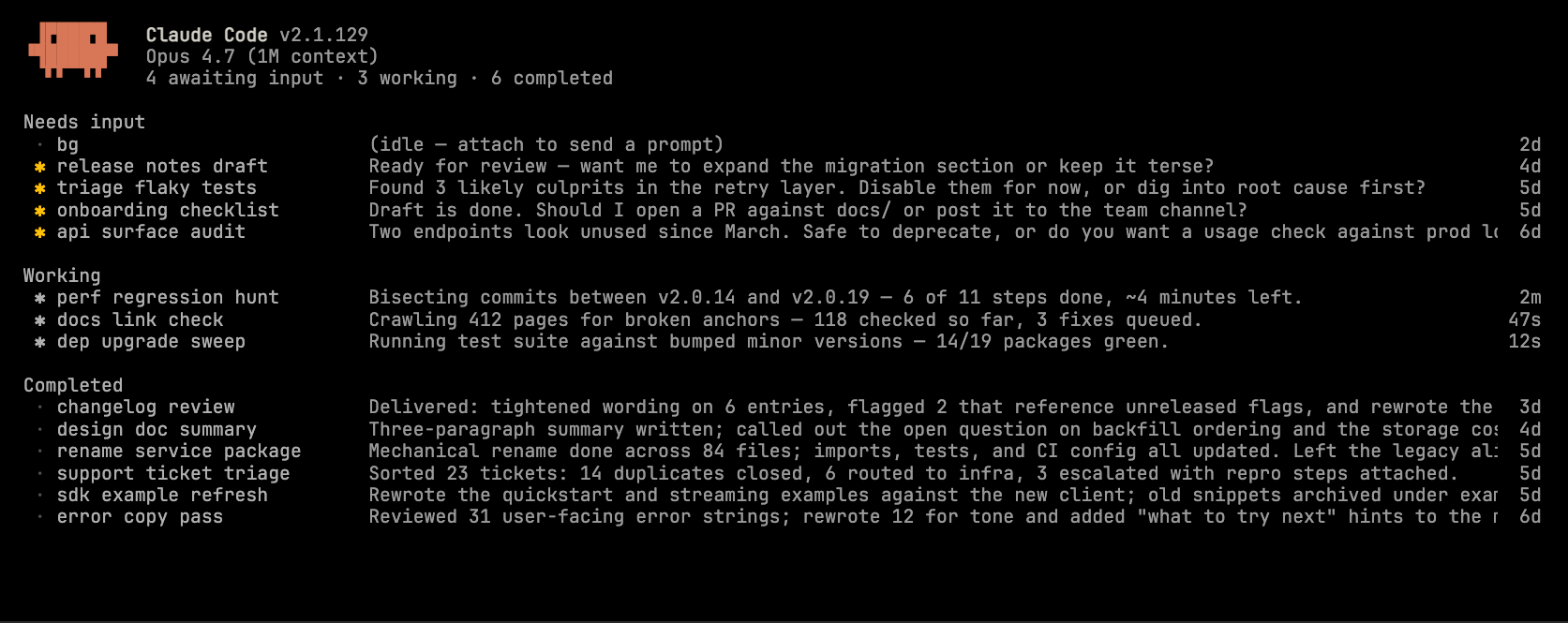
Press the left arrow from any session or run claude agents from the terminal to open agent view. Each row shows the session, whether it needs your input, the contents of its last response, and when you last interacted with it.
Peek and reply without leaving
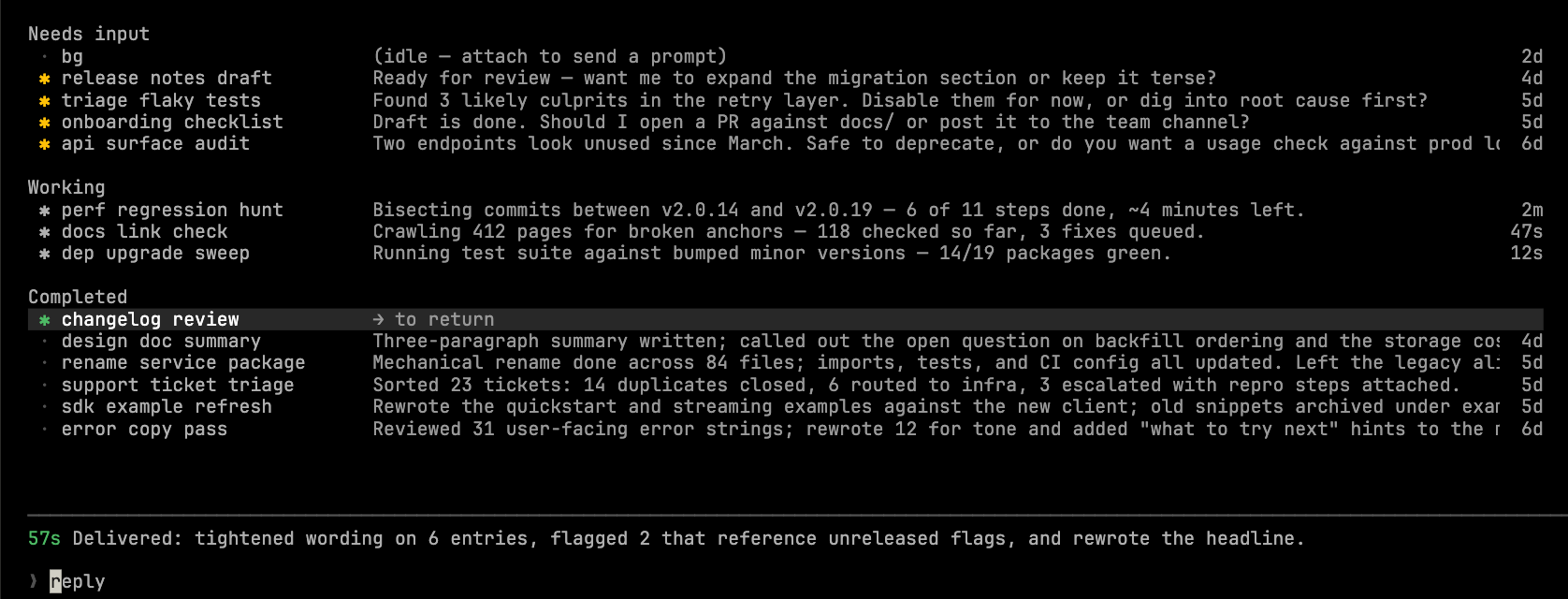
Select a session to peek at the last turn. If a session is waiting on a decision, answer inline and the session picks back up. Press enter to attach directly to sessions where you want to explore the full transcript.
Background anything
Lastly, users can take any existing session and add it to agent view using /bg or skip the foreground entirely using claude --bg [task] to launch a fresh session.
How developers are using agent view
A few patterns we have seen from early users:
- Scaling the number of concurrent sessions: Dispatch several ideas at once, each optionally paired with a skill, and return to a list of pull requests ready for review.
- Manage long running agents: PR babysitters, dashboard updaters, and other looping jobs show their next run time right in the list.
- Navigate between separate sessions: When you’re in the middle of a session, press the left arrow, start a related task or quick codebase question, then arrow right back into what you were doing. Peek shows the answer when it lands.
- See what shipped: Status indicators on each row plus the title in peek make it easy to scan which sessions produced a PR.
Getting started
Agent view is available today as a Research Preview on Pro, Max, Team, Enterprise, and Claude API plans. Opt-in by running claude agents. Usual rate limits apply. See the docs for more information.