Customize Cowork with plugins

Bundle any skills, connectors, and sub-agents together to turn Claude into a specialist for your role, team, and company.
Presenting a persistent conversation with Claude that is accessible from your phone, with computer use, memory, proactivity, and scheduled tasks. Spans both Cowork and Code.

Hand off a task, get a polished deliverable. Spend less time finding, formatting, and fixing with Claude Cowork. Now in research preview.
You can now have one conversation with Claude that follows you from your phone to your desktop. Claude can use your computer, remember context across sessions, and run tasks on a schedule. Available in Cowork and Code.
Unlike Chat, Cowork lets Claude complete work on its own. Describe the outcome and cadence, and it takes action and keeps you informed. Come back to the result.
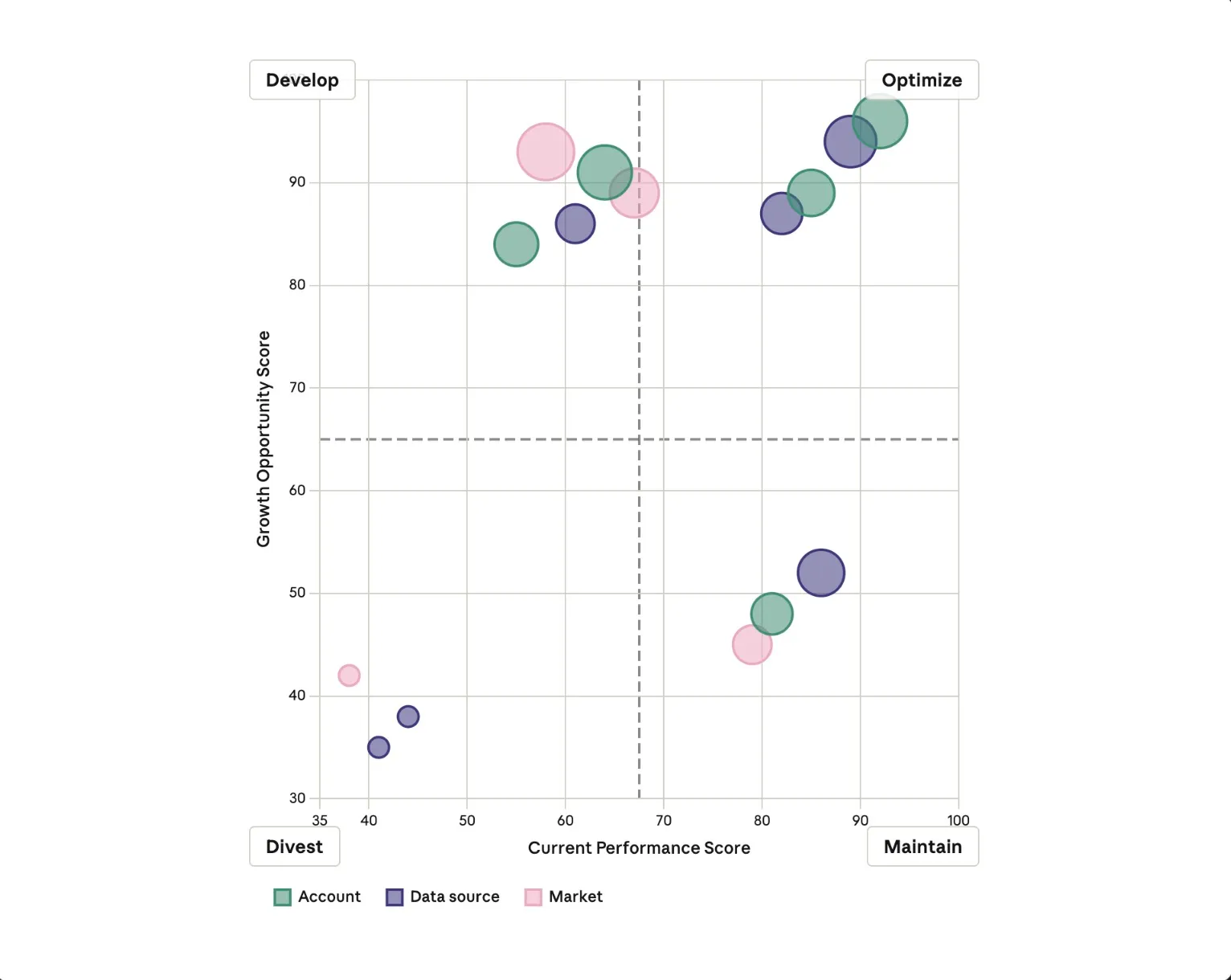
With scheduled tasks, you can have Claude check your email every morning, pull metrics, or run your weekly Slack digest. You define the cadence once. Claude handles it from there.
Downloads/
├── Documents/
│ ├── 2024-03-15_invoice.pdf
│ ├── 2024-03-22_invoice.pdf
│ ├── 2024-03-20_meeting-notes.txt
│ ├── resume_john-smith_2024.pdf
│ └── untitled_document.docx
│
├── Spreadsheets/
│ └── 2024_q3-budget_v3.xlsx
│
├── Presentations/
│ └── presentation-draft.pptx
│
├── Images/
│ ├── photo_2024-03-15_4392.jpg
│ ├── photo_2024-03-15_4393.jpg
│ ├── photo_2024-03-18_4401.heic
│ ├── screenshot_2024-03-15_finder-window.png
│ └── screenshot_2024-03-22_slack-conversation.png
│
├── Audio & Video/
│ ├── 2024-03-20_zoom-recording.mp4
│ └── audio_recording.m4a
│
├── Archives/
│ └── random_download.zip
│
└── Duplicates/
├── Document(1).pdf
├── Document(2).pdf
├── meeting-notes(1).txt
└── 2024_q3-budget_v2.xlsx
Point Claude at your Downloads folder. It sorts files by type, renames them with sensible conventions, and cleans up months of clutter in minutes.
Hand Claude a pile of receipts, invoices, or screenshots. Come back to a formatted spreadsheet with all the data extracted and organized.
Combine your company templates with source materials. Claude follows your formatting conventions and produces polished docs, decks, or reports. Schedule a task to update daily, weekly, or monthly to keep it fresh and accurate.
January 2026 • Draft
Q1 marked a pivotal quarter for the product team. We successfully launched Dashboard v2, completed a major API overhaul, and entered beta for our mobile application. These milestones position us well for Q1's enterprise expansion.
Based on stakeholder feedback (Jan 12), the team decided to prioritize enterprise features over consumer expansion. The pricing model was revised to support...
Q2 priorities include Android beta launch (Apr), enterprise SSO (May), and analytics dashboard expansion...
Give Claude access to your notes folder. It reads through everything, identifies the relevant pieces, and produces a first draft ready for your review.
Send a task to Claude from your phone. It picks up where you left off and remembers how you work. Available on Windows and macOS.
Anything you can do on your computer, Claude can do. Open apps, fill spreadsheets, navigate your browser. No setup, no passwords handed off. Available on macOS.
Claude delivers finished work instead of step-by-step updates: a formatted spreadsheet, a memo, a briefing doc. You review, refine, and decide what's next.
Find Cowork in your desktop app, alongside Chat and Code. Switch to Cowork when you want Claude to execute non-coding tasks.
Tell Claude what you want from your desktop or phone. Claude picks the fastest path: a connector for Slack, Chrome for web research, or your screen to open apps when there's no direct integration.
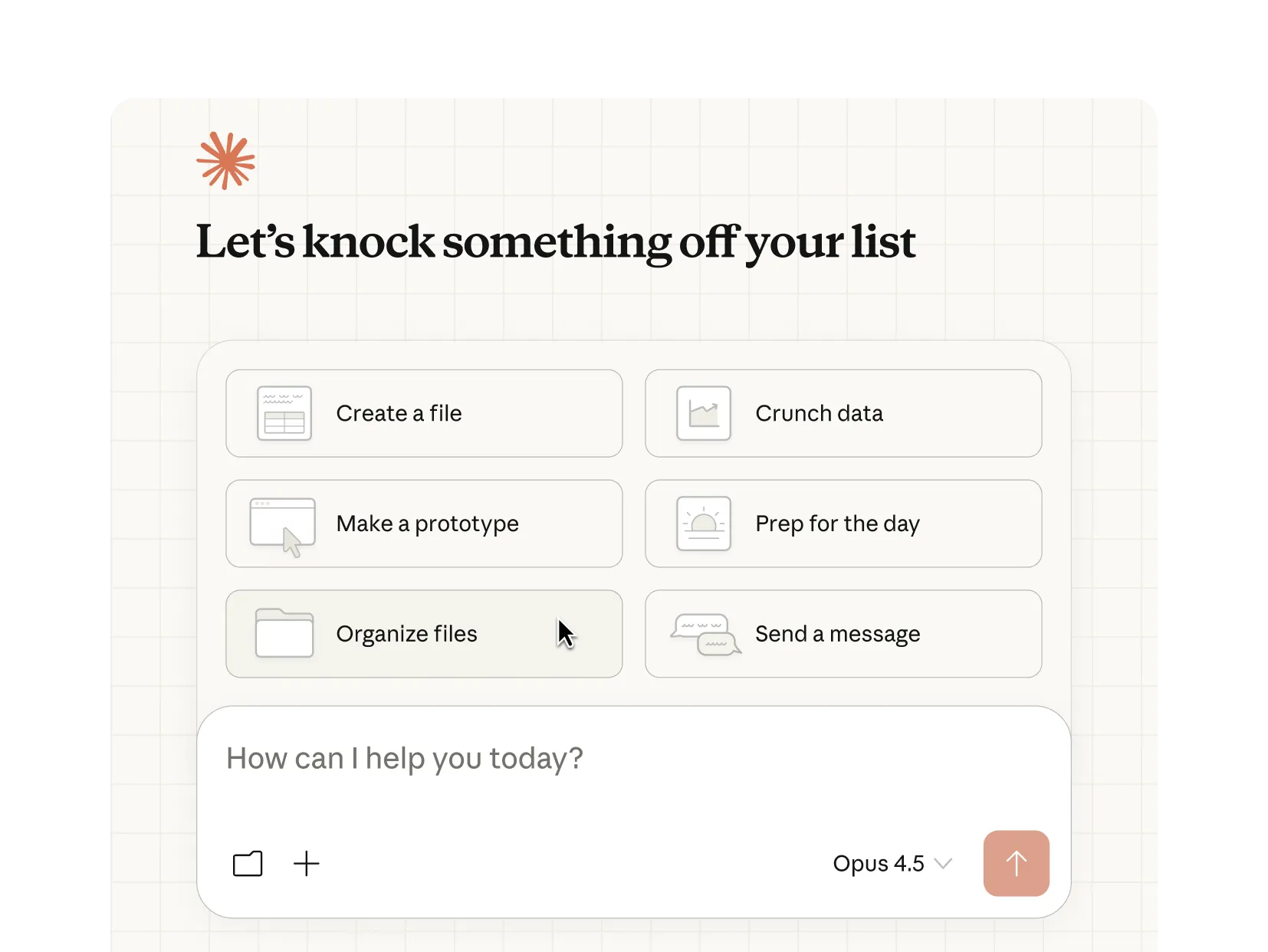
Claude does the work
Claude works through each step, looping you in before anything significant. Watch in real time or walk away. For recurring tasks, tell Claude once and it handles the rest.
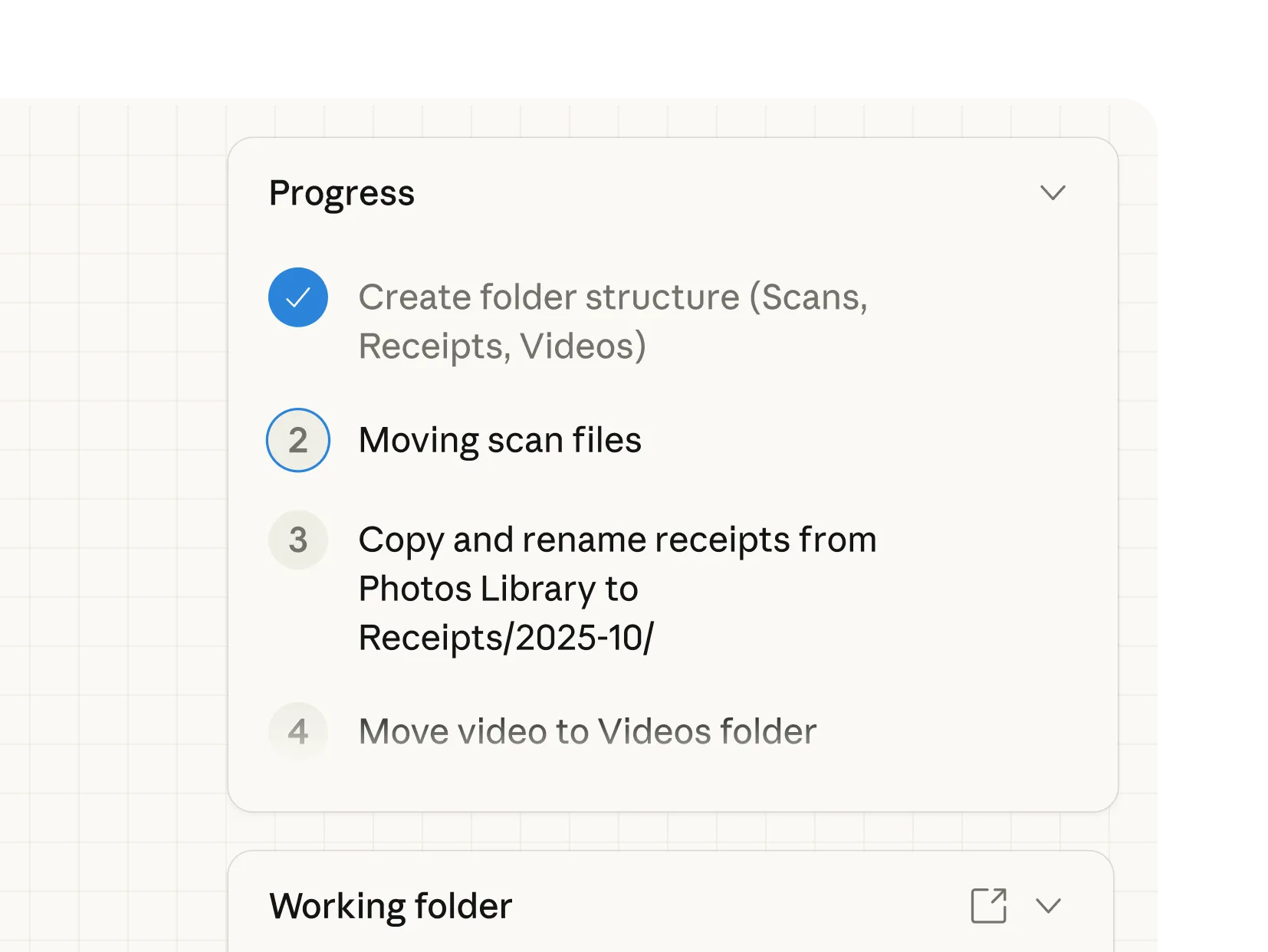
You’re in control
You choose which folders and connectors Claude can access. Before Claude acts, it shows you the plan and waits for your approval. Redirect, refine, or take a different approach at any step.
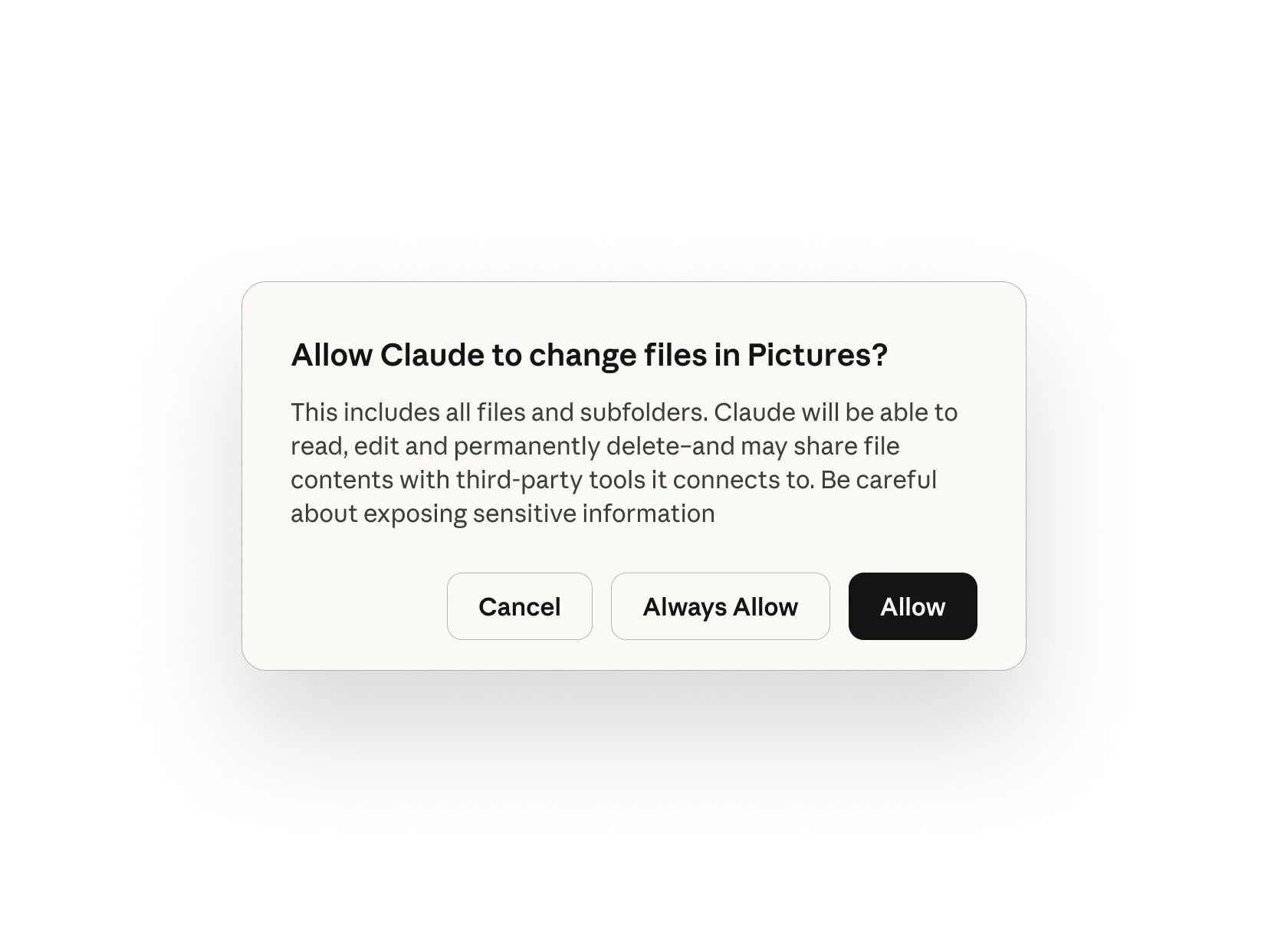
Plugins bundle your team's tools, knowledge, and workflows into a single install so Claude shows up as a specialist from day one.
Domain knowledge and best practices baked in
Claude connects to the tools your team already uses
Specialized agents that handle specific tasks end-to-end
Bundle any skills, connectors, and sub-agents together to turn Claude into a specialist for your role, team, and company.
Analyze your existing documents, marketing materials, and conversations to distill your brand's voice into clear, enforceable guidelines.

Speed up contract review, NDA triage, and compliance workflows for in-house legal teams.
Streamline finance workflows: journal entries, reconciliation, financial statements, and variance analysis.
Generate a daily briefing that pulls from Slack, Notion, and GitHub to surface priorities and connections you'd miss scanning each platform separately.
Point Cowork at a market question and get an analysis with professional deliverables. Claude researches, calculates, and provides PowerPoint presentations or Excel workbooks.
Synthesize feedback from call transcripts, Slack, CRM notes, and Linear issues to identify cross-platform patterns and generate prioritized product ideas.
Turn a folder of lawsuit documents into a chronologically organized exhibit set with descriptive titles and strategic importance assessment.
Claude Cowork is in research preview. Agent safety is still in development. Take precautions while using it.
You choose which folders and connectors Claude can see and it can't access anything without your explicit permission. Learn more
Always confirm before Claude handles financial, personal, or work-critical tasks.Before taking significant actions, Claude shows you what it plans to do and waits for your approval. You can redirect, refine, or take a different approach at any step.
Cowork conversation history is stored locally on your device, not on Anthropic's servers. Enterprise features like audit logs, compliance API, data exports do not currently capture Cowork activity. Administrators can toggle it on or off at their discretion. Avoid granting access to local files with sensitive information, like financial documents.
Choose a plan, then download the desktop app to start using Claude Cowork.
Claude Cowork is included in your Pro plan. Perfect for quick tasks like organizing a folder or pulling together a short report.
Per month with annual subscription discount ($200 billed up front). $20 if billed monthly. Claude Cowork consumes limits faster than Chat. For heavy usage, consider upgrading.
Claude Cowork is included in your Max plan. Great value for everyday use on longer, more complex tasks.
Per month
Even more Claude Cowork included in your Max plan. Best for power users who hand off work throughout the day.
Per month
Claude Cowork and the Slack connector are included in your Team plan standard and premium seats. Includes self-serve seat management and extra usage of the API rates.
Per seat / month. For teams of 5 to 75.
Claude Cowork is included in your Enterprise plan. Admin controls and opt-out available. Note: Cowork activity is not yet captured in audit logs, compliance API, or data exports.
Extra usage limits apply. Prices shown don’t include applicable tax.


"I connected Cowork to our tech stack — org database, Slack, Jira — and asked it to find our engineering operational bottlenecks. Claude came back with an interactive dashboard, team-by-team efficiency analyses, and a prioritized roadmap for Build Operations, and I could keep going deeper on any finding. Product and Design Ops saw it and immediately started building their own."


“Cowork helps teams do work at a scale that was hard to justify before. The human role becomes validation, refinement, and decision-making. Not repetitive rework.”


“We built a skill that turns a complex performance review spreadsheet — seven competency facets, branching logic by level and role — into a guided, interactive experience in Cowork. What would have required a team of engineers building a custom React app, Cowork delivered in 45 minutes. And it's more adaptive than anything we would have built.”
Cowork is Anthropic's agentic AI system for knowledge work. It runs on desktop, connects to local files and applications, and completes multi-step tasks from start to finish. The user defines the goal. Cowork figures out how to get there.
In regular chat, Claude responds to your messages but can't access your files directly. In Cowork, Claude has permission to read, edit, and create files in folders you specify—so it can actually complete tasks rather than just describe how to do them.
Desktop app users can start a task in Claude Desktop and let it handle work in the browser without switching windows by enabling Claude in Chrome as a connector. Claude Code is a command-line tool designed for developers. Cowork brings the same agentic architecture to the desktop app, designed for non-coding knowledge work. No terminal required.
Only the folders and connectors you explicitly grant permission to. Cowork runs in an isolated VM, and you control network access through an allowlist in Settings.
Yes, now in research preview for Pro and Max subscribers. You'll need both the Claude desktop and mobile apps at their latest versions, then you need to pair them. Your desktop needs to be running and your computer needs to be awake. Claude does the work on your desktop and sends you the result. This feature is rolling out gradually and may not be available to all eligible users immediately.
Computer use lets Claude interact directly with your screen to open apps, navigate your browser, or run tools. Claude reaches for your connectors and integrations first, falls back to your browser when needed, and only uses your screen as a last resort. This matters because using a direct integration is faster and more precise than navigating through the screen.
When Claude does interact with your screen, it asks permission before accessing each application. You see what it's doing and can stop it at any step. Computer use is in research preview for both Cowork and Claude Code.
Cowork can understand the following file types:
You can also use Connectors to view additional files.
Cowork is available in the Claude desktop app for macOS and Windows and is a research preview. Sessions don't sync across devices. For Team and Enterprise plans: Cowork activity is NOT captured in Audit Logs, Compliance API, or Data Exports.
Yes, agentic tasks consume more capacity than regular chat. Claude coordinates multiple sub-agents and tool calls to complete complex work.
Yes. Admins can toggle Claude Cowork off for their organization anytime in Admin Settings.
No. Do not enable Cowork for HIPAA, FedRAMP, or FSI regulated workloads.
Plugins are bundles of skills, connectors, and sub-agents that customize Claude for specific roles and workflows. Instead of setting up each component individually, a plugin packages everything together — so Claude works like a specialist for sales, finance, legal, data, or any other function from the first conversation.
This article explains how to use Claude Cowork, a research preview that brings Claude Code's agentic capabilities to Claude Desktop for knowledge work beyond coding.
Lorem ipsum dolor sit amet, consectetur adipiscing elit suspendisse varius.