Building agents with the Claude Agent SDK
The Claude Agent SDK is a collection of tools that helps developers build powerful agents on top of Claude Code. In this article, we walk through how to get started and share our best practices.
Last year, we shared lessons in building effective agents alongside our customers. Since then, we've released Claude Code, an agentic coding solution that we originally built to support developer productivity at Anthropic.
Over the past several months, Claude Code has become far more than a coding tool. At Anthropic, we’ve been using it for deep research, video creation, and note-taking, among countless other non-coding applications. In fact, it has begun to power almost all of our major agent loops.
In other words, the agent harness that powers Claude Code (the Claude Code SDK) can power many other types of agents, too. To reflect this broader vision, we're renaming the Claude Code SDK to the Claude Agent SDK.
In this post, we'll highlight why we built the Claude Agent SDK, how to build your own agents with it, and share the best practices that have emerged from our team’s own deployments.
Giving Claude a computer
The key design principle behind Claude Code is that Claude needs the same tools that programmers use every day. It needs to be able to find appropriate files in a codebase, write and edit files, lint the code, run it, debug, edit, and sometimes take these actions iteratively until the code succeeds.
We found that by giving Claude access to the user’s computer (via the terminal), it had what it needed to write code like programmers do.
But this has also made Claude in Claude Code effective at non-coding tasks. By giving it tools to run bash commands, edit files, create files and search files, Claude can read CSV files, search the web, build visualizations, interpret metrics, and do all sorts of other digital work – in short, create general-purpose agents with a computer. The key design principle behind the Claude Agent SDK is to give your agents a computer, allowing them to work like humans do.
Creating new types of agents
We believe giving Claude a computer unlocks the ability to build agents that are more effective than before. For example, with our SDK, developers can build:
- Finance agents: Build agents that can understand your portfolio and goals, as well as help you evaluate investments by accessing external APIs, storing data and running code to make calculations.
- Personal assistant agents. Build agents that can help you book travel and manage your calendar, as well as schedule appointments, put together briefs, and more by connecting to your internal data sources and tracking context across applications.
- Customer support agents: Build agents that can handle high ambiguity user requests, like customer service tickets, by collecting and reviewing user data, connecting to external APIs, messaging users back and escalating to humans when needed.
- Deep research agents: Build agents that can conduct comprehensive research across large document collections by searching through file systems, analyzing and synthesizing information from multiple sources, cross-referencing data across files, and generating detailed reports.
And much more. At its core, the SDK gives you the primitives to build agents for whatever workflow you're trying to automate.
Building your agent loop
In Claude Code, Claude often operates in a specific feedback loop: gather context -> take action -> verify work -> repeat.
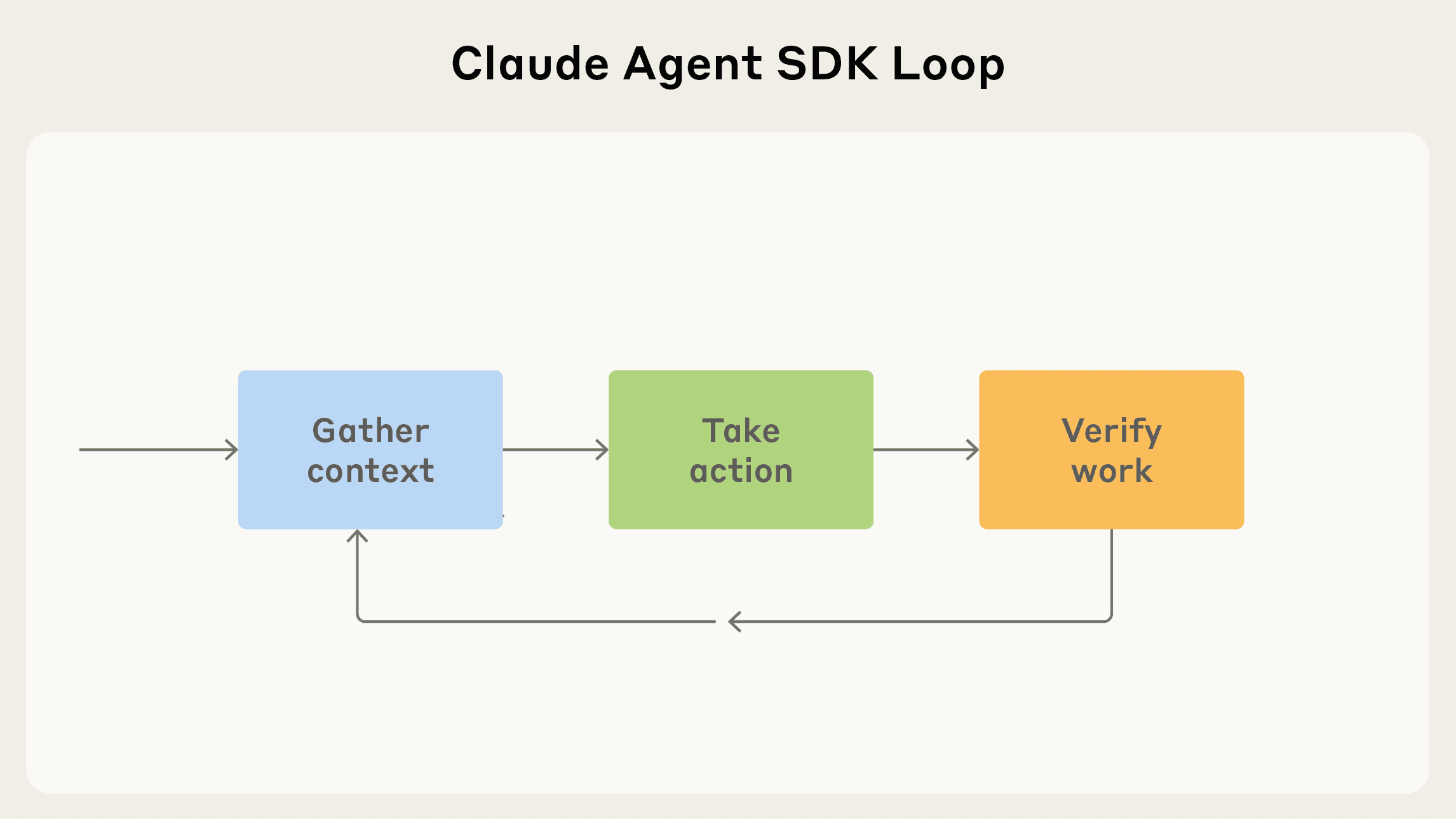
This offers a useful way to think about other agents, and the capabilities they should be given. To illustrate this, we’ll walk through the example of how we might build an email agent in the Claude Agent SDK.
Gather context
When developing an agent, you want to give it more than just a prompt: it needs to be able to fetch and update its own context. Here’s how features in the SDK can help.
Agentic search and the file system
The file system represents information that could be pulled into the model's context.
When Claude encounters large files, like logs or user-uploaded files, it will decide which way to load these into its context by using bash scripts like grep and tail. In essence, the folder and file structure of an agent becomes a form of context engineering.
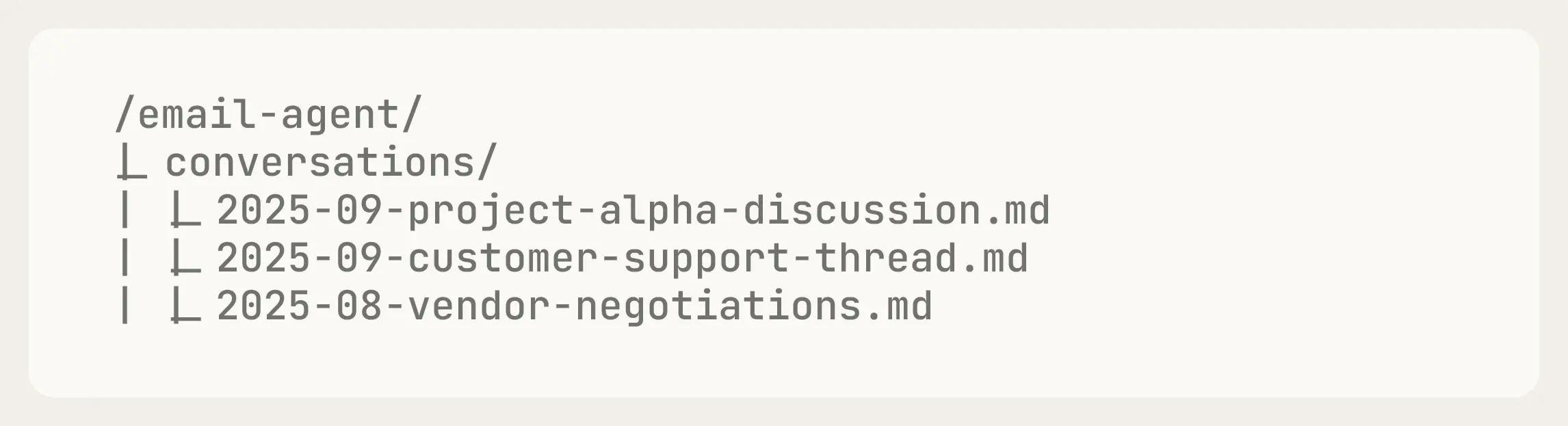
Our email agent might store previous conversations in a folder called ‘Conversations’. This would allow it to search previous these for its context when asked about them.
Semantic search
Semantic search is usually faster than agentic search, but less accurate, more difficult to maintain, and less transparent. It involves ‘chunking’ the relevant context, embedding these chunks as vectors, and then searching for concepts by querying those vectors. Given its limitations, we suggest starting with agentic search, and only adding semantic search if you need faster results or more variations.
Subagents
Claude Agent SDK supports subagents by default. Subagents are useful for two main reasons. First, they enable parallelization: you can spin up multiple subagents to work on different tasks simultaneously. Second, they help manage context: subagents use their own isolated context windows, and only send relevant information back to the orchestrator, rather than their full context. This makes them ideal for tasks that require sifting through large amounts of information where most of it won't be useful.
When designing our email agent, we might give it a 'search subagent' capability. The email agent could then spin off multiple search subagents in parallel—each running different queries against your email history—and have them return only the relevant excerpts rather than full email threads.
Compaction
When agents are running for long periods of time, context maintenance becomes critical. The Claude Agent SDK’s compact feature automatically summarizes previous messages when the context limit approaches, so your agent won’t run out of context. This is built on Claude Code’s compact slash command.
Take action
Once you’ve gathered context, you’ll want to give your agent flexible ways of taking action.
Tools
Tools are the primary building blocks of execution for your agent. Tools are prominent in Claude's context window, making them the primary actions Claude will consider when deciding how to complete a task. This means you should be conscious about how you design your tools to maximize context efficiency. You can see more best practices in our blog post, Writing effective tools for agents – with agents .
As such, your tools should be primary actions you want your agent to take. Learn how to make custom tools in the Claude Agent SDK.
For our email agent, we might define tools like “fetchInbox” or “searchEmails” as the agent’s primary, most frequent actions.
Bash & scripts
Bash is useful as a general-purpose tool to allow the agent to do flexible work using a computer.
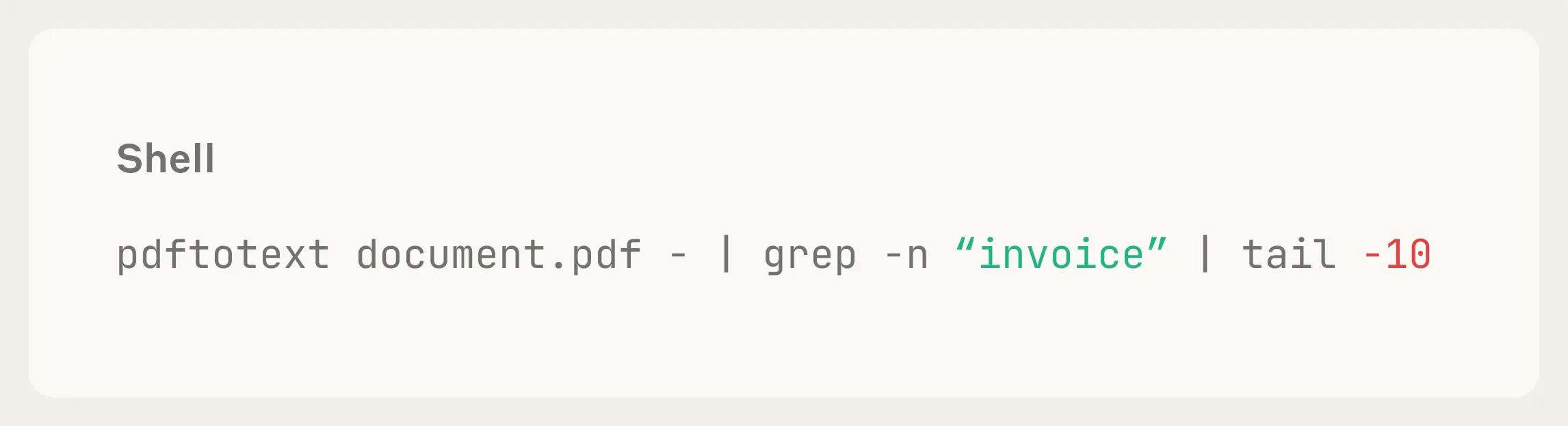
In our email agent, the user might have important information stored in their attachments. Claude could write code to download the PDF, convert it to text, and search across it to find useful information by calling, as depicted below:
Code generation
The Claude Agent SDK excels at code generation—and for good reason. Code is precise, composable, and infinitely reusable, making it an ideal output for agents that need to perform complex operations reliably.
When building agents, consider: which tasks would benefit from being expressed as code? Often, the answer unlocks significant capabilities.
For example, our recent launch of file creation in Claude.AI relies entirely on code generation. Claude writes Python scripts to create Excel spreadsheets, PowerPoint presentations, and Word documents, ensuring consistent formatting and complex functionality that would be difficult to achieve any other way.
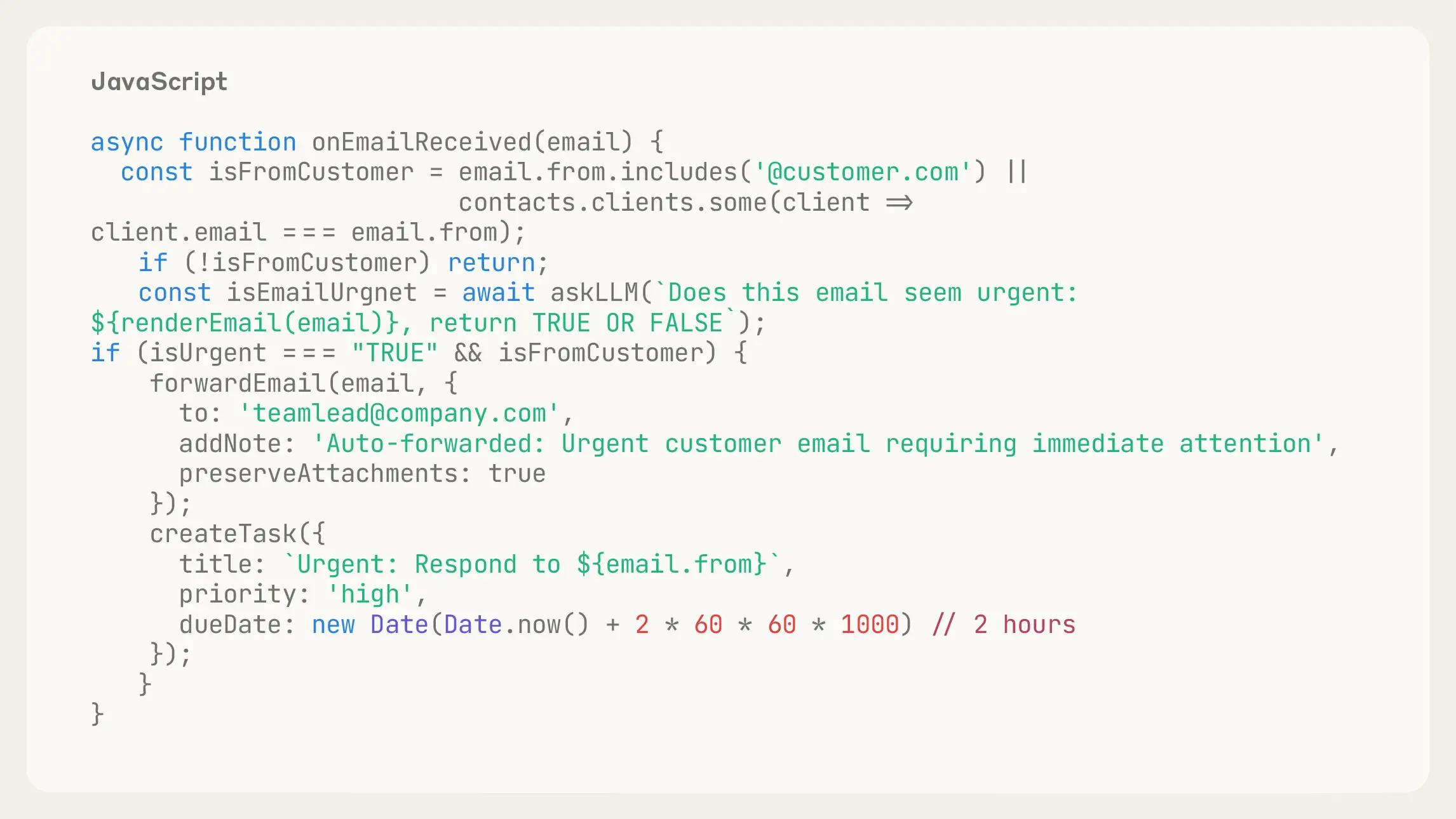
In our email agent, we might want to allow users to create rules for inbound emails. To achieve this, we could write code to run on that event:
MCPs
The Model Context Protocol (MCP) provides standardized integrations to external services, handling authentication and API calls automatically. This means you can connect your agent to tools like Slack, GitHub, Google Drive, or Asana without writing custom integration code or managing OAuth flows yourself.
For our email agent, we might want to search Slack messages to understand team context, or check Asana tasks to see if someone has already been assigned to handle a customer request. With MCP servers, these integrations work out of the box—your agent can simply call tools like search_slack_messages or get_asana_tasks and the MCP handles the rest.
The growing MCP ecosystem means you can quickly add new capabilities to your agents as pre-built integrations become available, letting you focus on agent behavior.
Verify your work
The Claude Code SDK finishes the agentic loop by evaluating its work. Agents that can check and improve their own output are fundamentally more reliable—they catch mistakes before they compound, self-correct when they drift, and get better as they iterate.
The key is giving Claude concrete ways to evaluate its work. Here are three approaches we've found effective:
Defining rules
The best form of feedback is providing clearly defined rules for an output, then explaining which rules failed and why.
Code linting is an excellent form of rules-based feedback. The more in-depth in feedback the better. For instance, it is usually better to generate TypeScript and lint it than it is to generate pure JavaScript because it provides you with multiple additional layers of feedback.
When generating an email, you may want Claude to check that the email address is valid (if not, throw an error) and that the user has sent an email to them before (if so, throw a warning).
Visual feedback
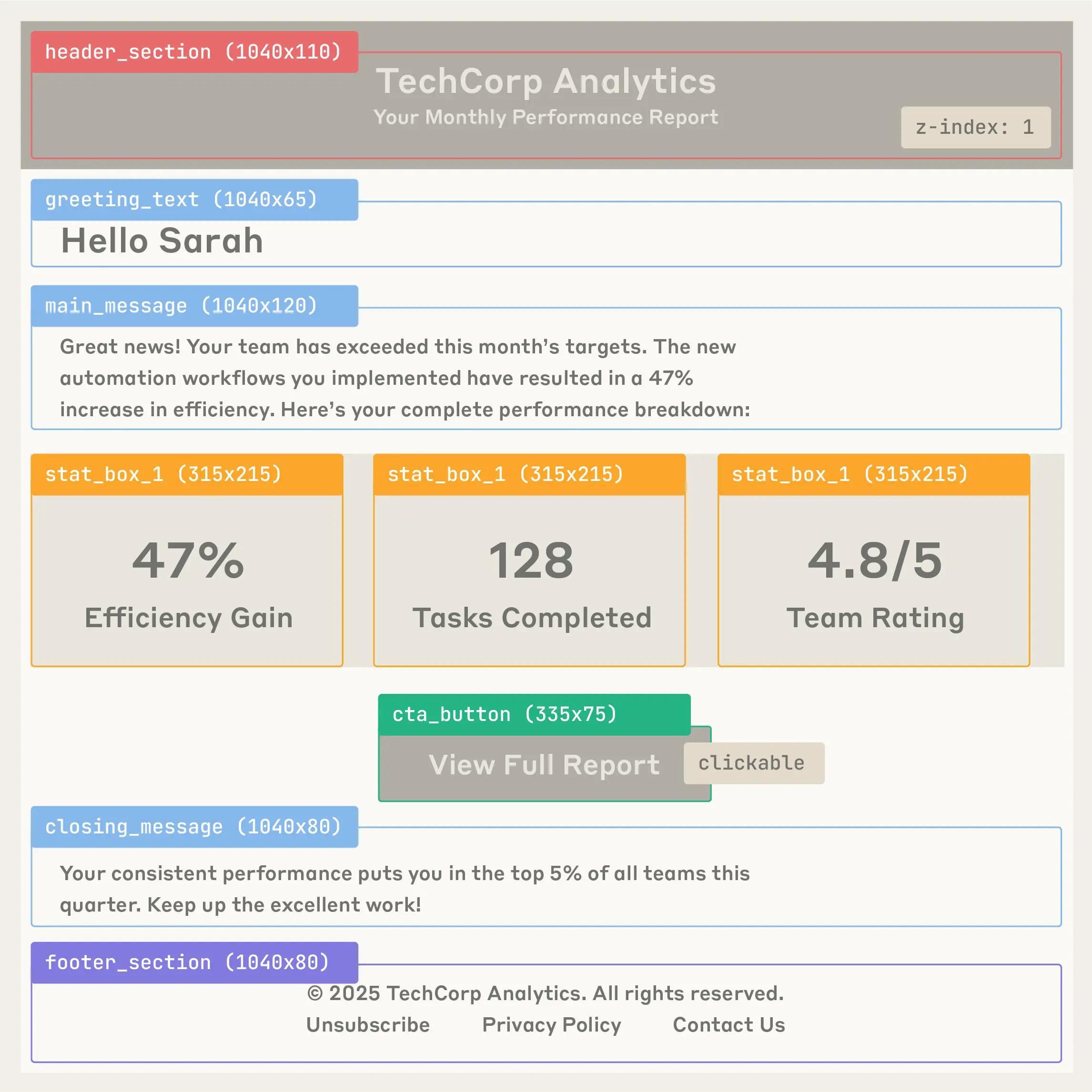
When using an agent to complete visual tasks, like UI generation or testing, visual feedback (in the form of screenshots or renders) can be helpful. For example, if sending an email with HTML formatting, you could screenshot the generated email and provide it back to the model for visual verification and iterative refinement. The model would then check whether the visual output matches what was requested.
For instance:
- Layout - Are elements positioned correctly? Is spacing appropriate?
- Styling - Do colors, fonts, and formatting appear as intended?
- Content hierarchy - Is information presented in the right order with proper emphasis?
- Responsiveness - Does it look broken or cramped? (though a single screenshot has limited viewport info)
Using an MCP server like Playwright, you can automate this visual feedback loop—taking screenshots of rendered HTML, capturing different viewport sizes, and even testing interactive elements—all within your agent's workflow.
LLM as a judge
You can also have another language model “judge" the output of your agent based on fuzzy rules. This is generally not a very robust method, and can have heavy latency tradeoffs, but for applications where any boost in performance is worth the cost, it can be helpful.
Our email agent might have a separate subagent judge the tone of its drafts, to see if they fit well with the user’s previous messages.
Testing and improving your agent
After you’ve gone through the agent loop a few times, we recommend testing your agent, and ensuring that it’s well-equipped for its tasks. The best way to improve an agent is to look carefully at its output, especially the cases where it fails, and to put yourself in its shoes: does it have the right tools for the job?
Here are some other questions to ask as you’re evaluating whether or not your agent is well-equipped to do its job:
- If your agent misunderstands the task, it might be missing key information. Can you alter the structure of your search APIs to make it easier to find what it needs to know?
- If your agent fails at a task repeatedly, can you add a formal rule in your tool calls to identify and fix the failure?
- If your agent can’t fix its errors, can you give it more useful or creative tools to approach the problem differently?
- If your agent’s performance varies as you add features, build a representative test set for programmatic evaluations (or evals) based on customer usage.
Getting started
The Claude Agent SDK makes it easier to build autonomous agents by giving Claude access to a computer where it can write files, run commands, and iterate on its work.
With the agent loop in mind (gathering context, taking action, and your verifying work), you can build reliable agents that are easy to deploy and iterate on.
You can get started with the Claude Agent SDK today. For developers who are already building on the SDK, we recommend migrating to the latest version by following this guide.
Acknowledgements
Written by Thariq Shihipar with notes and editing from Molly Vorwerck, Suzanne Wang, Alex Isken, Cat Wu, Keir Bradwell, Alexander Bricken & Ashwin Bhat.