The Claude Tag guide for startups
How leading startups use Claude Tag to ship faster and scale operations
Startups frequently work at a fast pace with lean teams wearing many hats. In many ways, Claude Tag (beta) is suited for how startups work. You @Claude to a Slack channel where your context lives, add connectors, and have your team assign and steer tasks together.
For startup teams new to using Claude Tag, one of the most frequent questions is “which channels should I add Claude to first?” To help answer it, we spoke with eight high growth startups to see how Claude Tag works inside their teams.
Featuring insights from


We heard from leaders at companies with visions from reinventing law firms to building the next generation of resource planning software. Some had added Claude to nearly every channel while others had focused deeply on one or two specific use cases.
| Company | On call | Thread to PR | Company brain | Self-serve data | Routine reporting |
|---|---|---|---|---|---|
| Kikoff | ● | ● | ● | ● | |
| NavigateAI | ● | ● | ● | ● | |
| Campfire | ● | ● | ● | ||
| Flagler Health | ● | ● | ● | ||
| Moritz | ● | ● | |||
| Orderful | ● | ● | ● | ● | |
| Valence | ● | ● | ● | ||
| Descript | ● | ● | ● |
But everyone we spoke with shared an “aha!” moment where they realized a minutes-long Claude Tag conversation replaced days of work or uncovered insights that would otherwise have remained hidden.
The most common are contained in this guide, each with practical implementation details designed to help founders find and deploy the use cases that will move the needle for their team. Here are some examples of how the needle moved for the startups we spoke with:

21
minutes from Slack mention to open PR

134
pull requests merged from Slack threads

5
minutes for the daily end-of-shift update, down from 1 hour

<1
hour from client ask to no-code solution

2
days from Slack question to production

Days to hours
of recurring reporting prep
In this guide, we share the most common use cases, channels, and collective insights from leading startups for using Claude Tag.
Top channels to tag Claude
The eight startups we spoke with use Claude Tag across Slack, but a handful of channels came up again and again as the best places to start.
01 Claude on call
Example setups:
#on-call #alerts-ci #deploy-watch #support-escalations
GitHub, GitLab, Sentry, dbt, PagerDuty, Linear, Datadog, Jira, Grafana, incident.io
Incident response, morning incident digest, Monday on-call handoff, daily health summary, hourly incident recap
@Claude remember for this channel: monitor alerts and immediately triage each one in its own thread. Check for an existing ticket. Query the data first, then theorize, and separate what you verified from what you inferred. If it's real, name the likely root cause with links, tag the owner, and open a draft PR only if the fix is contained. If no action is needed, say so. After each incident, add what you learned to [lessons file].
Triage channels are notoriously noisy. There are constant interruptions from Sentry errors, Datadog alerts, customer bug reports, and support requests making it difficult to find the signal from noise. It's usually the first task teams hand to Claude.
With Claude in the channel as a first responder, the first pass is often done before the on-call engineer opens their laptop. Claude reads each item as it lands, investigates the codebase and the tools it has access to, and shares what it found. If the fix is contained, it opens a draft PR; if not, it routes the issue to the right person with the investigation attached. In these setups, a person reviews each fix before it merges, and only genuinely new problems need someone to start the investigation themselves.
At Campfire, which builds an AI-native ERP for finance teams, an engineer tagged Claude on a report that some of its AI agent’s finished answers weren’t reaching users. Claude had a PR open 21 minutes later, and it merged that afternoon.
Kikoff: A first responder in every triage channel
Kikoff is a fintech startup that helps consumers build credit, solve liquidity needs, and achieve financial security. Claude Tag is the first responder in triage channels across the company, including:
#deploys: Claude decides what to watch after each release and flags anything it broke.#alerts-ci: When a build fails, Claude finds out why and proposes a fix as a draft PR.#alerts-sentry-backend: Claude takes the first pass on Sentry exceptions and crashes.#dog-fooding: Claude investigates what employees flag while dogfooding and tags the right owner.#support: Claude takes the first pass on support tickets.
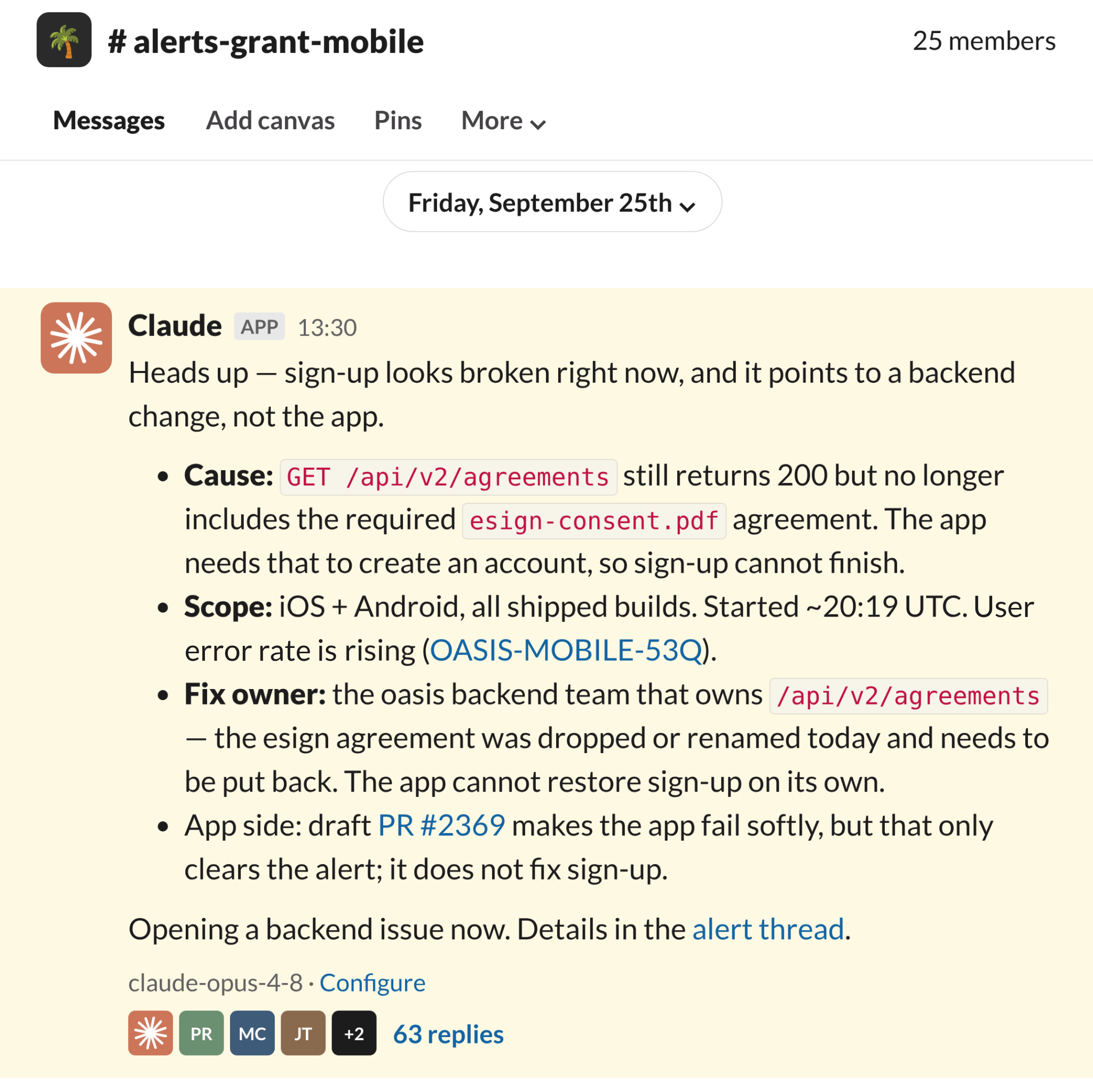
Kikoff started with Claude contributing to the conversation only when mentioned, and the biggest wins came once the team let it jump in on its own. When sign-up broke, Claude traced it to a backend change, sized the impact, named the team that owned the fix, and opened a draft PR so the app would fail softly in the meantime.

“I’m always hyped when Claude catches an issue before a monitor or human does. One person can only personally manage so much context, Claude Tag helps us organize and own some context, and we manage the outcomes.”
Alex Dejeu, engineering manager at Kikoff
NavigateAI: Fixing bugs with fragmented context
NavigateAI builds AI copilots for construction field teams. They run Claude Tag in about 90 channels for alert triage, bug bashes, quick feature building, and support escalations. Since June, Claude has opened about 223 PRs straight from Slack threads and 134 have merged with a median of two hours from open to merge.
Triage has been a particularly valuable use case for NavigateAI. Because Claude has so much context, it can find unintuitive root causes to issues that may have been missed at first glance.

“Our biggest ‘wow!’ moment with Claude Tag was when we were trying to debug a load issue, which seemed to be caused by a customer (since their calls were failing). A normal human response would be to continue chasing down that customer. But because Claude had access to so many other data sources, it actually found that it was from an uninstrumented internal cron job that was running during the same time.”
Mike Chen, head of engineering at NavigateAI
With Claude, mean time to resolve issues has improved. In one case, Claude had the root cause eight minutes after a Sentry alert fired, and the fix was merged 93 minutes after the alert.
“Fast-moving startups typically have to pick speed over structure. Claude Tag gives us both. It’s a brain that connects the dots across all our tools, so we get the structure without having to build it ourselves,” said Mike.
02 Thread to PR
Example setups:
#quick-wins #bug-bash #product-feedback #feature-requests #ux-papercuts #tech-debt #design-polish
GitHub, GitLab, Linear, Jira, Confluence, Notion, Figma, Sentry
One request per thread, weekly backlog sweep, daily PR roundup, weekly shipped recap
@Claude remember for this channel: when someone describes a bug or small feature, work on it in its own thread. Check for an existing ticket and read the related code first. If details are missing, ask for them or for a real example instead of guessing. If the change is small and contained, open a draft PR with a short summary of what changed and how you tested it. Never merge; a person reviews and approves. If it's too big or risky, say why and suggest a ticket.
Speed is one of a startup’s biggest advantages, but often small requests that delight users can get lost in the shuffle. The intelligence is often gathered by customer-facing teams, submitted in Slack, and, if it's not overlooked, eventually makes its way to Linear or Jira where it’s prioritized against hundreds of other tickets.
With Claude Tag, anyone can draft the PR, technical or not. Surface an idea in a thread, get live feedback from product, engineering, and GTM in the same place, and Claude turns the thread into a draft PR that reflects everyone’s input.
Many of the startups we spoke with used Claude Tag for the “light and delight” features or to remove papercuts that are quick to review but would otherwise not get prioritized.
Orderful: From Slack exchange to production feature in two days
Orderful is an EDI platform that connects companies with their trading partners, through an API or straight from the browser. Its customers trade standard documents with their partners through the platform.
One document type, the 753, wasn’t supported in Orderful’s web app. The request had sat in the backlog, and shipments for one large retailer were delayed.
When an account manager followed up in Slack, the PM tagged Claude in: “@Claude, you should build one.” Claude asked for real examples of the document so it could build to the actual format, then opened a draft PR adding 753 support.
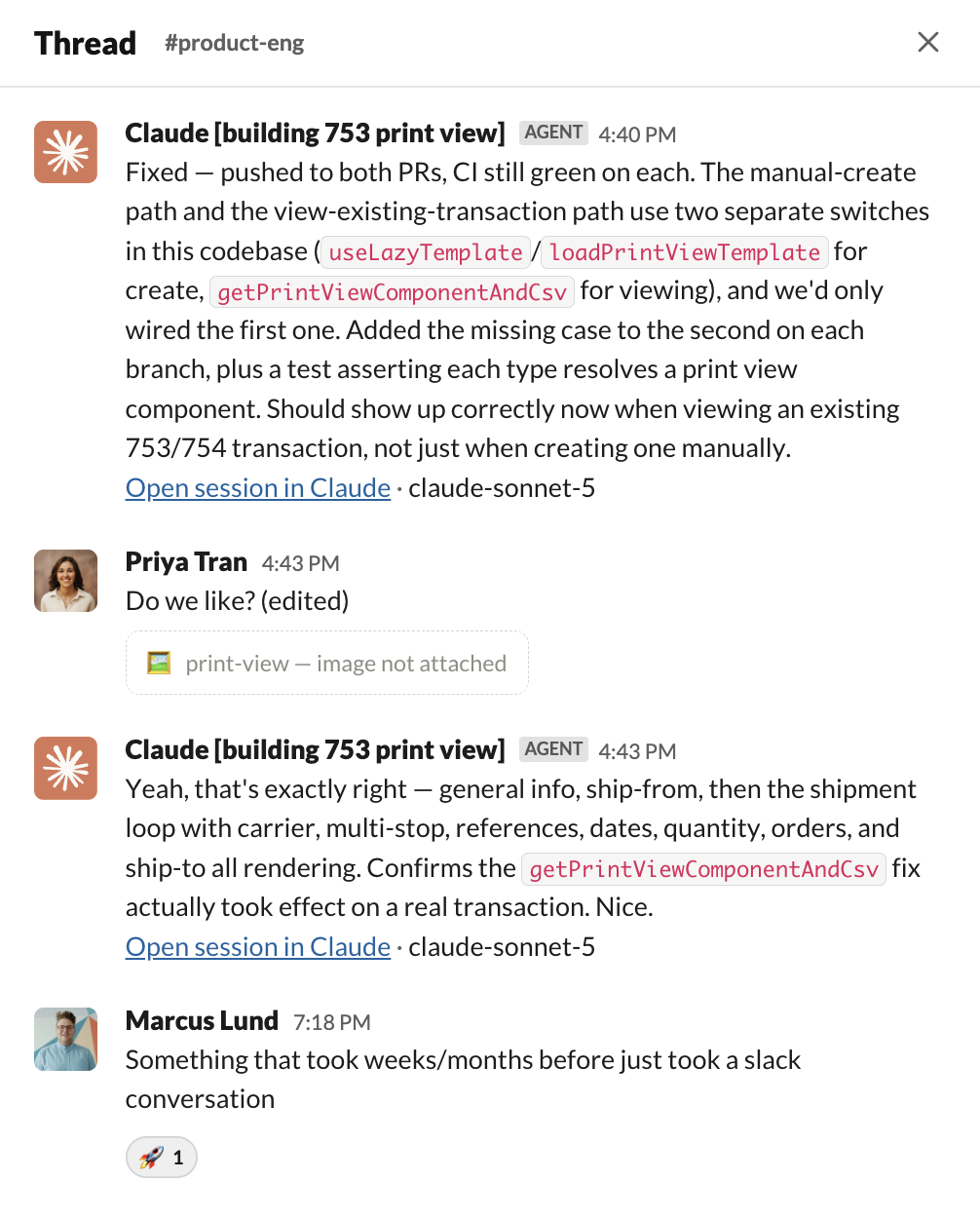
The next morning, Claude filed a ticket for the accompanying 754, the retailer’s response, and opened a second PR. Both were in production about two days after the Slack exchange.
“Something that took weeks or months before just took a Slack conversation,” said Piers MacDonald, CTO at Orderful. “Light features with hard-to-prove value used to get stuck in the backlog. Now they have a way out.”
Valence: From feature request to rollout
Valence works with the world’s largest employers to connect enterprise talent and performance with Nadia, an AI coach. When a Valence engineer explained in Slack how to address an urgent product change requested by an important client, Claude didn’t just follow directions, it identified additional changes that needed to be made as the same configuration lived in two spots. Without Claude, the initial change would have been incomplete.
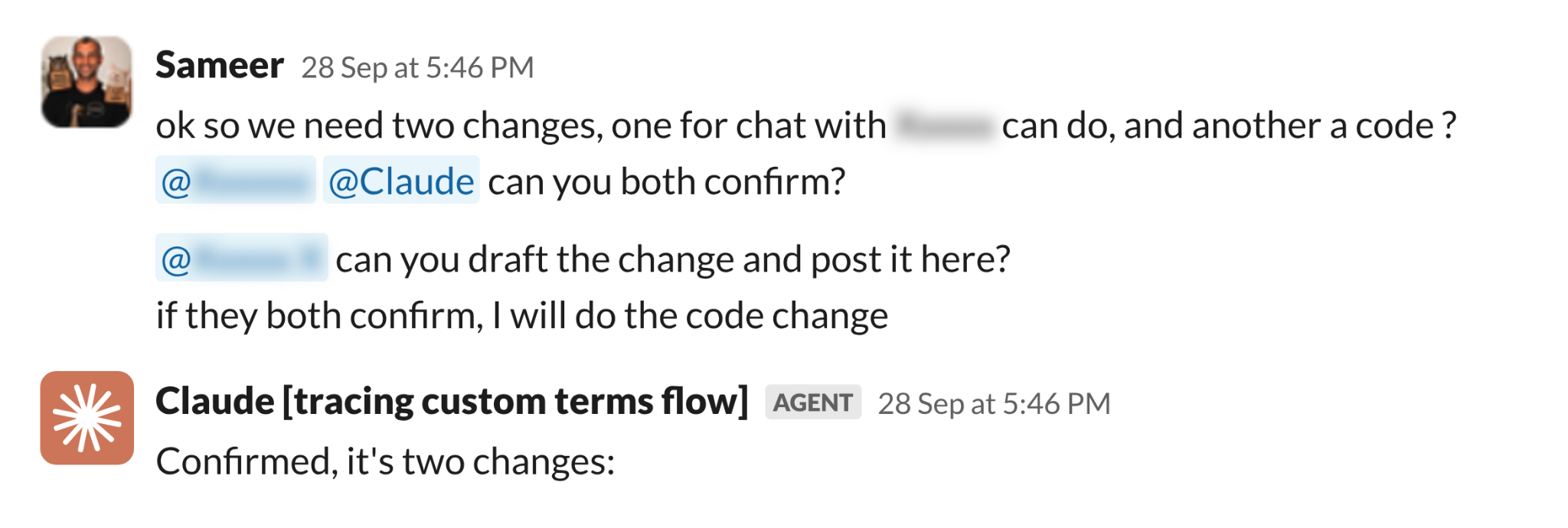

“It didn’t just agree with the expert. It caught duplicated configuration, the kind of thing humans lose track of.”
Sameer Bansal, principal AI engineer at Valence
In another case, a client urgently asked for a customization. Claude checked the code and, working with an engineer, confirmed it could ship with no code change. In under an hour, a teammate had a solution ready for the client.
03 Company brain
Example setups:
#ask-anything #company-wiki #product-questions
GitHub, Notion, Google Drive, Linear, Jira, Confluence, Granola, Metabase
One question per thread, decision log updates, weekly stale doc check, repeat questions recap
@Claude remember for this channel: answer questions from our code, docs and past threads, and link your sources. If sources disagree, check the code, give the current answer, and flag the stale doc. If you aren’t sure, say so and tag the owner. When a thread reaches a decision, record it in [docs location]. Anything going to a client needs a human check first.
At a startup, institutional knowledge often lives in people's heads, from the intricacies of product billing codes to where the onboarding docs are hosted.
For many of the startups we spoke with, Claude Tag has become the company brain. Claude answers with the source, and tags the owner when it isn't confident. It keeps that knowledge current too: when a thread reaches a decision, Claude can record it in your docs the same day and flag docs that have gone stale.
Moritz: A live source of truth from intake to staffing
Moritz is an AI-native law firm that promises a same-day turnaround on contracts, against what Moritz cites as an industry standard of at least three weeks. Everything around the legal work, from intake and quoting to staffing and follow-up, lives in Slack, with a thread per matter and a channel per client.
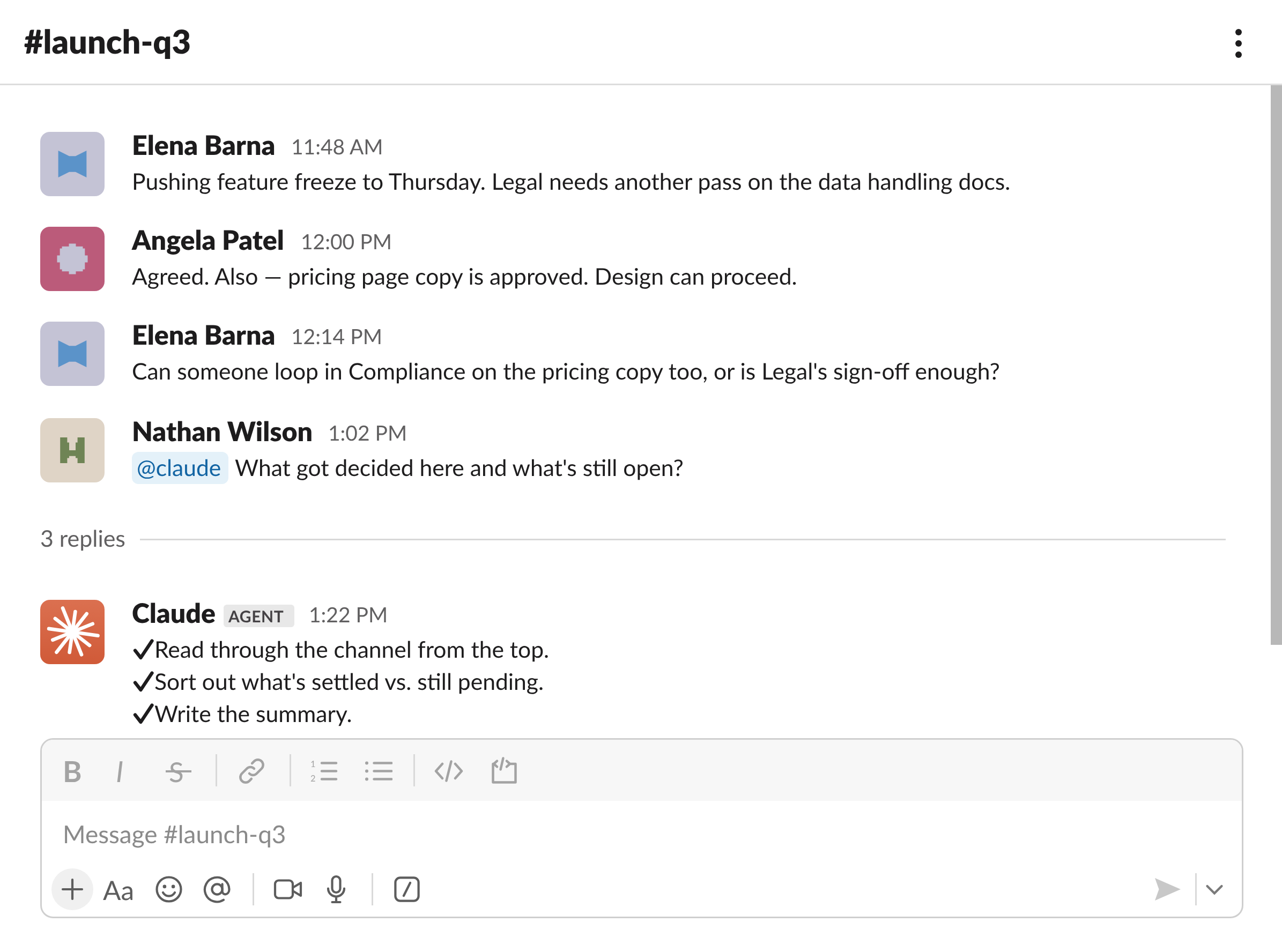
Now everyone from the CEO to paralegals asks Claude first. Questions that took up to 30 minutes of searching in Slack get answered in under two. The end-of-shift update, now drafted from the day’s threads, went from about an hour of assembly to a five-minute edit.
That time goes back to legal work. Claude Tag handles the administrative work around a case, like follow-up questions, reminders, and status updates. It can’t access client documents or privileged conversations with Moritz’s lawyers.

“A firm working across 44 countries generates hundreds of one-off questions a month that no one will ever build a feature for. Claude Tag answers them from our own history in Slack. Every answer is a thread with links, so institutional memory compounds.”
Stefan Mandaric, co-founder and CTO at Moritz
Campfire: Customer experience on demand
One Slack channel in particular “exploded in popularity”: their CX (or customer experience) channel. Sales uses this channel “to validate certain functionality during prospect conversations,” rather than having to “ping 10 different people.”
This type of channel is particularly effective because sales can answer in the moment, while the customer is paying attention, and can operate more independently and confidently in early customer conversations.

“Claude Tag basically acts as our central knowledge base.”
Nancy Jin, AI engineering manager at Campfire
04 Self-serve data
Example setups:
#data-requests #ask-revops #metric-definitions
dbt, GitHub, Metabase, BigQuery, Snowflake, Databricks, Notion
One question per thread, weekly pre-standup readout, launch and experiment readouts, pipeline failure triage, new question triage
@Claude remember for this channel: answer from our governed models and the definitions in [data skills repo]. If the data isn’t covered there, say it’s unvalidated instead of guessing. Lead with the answer, then give the number, what’s driving it, and any caveat. Check recent incidents, releases, and Slack discussions before explaining a change. If a metric’s definition is unclear, ask which one we mean. For anything important, share your plan or SQL before you run it. Separate what you verified from what you assumed, and list any open data quality warnings at the end of your answer. If someone finds a mistake, draft a fix for a data team member to review. If a question comes up twice, suggest scheduling it.
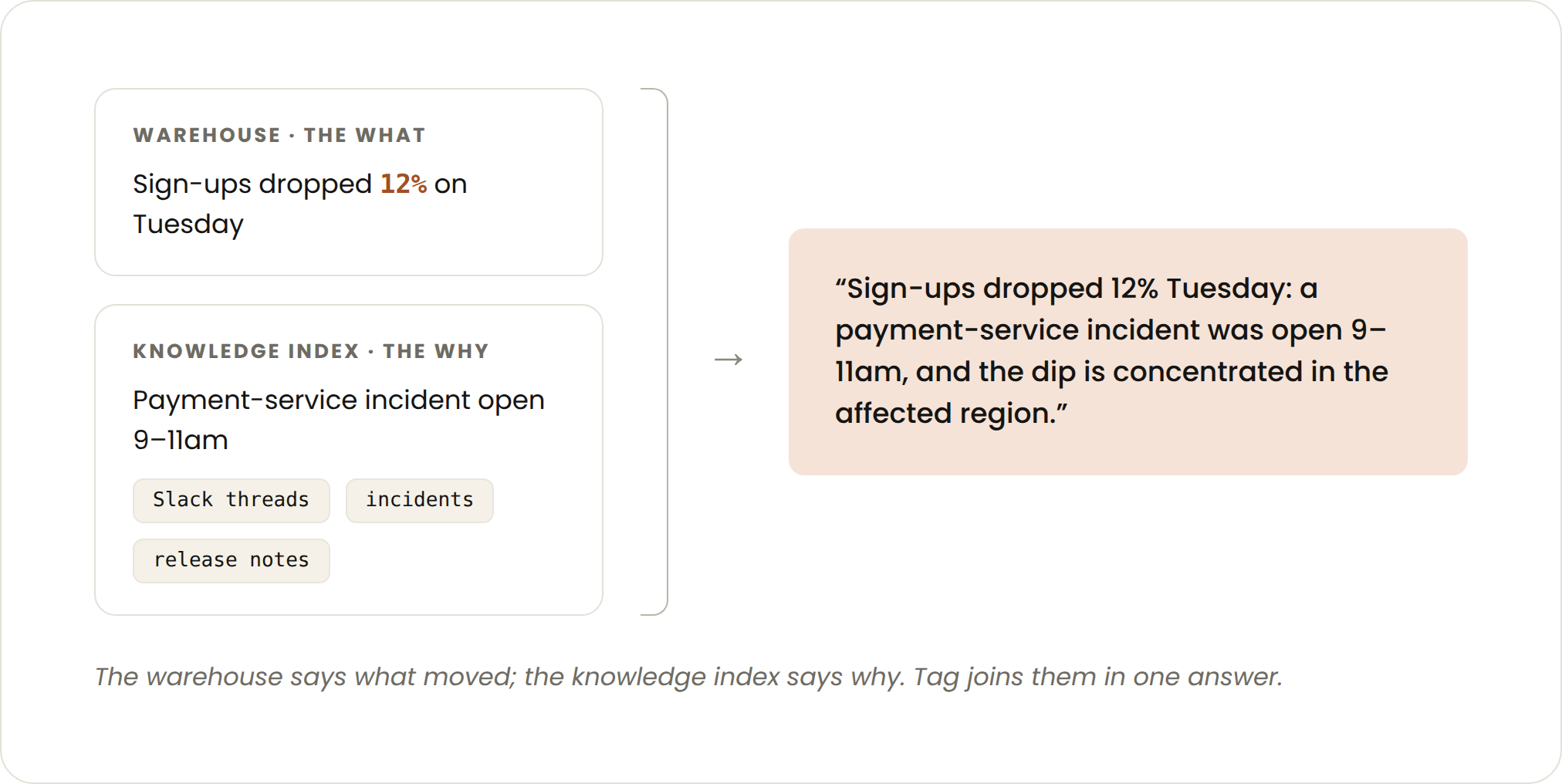
At a fast-growing startup every function wants numbers, and the data team has to decide whose request comes first. With Claude Tag connected to your data, anyone can ask in plain English without waiting in the data team’s queue.
This is a use case we have adopted as well. In one of our data channels over a month, Claude Tag answered more than 75% of questions people posted, typically within a minute or two. It works from governed data and the same definitions analysts use, which live in a versioned repo that Claude re-reads in every conversation.
Descript: Answering ad-hoc data requests
Descript is an AI-powered video editing platform. Claude Tag is now the first line of support for data requests and initial analyses. Product, growth, RevOps, and finance ask questions in Slack and get answers grounded in Descript’s dbt models.

“I used to write complicated SQL and refresh the numbers by hand every week or month. Now I’ve replaced several data-team dashboards with my own Claude artifacts, and I no longer refresh them by hand.”
Daisy Zhang, head of growth marketing at Descript
Daisy’s recurring reporting prep went from days to hours.
The growth team, for example, asks why lifecycle subscriptions dropped, whether paid search is losing last-touch credit to other channels, or how long a self-serve account takes to become an enterprise opportunity. The data team tracks the artifacts Claude generates to see which data assets matter most across teams, and spends its own time on strategic questions and on building the context that makes self-serve work.

“The promise of business intelligence has always been self-serve for business users. I’d never seen it actually realized until we had Claude Tag set up with immense context for our data.”
Jen Huhn, monetization PM at Descript
Orderful: From question to dashboard
At Orderful, self-serve analytics spans conversational analytics and full data builds: anyone can go from a question in Slack to a dashboard merged to production. The key is a semantic layer that encodes agreed definitions and metrics, so every answer and every build uses the same definitions.

“We trust the output because a semantic layer constrains the SQL, CI gates the builds, and there’s a process for agreeing on definitions. Without those, you get confident-looking wrong answers. Once those guardrails were in place, connecting Claude Tag took under 30 minutes. Now teammates build together in shared Slack threads instead of solo sessions.”
Piers MacDonald, CTO at Orderful
05 Reporting and handoffs
Example setups:
#sales-pipeline #customer-handoffs #standup-summary #qbr-prep
Notion, Google Drive, Gong, Salesforce, Gainsight
End-of-day status draft, pre-QBR brief, deal handoff
@Claude remember for this channel: draft each recurring report from our threads, docs, and data, and link your sources. Lead with what changed and what needs a decision. Separate what you verified from what you assumed, and flag anything missing instead of filling the gap. Post the draft in its own thread for [owner] to edit. Nothing goes out until a person approves it. If a report keeps getting the same edits, suggest updating these instructions.
Many of the examples we’ve covered are reactive: something happens, Claude responds. Routine reporting is work Claude owns on a schedule, the way a teammate owns a recurring deliverable.
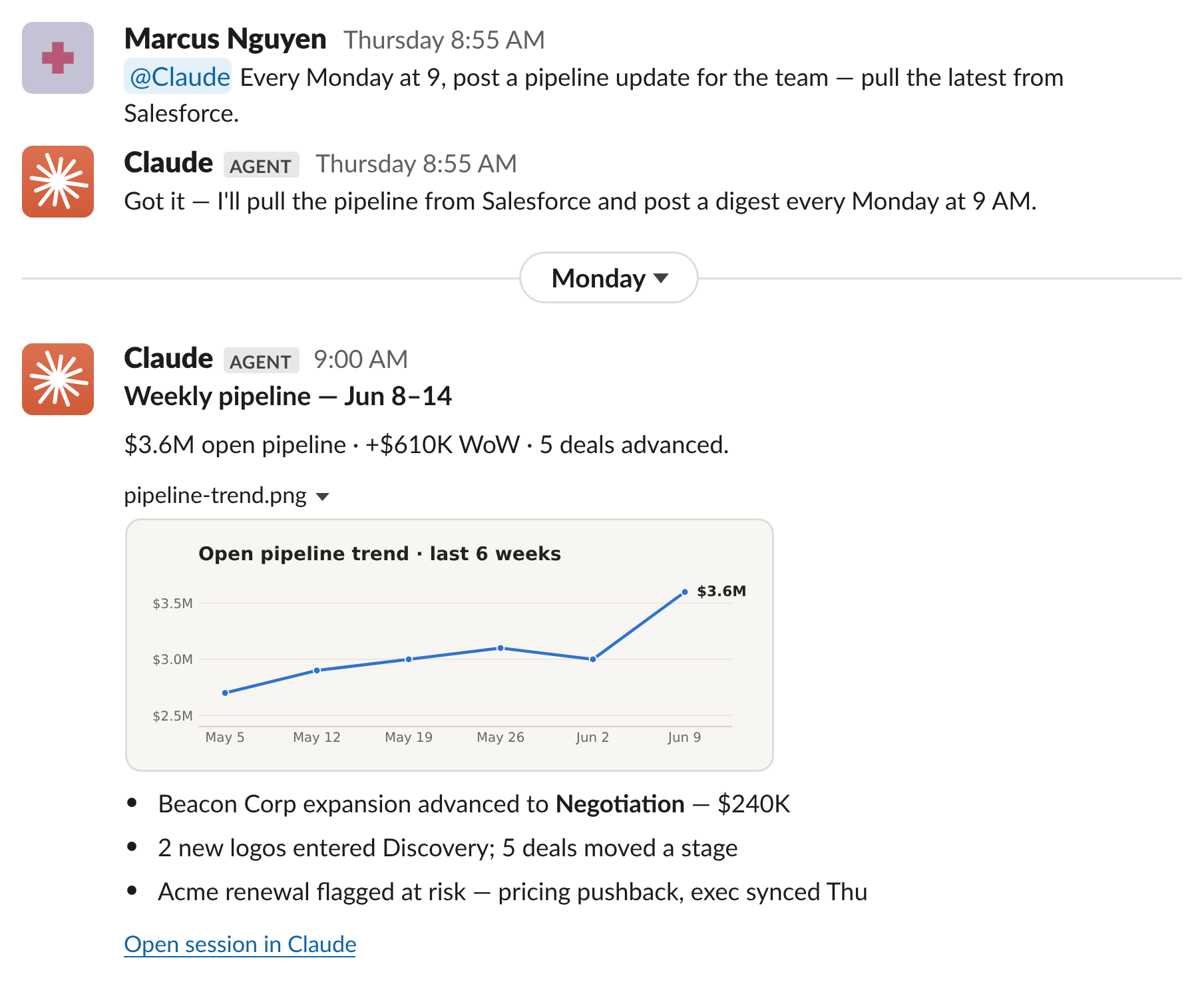
You describe the outcome once; Claude runs it every time and posts the result where the team already works.
Valence: Deal reviews and handoffs
Valence is setting Claude up to brief the team before every quarterly business review, with customer health, open deals, blockers, and next steps. They are also working to make the handoff from sales to customer success when a deal closes more seamless. Claude saves the team time by helping to aggregate details across their engagement and often finds key items they may have missed.
“When a deal closes, Tag builds the handoff from the deal history, calls and contract: who’s who, what was promised, what’s customized, and what’s still open. Customer success then reviews it before their kickoff,” said Sameer.
06 Getting started checklist
The checklist below pulls together these startup teams’ best practices so you can apply them to your own workflows.
Before launch
Deployment
Not sure where to go next? Tag Claude and ask what it has learned about your org and which use cases it would expand to.
Moritz’s co-founder and CTO, Stefan Mandaric, asked Claude to recommend use cases for each team. Fifteen minutes later, it had read the firm’s Slack channels, Linear issues, Notion SOPs, Drive, and Metabase dashboards, and published 25. “18 of 25 worked with no further setup. That became our rollout plan.”
Last word: what we learned from the wow moments
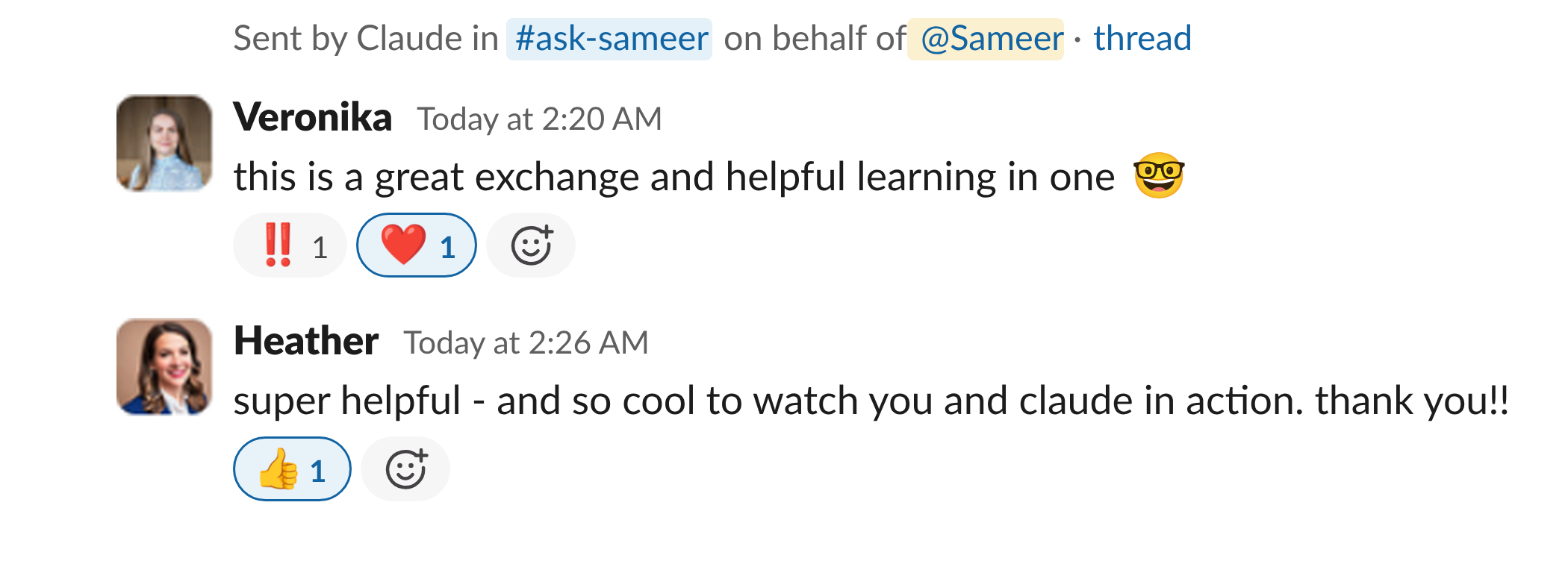
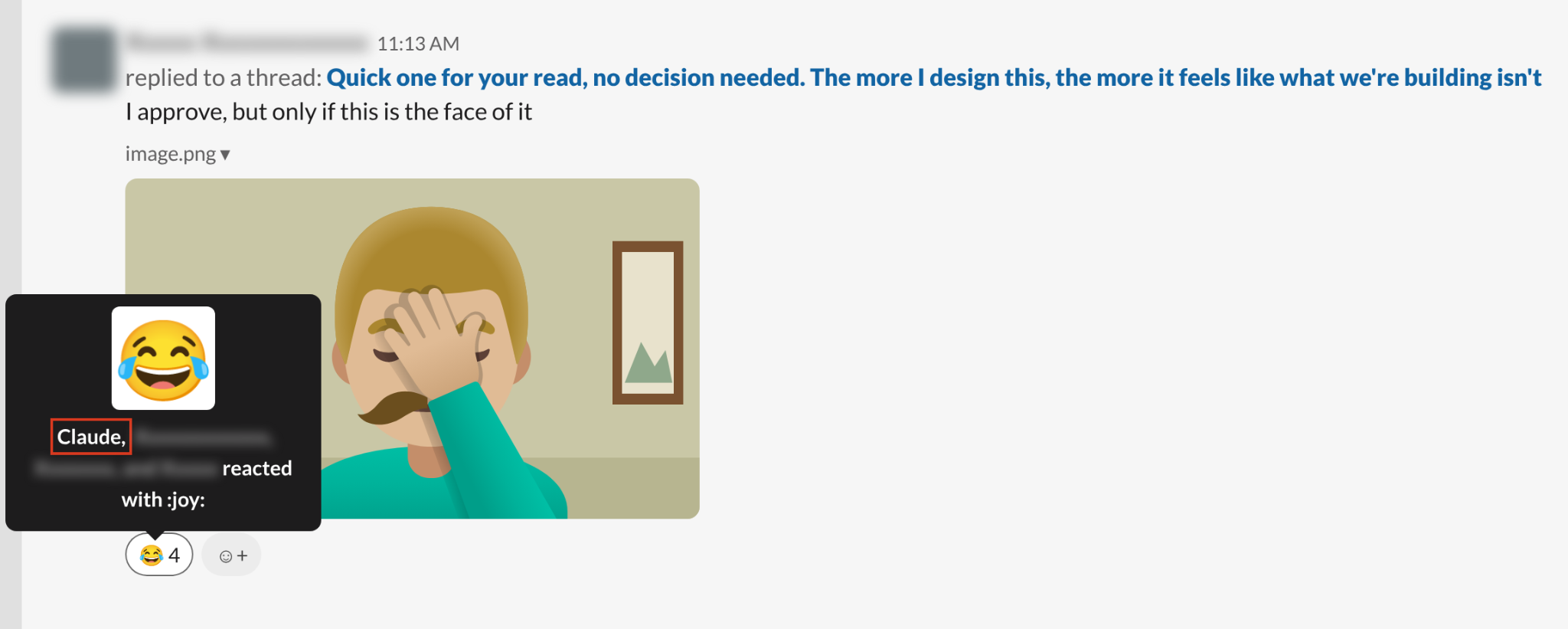
The wow moments weren’t always about speed. Often, Claude found something no one had asked it to look for. Sometimes the surprise was restraint. And sometimes the surprise was the unexpected exchanges. “Eventually you get used to Claude jumping in on jokes, and you soon appreciate that it’s an easy audience and the first one to laugh,” said Piers MacDonald, CTO at Orderful.
We hope you found this guide useful. Special thanks to Campfire, Descript, Flagler Health, Kikoff, Moritz, NavigateAI, Orderful and Valence for sharing their experiences and insights.
Additional resources
Get started
Connect your tools
Access, security and spend
- Restrict access
- How agent identity works
- Security and data
- Data lifecycle and deletion
- What the Claude Slack app can access
- Set spend limits
- Attribute costs to users