How can Claude help?
Increase revenue growth by 2% and show the impact on terminal value.
Ask Claude about any cell, formula, or tab. Update assumptions without breaking your formula. Claude for Excel is in beta for all paid plans.
Claude listens carefully, follows instructions precisely,
and thinks through complex problems. Use Control+Option+C on Mac and Control+Alt+C on Windows to open Claude for Excel.
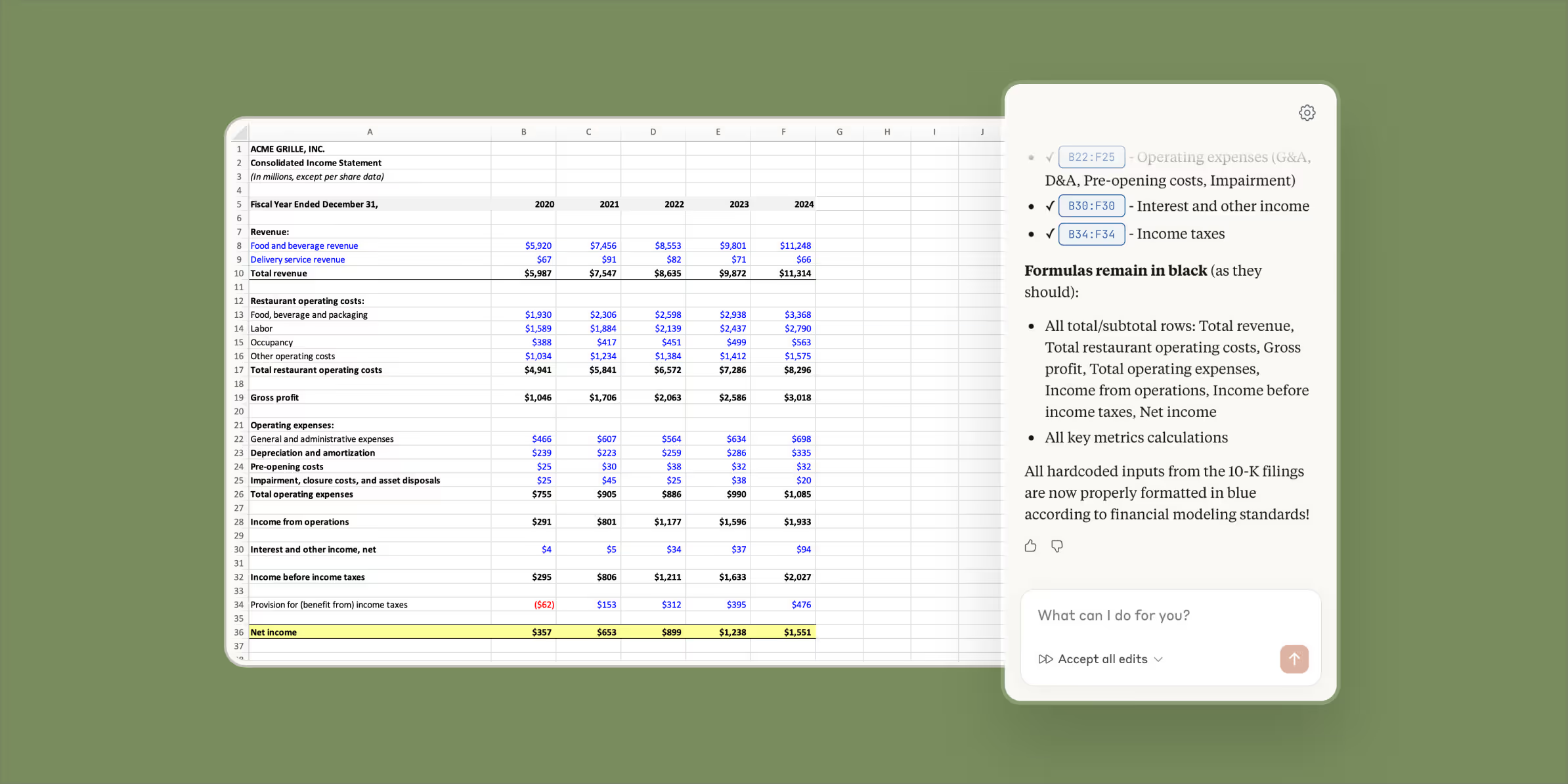
Navigate complex models instantly. Ask Claude about specific formulas, entire worksheets, or calculation flows across tabs. Every explanation includes cell-level citations so you can verify the logic.
Update assumptions across your entire model while preserving all dependencies. Test different scenarios quickly—Claude highlights every change with explanations for full transparency.
Trace #REF!, #VALUE!, and circular reference errors to their source in seconds. Claude explains what went wrong and how to fix it without disrupting the rest of your model.
Create draft financial models from scratch based on your requirements. Or populate existing templates with fresh data while maintaining all formulas and structure.
Running a variance analysis, deal summary, or data cleanup? When your team figures out the right workflow for your process, save it as a skill so anyone can run it in one click from the Excel add-in.
Skills turn one-off results into a repeatable, scalable process. Teams can create and share custom skills for their specific workflows.

Claude can pass context across the PowerPoint and Excel add-ins in one continuous conversation.
The Claude you trust, right in Excel
See Claude’s changes in real time with explanations
Maintain Excel model structure and formatting
Works within your existing compliance framework
Access through a Claude account or your existing cloud provider (Amazon Bedrock, Google Cloud’s Vertex AI, or Microsoft Foundry).
FAQ
Claude for Excel is available in beta for Claude Pro, Max, Team, and Enterprise plan customers.
Claude for Excel works within your existing security framework. Claude can make mistakes, so you should always review changes before finalizing, especially for client-facing deliverables.
Yes, Claude is trained to recognize common financial modeling patterns, formula structures, and industry-standard calculations. However, always verify outputs match your specific methodologies.
Currently .xlsx and .xlsm files are supported. File size limits apply based on your Claude plan.
Skills let you save a multi-step workflow as a repeatable, one-click action. When your team figures out the right way to run a variance analysis or populate a template, you can save it as a skill that anyone on the team can run directly from Claude for Excel. Skills are available for all paid plans