Smart reports, surveys, and pooled group budgets for Claude Enterprise
In many organizations, members have identified the unique work that Claude can unlock. The next step is expanding that work to every team.
Smart reports show what that work is, and where that work is happening, in-app surveys capture their feedback about how Claude is enabling them to do new work, and pooled group budgets let admins set one shared budget per team. All three are now generally available for Claude Enterprise.
Smart reports show how your teams work in Claude, and how to spread what’s working
Smart reports surface what a team gets done with Claude, and what that work costs. The reports show ambitious work your teams are doing with Claude, and how Claude made it possible. They then show how to turn that work into repeatable workflows, so the rest of your organization can do it too.
Pick a team, a date range, and the products to include. Claude analyzes a sample of the team’s transcripts and groups the work into workstreams. See the spend for each one, the deliverables produced, and the most common points of friction, such as a missing connector or a failed tool call.
Each report has one consolidated list of recommendations, including recurring workflows to turn into skills and rules to add to your code repository. Share any finding as an artifact with the people who can act on it. Reports also answer custom questions about model usage and cost, and admins can save their questions and custom insights as templates to reuse in future reports. If a spend limit is holding someone back, admins with billing permission can raise it from the report.
Owners can let team leads who aren’t admins run reports for their own groups, so the people closest to the work act on the findings. Smart reports help admins understand adoption and inform investment planning, but they aren’t for evaluating individual performance or making employment decisions.

“Smart reports give us greater visibility into how AI is used across the enterprise, helping inform decisions about deployment and governance. Early insights from smart reports are helping us identify effective workflows and emerging skills, providing a foundation for sharing what works more broadly across the organization.”

“I'm very close to how our teams use Claude, and smart reports still surfaced things I didn't know. That matters, because driving enablement at our scale means knowing where teams are thriving and where they need support. It's become a go-to part of my toolkit for those conversations with leaders across DoorDash.”

“Smart reports show us how teams use Claude, from coding Docusign IAM, our AI-native contracting platform, to everyday work. That visibility helps us show leadership real outcomes, fix connector bottlenecks, and scale what's working across teams.”

“We use smart reports across several initiatives. They give our applied AI team a grounded view of how Claude is being used across the company, which helps us prioritize what to do next and drive greater impact.”

“Claude smart reports give us a new level of visibility into how AI is actually being used across our organization. What's especially valuable is the ability to turn those insights into action, helping us identify high-value use cases, shape our enablement strategy, and focus learning where it can have the greatest impact.”

“Each smart report is based on tens of thousands of sessions, surfacing the most common pain points and the recurring workflows worth turning into skills. It’s exactly the visibility we’ve been looking for to get more value out of Claude.”
In-app surveys capture feedback
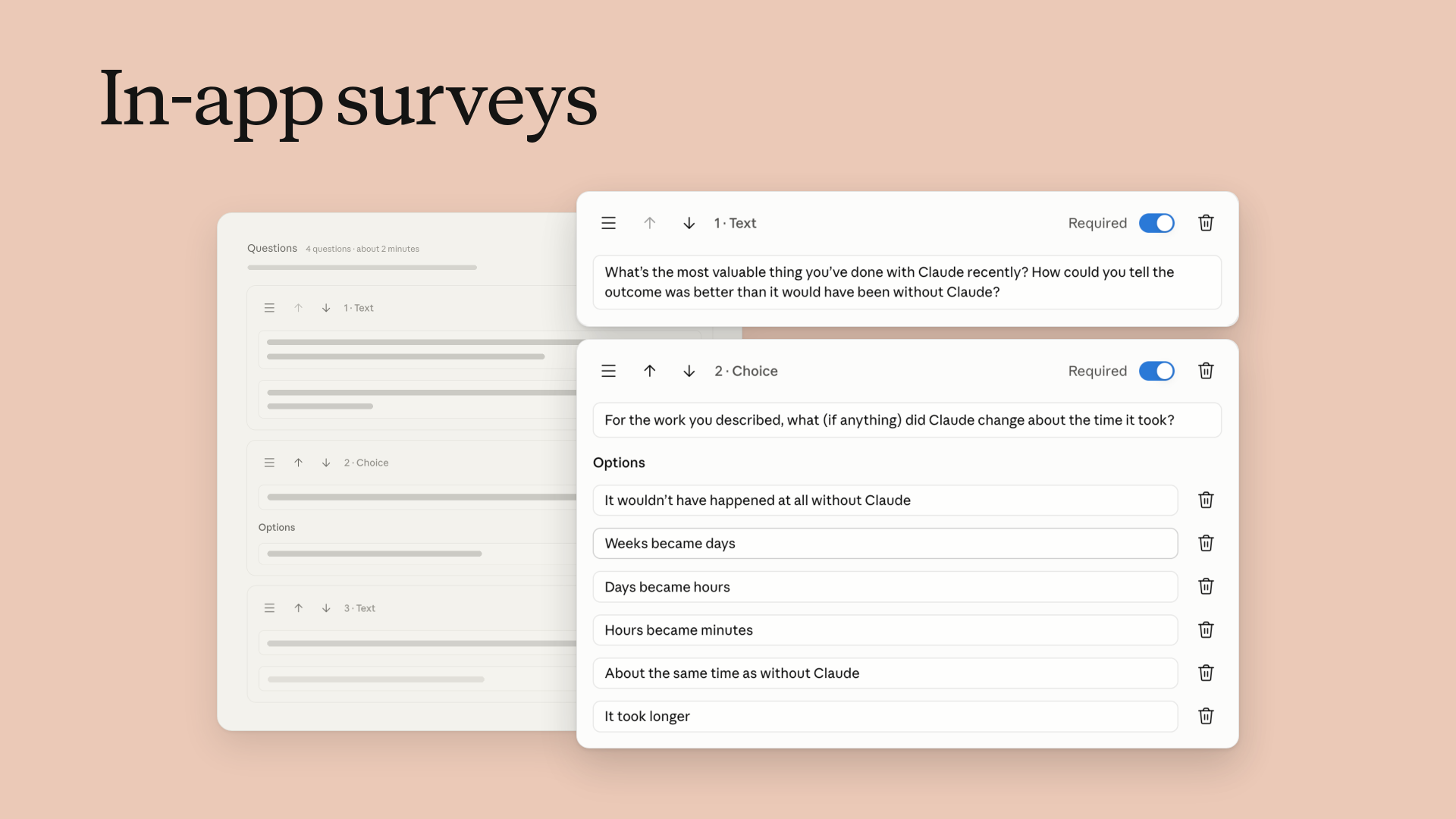
In-app surveys add the team's own perspective on that work. The default questions focus on value: the most valuable thing someone has done with Claude recently, how Claude changed the time that work took, which use of Claude a teammate should copy, and, if the team lost access tomorrow, what would break or slow down first. Admins can customize or remove questions and choose who receives a survey, when it runs, and where it appears. Members see it as a short card after a reply in the tool they’re already working in.
Responses appear on the survey page as they arrive, and admins can export them to a spreadsheet. In-app surveys can now be enabled for organizations that use customer-managed encryption keys, and for organizations that set one retention period for all data, surveys and their responses are deleted on that schedule.
In-app surveys are treated as your data, so Anthropic accesses them only as necessary to operate the service.
Pooled group budgets put spend where the work happens
Pooled group budgets give a group one shared monthly budget, so people who use Claude heavily are less likely to hit an individual limit early in the month while others leave budget unspent. Member limits still work as a guardrail against unusually high individual use. Every request counts against both, and a member stops at whichever runs out first. When someone hits a limit, they can request more from inside Claude, and the request goes to admins for review. The setup suggests an amount based on the group's recent usage, and admins with billing permissions receive email alerts at 50%, 75%, 95%, and 100% of a budget.
Getting started
Smart reports, in-app surveys, and pooled group budgets are generally available today for Claude Enterprise. Availability varies by configuration, including for organizations with a HIPAA configuration or customer-managed encryption keys. Visit the Help Center for eligibility and detailed setup steps.