다시 시작하지 않고도 Claude로 전환
다른 AI 제공업체의 환경 설정과 컨텍스트를 Claude로 가져옵니다. Claude는 한 번의 복사 붙여넣기만으로 메모리를 업데이트하고, 사용자가 중단했던 지점에서 바로 진행됩니다.
지금까지 다른 AI에게 자신의 작동 방식을 가르치는데 수개월을 투자했습니다. 새로운 것을 시도하고 싶다고 해서 그 컨텍스트가 사라져서는 안 됩니다. Claude는 중요한 내용을 가져올 수 있기 때문에, 첫 대화가 100번째 대화처럼 느껴집니다.
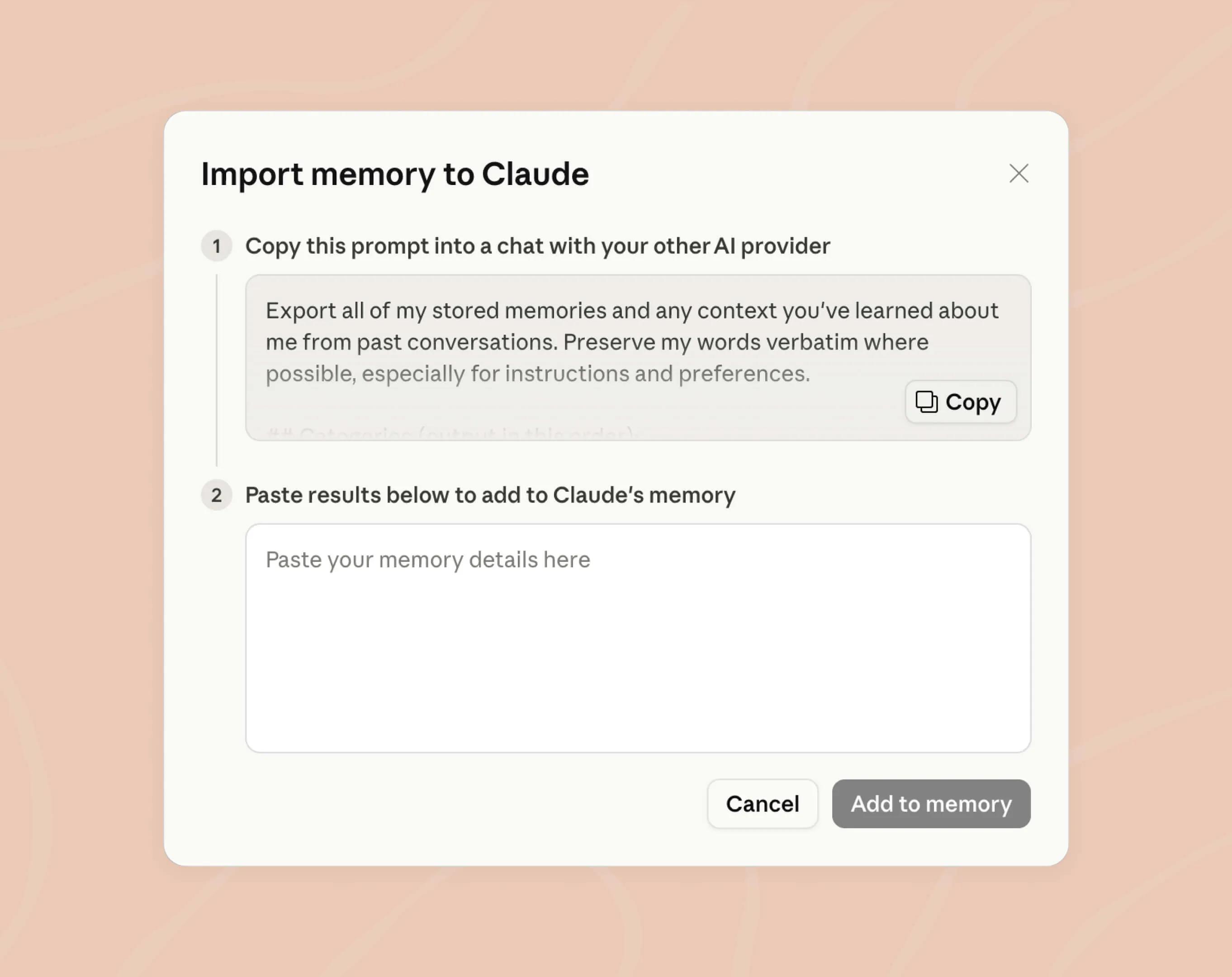
1단계
제공된 프롬프트를 복사하여 원하는 AI 제공업체와의 채팅에 붙여넣습니다. 이 프롬프트는 하나의 채팅에서 모든 컨텍스트를 가져올 수 있도록 특별히 작성되었습니다.
2단계
결과를 복사하여 Claude의 메모리 설정 (opens in new tab)에 붙여넣습니다. 이제 끝입니다. Claude가 메모리를 업데이트하면 바로 사용할 수 있습니다.
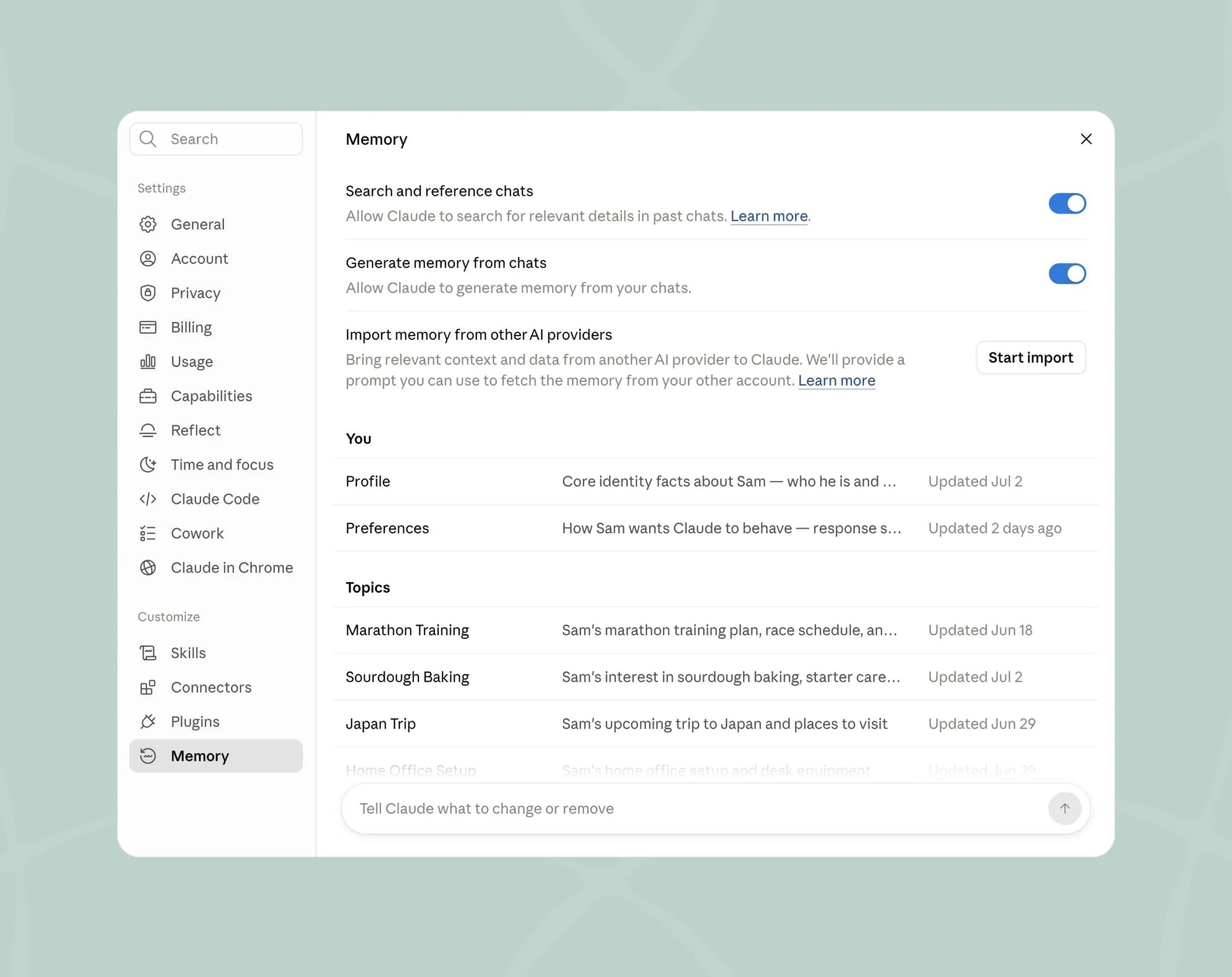
작업 방식을 이해하는 메모리
Claude는 여러 대화에 걸쳐 선호 사항을 학습하고, 프로젝트별 컨텍스트를 분리하여 내용이 섞이지 않도록 하며, 기억하고 있는 모든 내용을 확인하고 편집할 수 있도록 합니다.
무료 플랜에서 Claude를 사용해 보고, 준비가 될 때 메모리를 가져와 직접 확인할 수 있습니다.