Introducing Personal Finance in Claude
Ask Claude about your money and get straight answers from the accounts you connect.
Getting answers about your money no longer means opening every banking app and doing the math yourself. With Personal Finance in Claude, you can securely connect your bank and card accounts and ask in your own words. Access is read-only, and Personal Finance can’t move, manage, or invest your money.
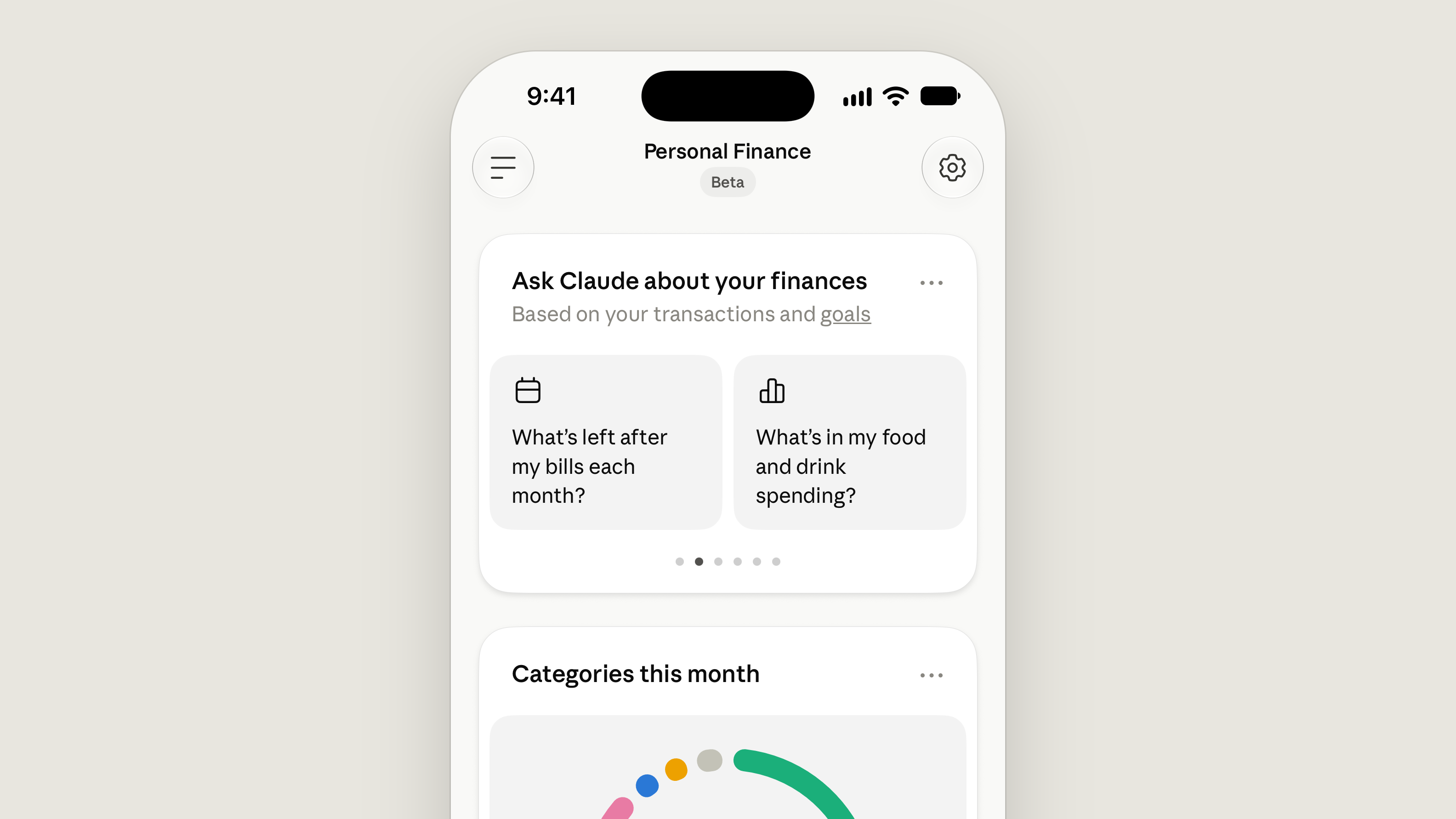
Claude gives you answers in everyday language, from your balances and transactions, and explains any term that's new to you. Like the rest of Claude, Personal Finance has no ads or sponsored recommendations, and it doesn’t offer credit cards, loans, or savings accounts of its own, so your money questions get a straight answer.
Personal Finance starts rolling out in beta this week, on the Pro, Max, and Ultra plans in the US.
What it looks like
Say it's late in the month and payday is still 10 days away. When you ask Claude, "Where did my money go this month?" it adds up your spending across the accounts you connected and sorts it by category. In this example, that comes to $4,309.37, with more than half going to rent and utilities and $1,024.51 to food and drink.
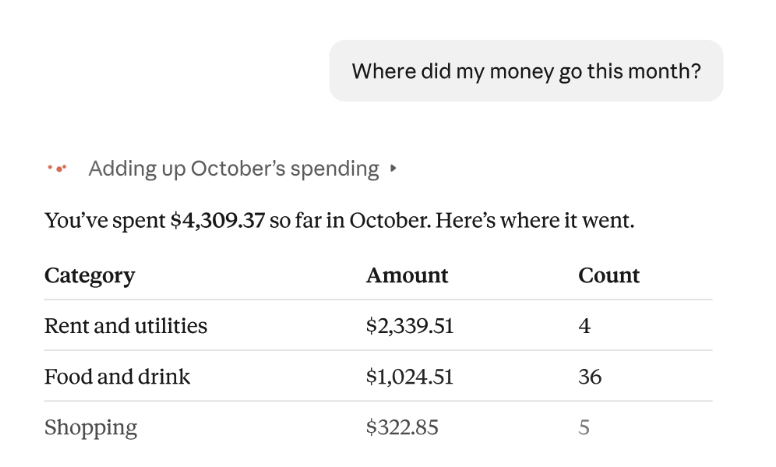
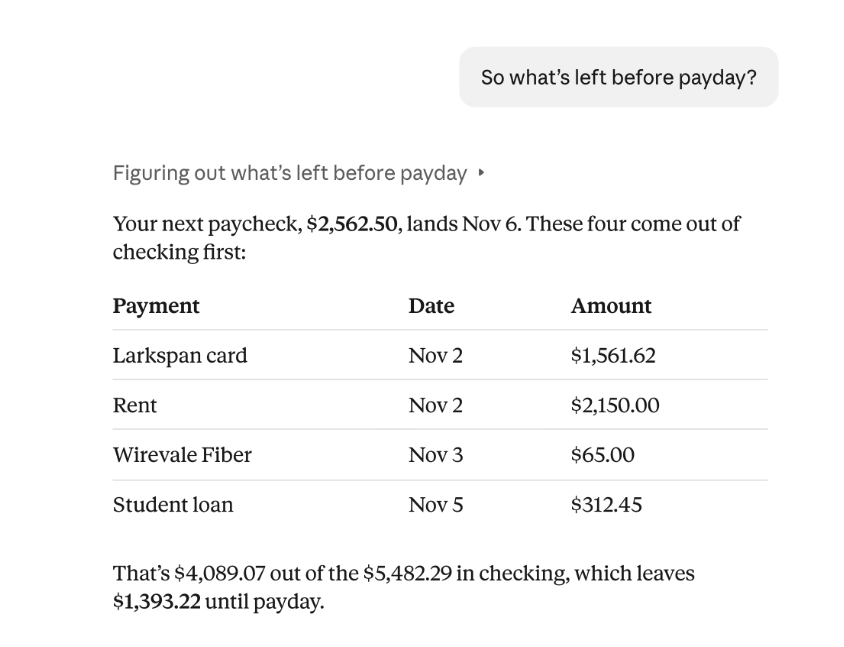
From there, you can dig deeper: "Is that more than usual?" "Anything else I'm missing?" "So what's left before payday?" Claude checks the previous months and points to a membership renewal. Then Claude tells you about four payments that will come out of your checking account before payday, and what you’ll have left: $1,393.22.
If you ask whether anything looks off, Claude reads across every account you've connected and can point to what's easy to miss, like charges that hit twice, unexpected fees, or a bill that’s crept up all year. You can also ask bigger questions, like "Am I spending more than I make?" or "What's an APR, and what has mine cost me this year?" Claude explains the term, then adds up the interest you've been charged.
Ask for a weekly spending chart, a calendar of what's due, or a dashboard of the numbers you choose, and Claude builds one you can keep adjusting.
Security and privacy
Claude's access is read-only. Personal Finance helps you understand your money, and it isn't designed to give investment advice. Claude can make mistakes in its answers, so ask which transactions are behind a number, and check important figures with your bank.
Your accounts are only connected once you sign in to your bank yourself through Plaid, a service that connects apps to banks. That's where you agree to its terms and approve Claude's read-only access, so Claude doesn't ask for or see your bank password.
For the accounts you choose to connect (and only those), Claude sees the bank's name, each account's name, type, and last four digits, balances and credit limits, and up to two years of transactions. When you chat with Claude in the Personal Finance hub, those conversations aren't used to train our models. For anything you share with Claude outside the hub, your privacy settings apply. You can unlink an account anytime, and then Claude can no longer see its data. More details can be found in our Privacy Center.
Getting started
When you see Personal Finance in Claude's sidebar, open it, connect one account, and ask a single question, like "Can I afford a trip this spring?" or "How much could I save each month?" You'll find the setup steps, and how your data is used and kept, in the Help Center. (opens in new tab)
What’s next
Personal Finance is a first step. For life’s bigger money decisions, we think people are best served by Claude working alongside the licensed professionals and regulated firms they trust. We’re exploring how to make that possible in Claude, and we’d like to hear from banks, wealth managers, and financial services companies who want to help shape it.