Reformat how you work
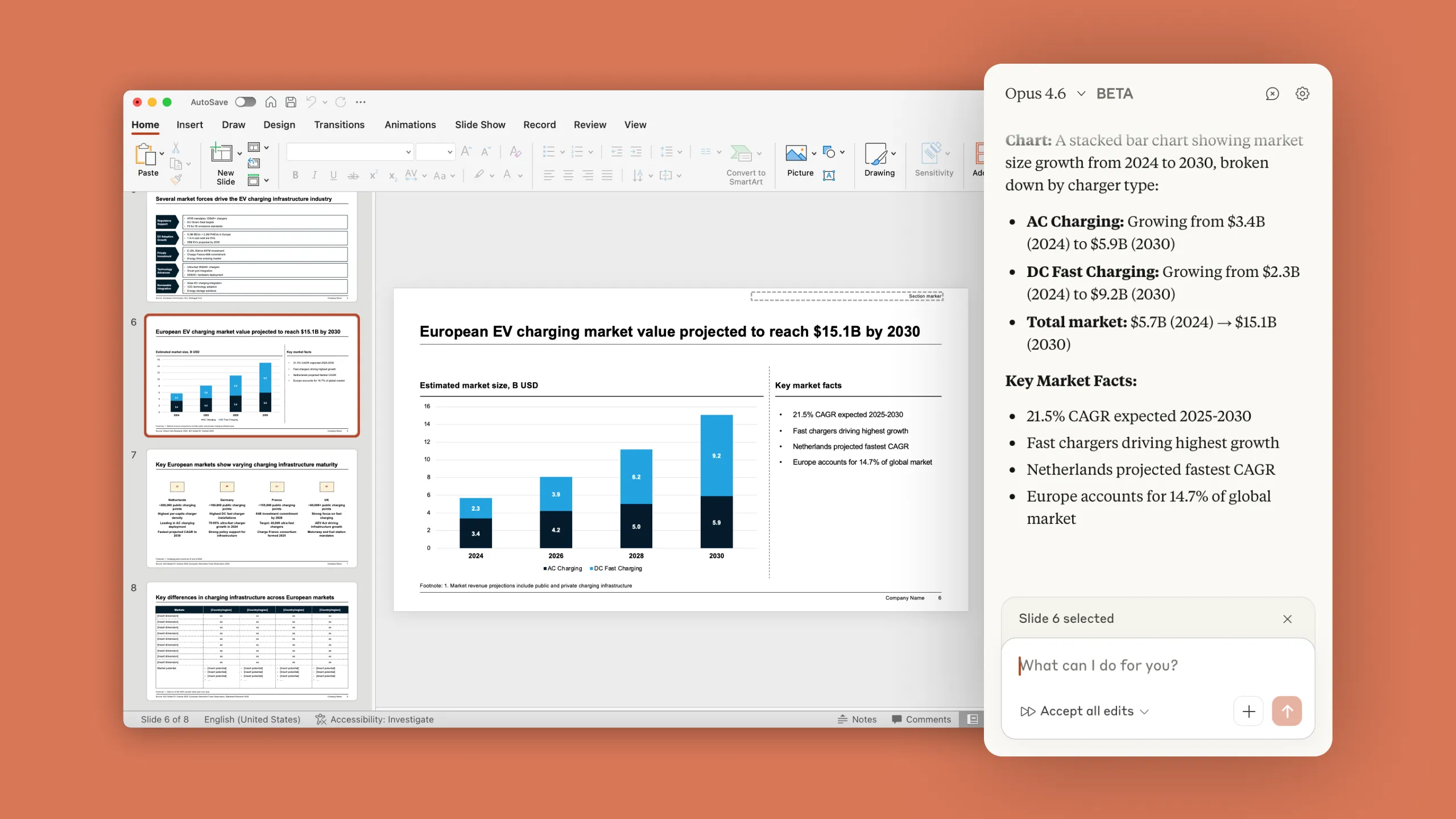
Claude in PowerPoint works directly in your deck. Build slides, make edits, and iterate on your presentation in real time. Claude reads your layouts, fonts, and slide template so every change stays on-brand.
How teams use Claude in PowerPoint
Available on all paid plans.
Build from a template
Start with your client or corporate template open, then describe what you need. "Create a market sizing section with TAM, SAM, SOM." Claude generates slides using the correct, on-brand layouts, fonts, and colors from the master deck.
Iterate on an existing deck
Select a slide and tell Claude what to change. Simplify the text, add a chart, restructure the storyline. Claude makes edits while preserving your formatting and surrounding context.
Generate a full deck from a description
Open a blank deck and describe your goal. “10 slides walking through an assessment of X industry.” Claude builds a draft with logical structure. Then refine. "Combine slides 5 and 6."
Create native charts and diagrams
Convert bullet points into professional visuals — diagrams, process flows, or editable native PowerPoint charts. Claude produces visuals you can edit directly, not static images.
The Claude you trust, right in PowerPoint
Precise, contextual editing
Claude knows which slide and object you have selected – point it to exactly what you’d like changed
Template integrity
Maintain slide master structure, fonts, and formatting
Enterprise security
Works within your existing compliance framework
FAQ
Claude in PowerPoint is available in beta as a research preview for Pro, Max, Team and Enterprise plan customers.
Claude in PowerPoint works within your existing security framework. Claude can make mistakes, so you should always review changes before finalizing, especially for critical deliverables. Please find more details on our Help Center
Yes. Claude reads the slide master, layouts, fonts, and color scheme in your deck and uses them when generating or editing slides. It won't introduce off-brand elements.
Claude in PowerPoint is currently in beta as a research preview, so it’s best for tasks where you can review and refine the output. Claude can work with core PowerPoint functionality, but some advanced features may not be fully supported yet.