ゼロから始めることなくClaude に切り替える
他の AI プロバイダーで設定した自身の環境設定およびコンテキストを、Claude で利用できます。コピー&ペーストするだけで Claude はメモリを更新し、中断した場所からすぐに再開します。
自身の作業方法を別の AI に教えるのに何ヶ月も費やすことがあります。何か新しいことを試したいという理由で、これまでのコンテキストが失われてしまうべきではありません。Claude は重要な情報をインポートできるため、初めての会話でもまるで百回目の会話のようにスムーズに感じられます。
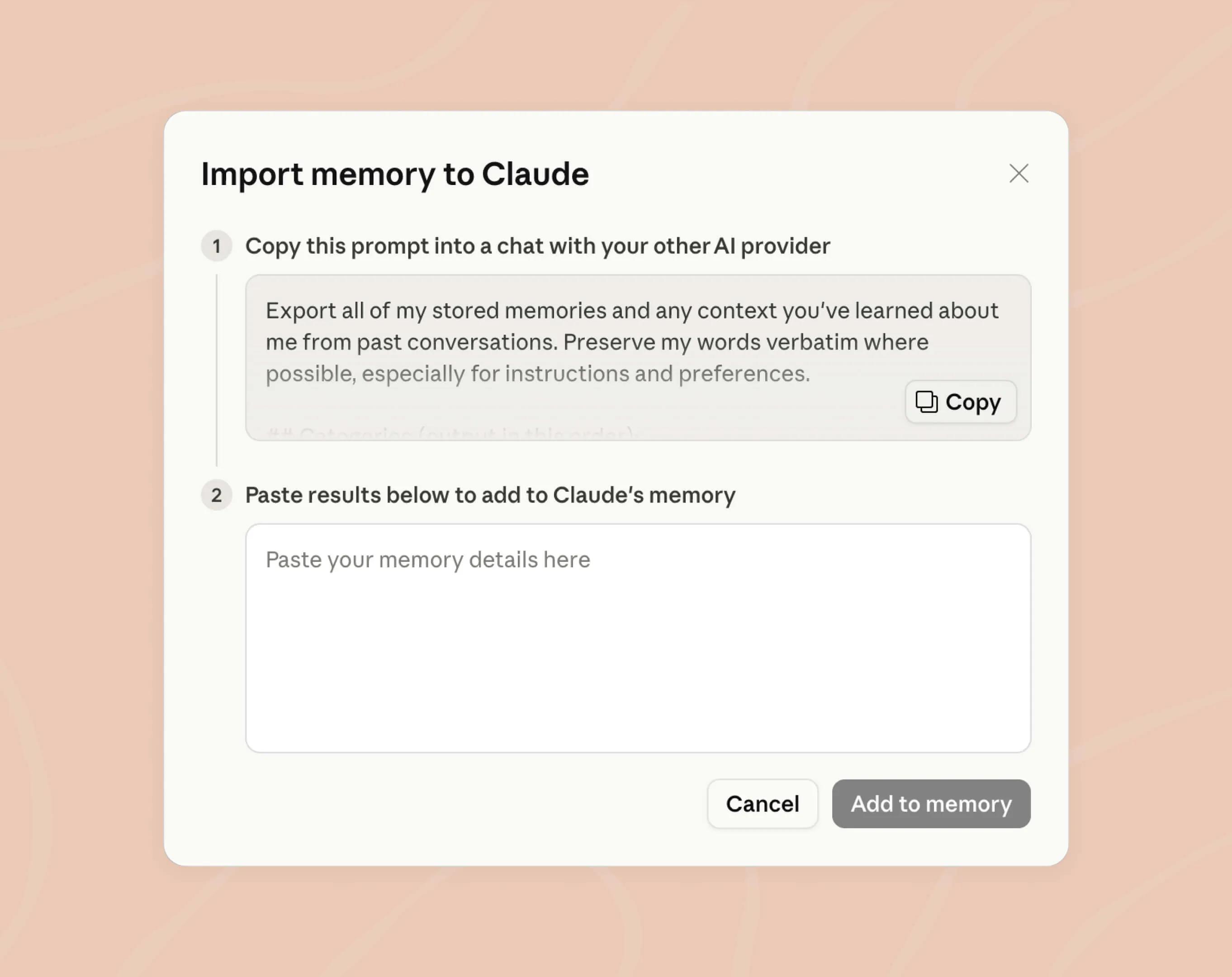
ステップ 1
提供されたプロンプトをコピーし、任意の AI プロバイダーとのチャットに貼り付けてください。このプロンプトは、すべてのコンテキストを 1 つのチャットで取得できるように作成されています。
ステップ 2
結果をコピーして、Claude のメモリ設定 (opens in new tab)に貼り付けてください。これで完了です。Claude がメモリを更新し、すぐに利用を開始できます。
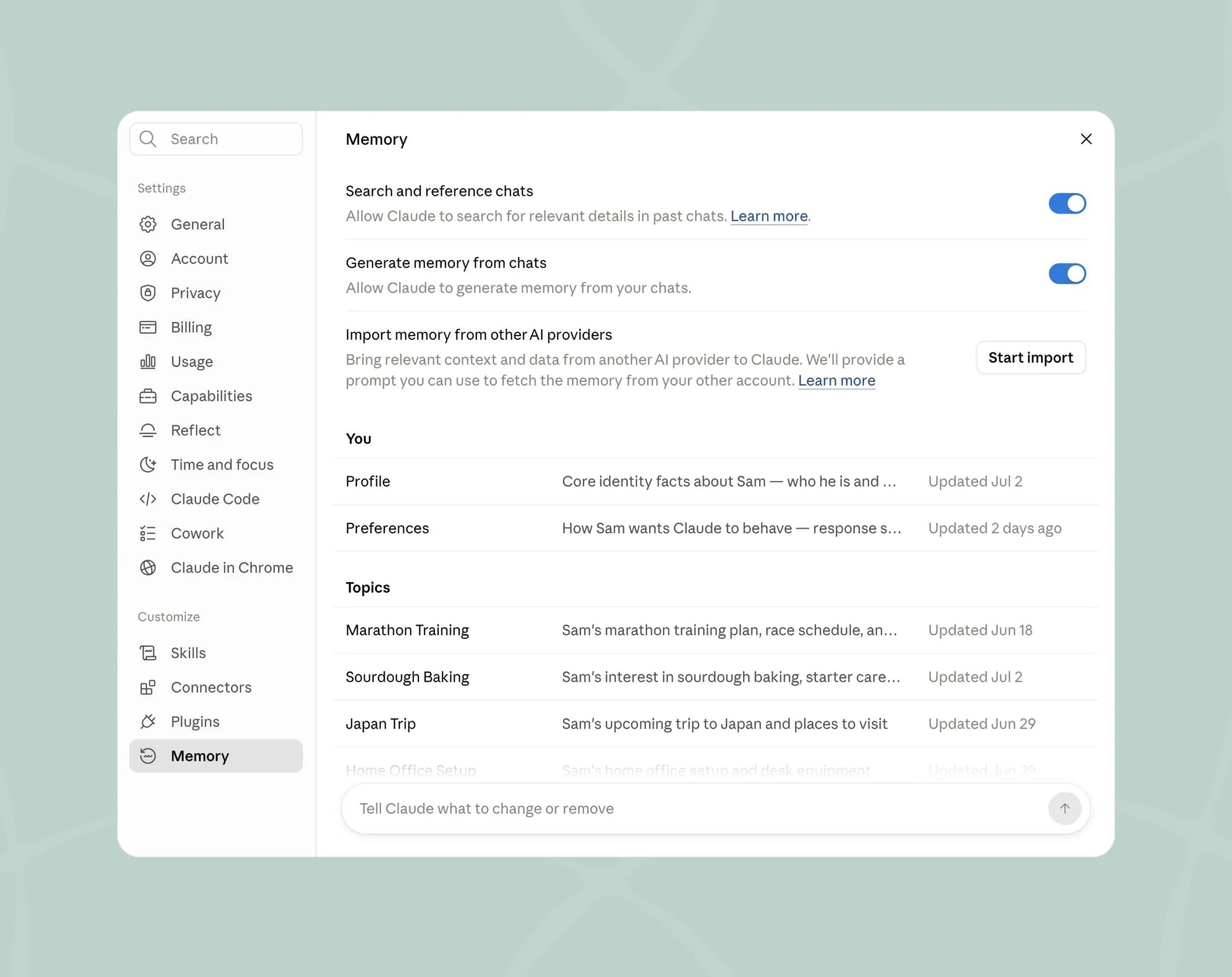
作業スタイルを理解するメモリ
Claude は会話を重ねるごとに好みを学習し、プロジェクトごとのコンテキストを分けて管理するため、情報が混ざることはありません。また、Claude が記憶している内容はすべて確認および編集できます。
Claude を無料プランでお試しください。
準備が整ったら自身のメモリをインポートし、
自らお確かめください。