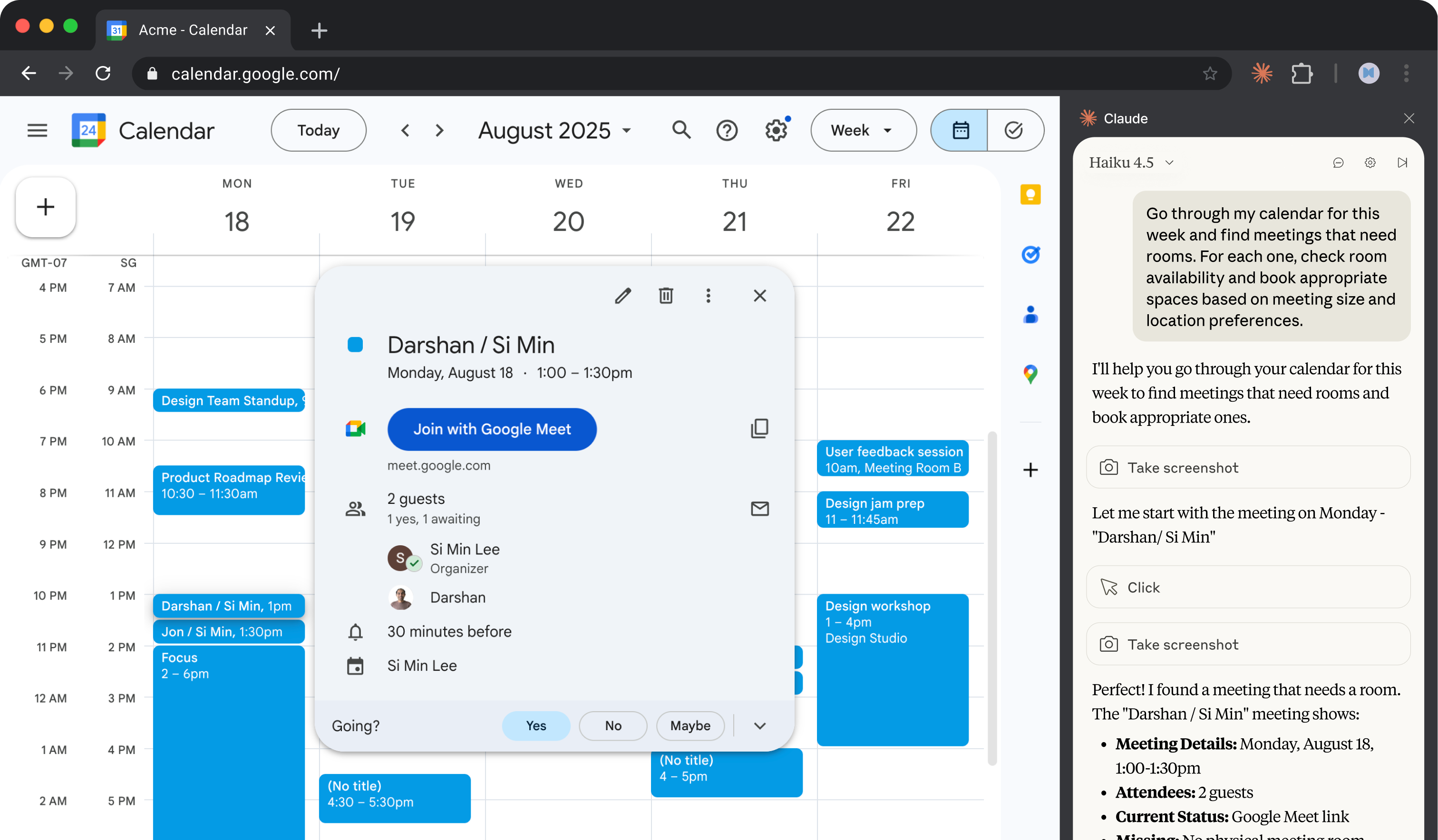
Prepare and plan from your calendar
Claude in Chrome reads your calendar, pulls context from email threads, flags which meetings need prep, and books rooms for the ones missing them. Run it every evening and start each day knowing what's coming.
Claude for Chrome lets Claude interact directly with web pages—reading content, clicking, typing, and navigating sites on your behalf. For calendar prep, this means Claude can open your Google Calendar, check each meeting's attendee list, switch to Gmail to search for relevant threads with those people, and even book conference rooms.
Point Claude at your Google Calendar and tell it what to look for. It handles the cross-referencing between calendar and email, surfaces what needs your attention, and can fix the gaps.
Look at my calendar and help me get ready for tomorrow.
For each meeting:
Give me a quick prep summary for the day, finding what needs my attention before I show up.
Claude reads your calendar and email directly in Chrome. It cross-references attendees, threads, and meeting details to build context.
Required: Open Google Calendar showing tomorrow's date and Gmail in another tab. Claude navigates between them to gather context for each meeting. Make sure you're logged into both.

Optional: If you take notes during calls—in a doc, notepad, or even bullet points—have them accessible. Claude can format rough notes into structured activity descriptions.
Claude reviews each meeting and gives you a prep summary organized by what needs attention.
Tomorrow: Wednesday, December 18
You have 6 meetings. Here's what I found:
Needs Prep (External Meetings)
MeetingTimeContextAcme Corp quarterly review10:00 AMExternal (3 attendees from @acme.com). Found email thread from Dec 12 where they asked about API rate limits—might come up. No room booked.Vendor intro - DataFlow2:00 PMExternal (new contact). They sent a capabilities deck on Dec 15 you haven't opened. Zoom link is in the invite.
Missing Logistics
MeetingIssueSuggested FixAcme Corp quarterly reviewNo roomBook Sequoia (seats 6) — availableTeam planning syncNo roomBook Birch (seats 8) — availableDesign reviewNo video linkFound Meet link in thread with Sarah—add to invite?
Ready to Go (No Action Needed)
Quick Prep Summary
Want me to book those rooms and add the video link now?
Claude can book rooms and add links directly to calendar events. Once you've reviewed what needs fixing, approve the changes.
Yes, book those rooms and add the Meet link. Use a room on the 6th floor if available—that's where I sit.
For important calls, Claude can summarize recent correspondence with those contacts. This surfaces what's been discussed and what might come up.
For the Acme meeting, can you summarize the last few email threads I've had with them? I want to know what's been discussed recently and what they might bring up.
Claude in Chrome can run tasks on a schedule. Set this to run every evening so you start each morning with prep done.
Can you save this as a shortcut I run every evening at 6pm? Call it "Prep tomorrow" and have it review my calendar, flag external meetings, and check for missing rooms or links.
Save the prompt as a shortcut by clicking on the shortcut icon below a successful prompt. You can also set a schedule for when you want the workflow to run next. Alternatively, manually trigger the workflow, by typing "/" and selecting the shortcut.
Claude asks for permission before visiting new sites. You can grant site-level permissions for websites you trust, allowing Claude to work without repeated approvals on those specific domains.
Before clicking "send," "publish," "post," "submit," or similar action buttons, Claude asks for approval. This includes sending emails, posting to social media, submitting forms, or messaging others on your behalf.