Build plugins for Claude
You can now submit plugins to the Claude directory through a new developer portal, track them through review, and see usage analytics once they’re live.
You can now submit plugins to the Claude directory through a new developer portal, track them through review, and see usage analytics once they’re live.
Every day, millions of people connect Claude to their apps, work tools, and data. Today, we're making it easier for developers to reach them.
Plugins package MCP connectors, Agent Skills, or both, and are the main way to build third-party extensions for Claude. Build a plugin, submit it through the new directory submission portal, and once approved, it's listed in the Claude directory.
The directory submission portal is open to developers on paid Claude plans. There are two ways to submit and get your plugin published in the Claude directory:
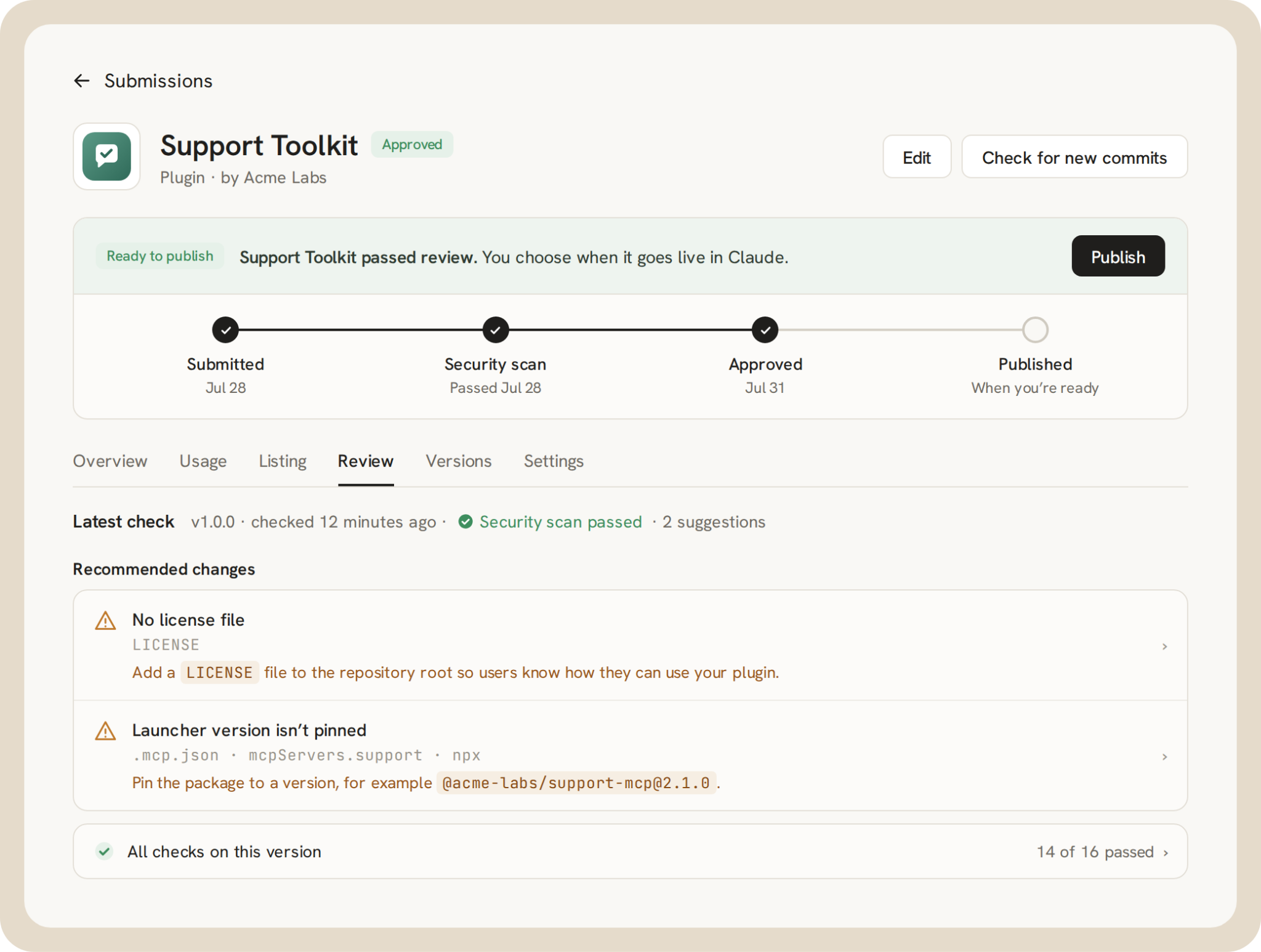
Whichever path you choose, the portal will guide you from submission to launch. You can:
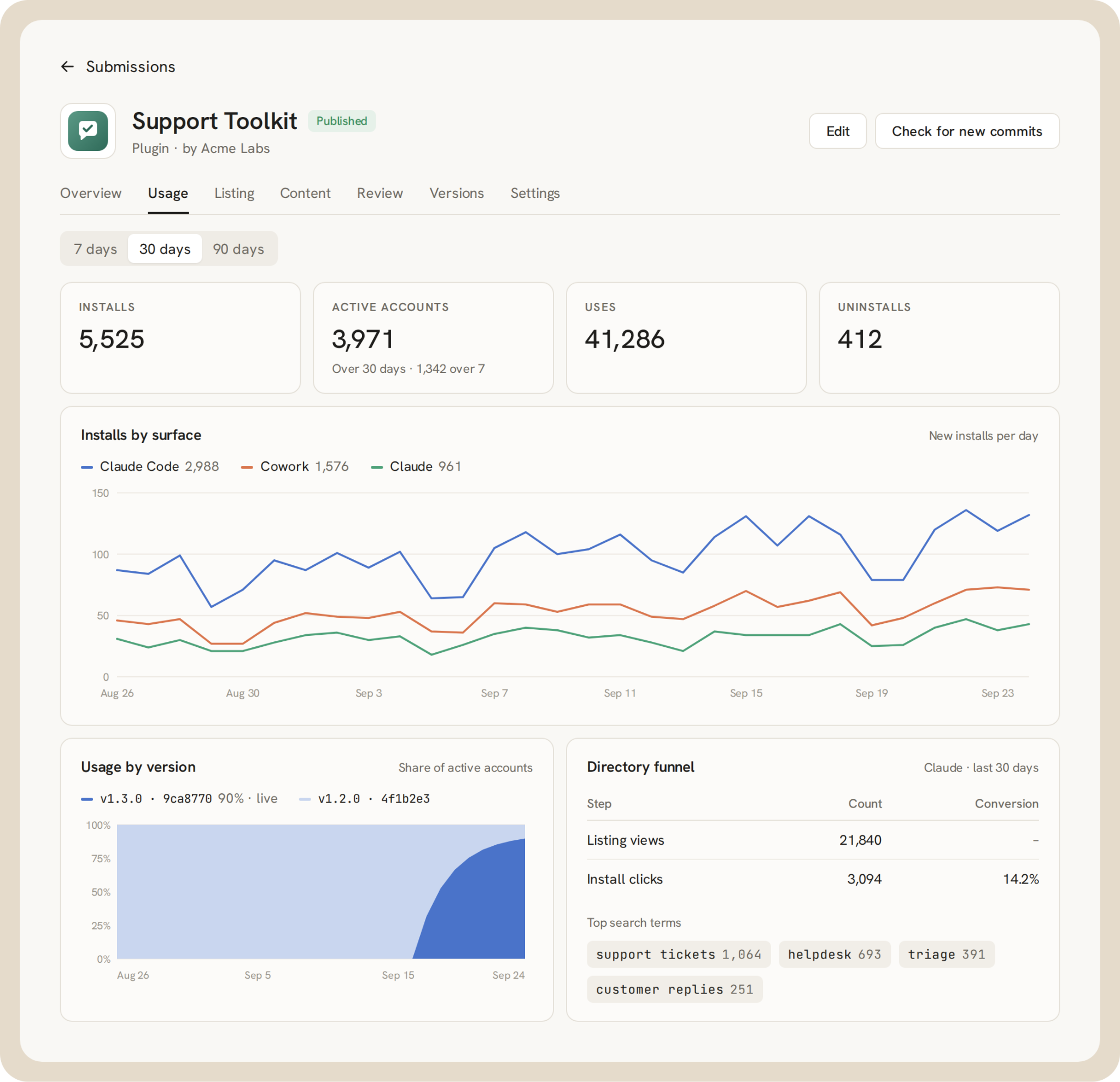
Once your plugin is live, usage analytics show installs by product surface and version, so you can prioritize fixes and features for your users. On the discovery side, you’ll see how often your listing is viewed and which searches lead people to it, so you can refine it to reach new users.
Claude supports the latest MCP spec, commonly referred to as MCP 2.0, which includes a stateless core. You can improve the experience of using your plugin with two MCP extensions: MCP Apps, for interactive UI inside chat, and Enterprise Managed Auth, for zero-touch OAuth for enterprise users. Support for more MCP features and extensions is coming soon.
Plugins are the main way for third-party developers to create extensions for Claude. Over the coming weeks, one discovery experience will roll out across Claude and Claude Code.
Skills and MCP connectors stay as building blocks, and the Claude directory will continue to list them. In the future, developers will be able to turn their connector listing into a plugin. If you have an existing skill, connector, or plugin on the Claude directory, you do not need to make any changes.
To get started with building plugins, read our docs for how to build a plugin and submit your plugin here.

Recibir el boletín para desarrolladores
Actualizaciones de productos, guías prácticas, aspectos destacados de la comunidad y más. Enviado mensualmente a tu bandeja de entrada.