Your favorite work tools are now interactive connectors inside Claude
Open Asana, Slack, Figma, and more in chat with MCP Apps
Open Asana, Slack, Figma, and more in chat with MCP Apps
Starting today, we’re bringing interactive connectors to Claude with MCP Apps. You can open and interact with tools in Claude. Build and update project timelines in Asana. Draft, edit and send Slack messages in a formatted preview. Visualize ideas as diagrams in Figma—all without switching tabs.
Claude already connects to your tools and takes actions on your behalf. Now, with MCP Apps, those tools show up as interactive connectors right in the conversation, so you can see what's happening and collaborate in real time.
Here's what you can now do directly in Claude:
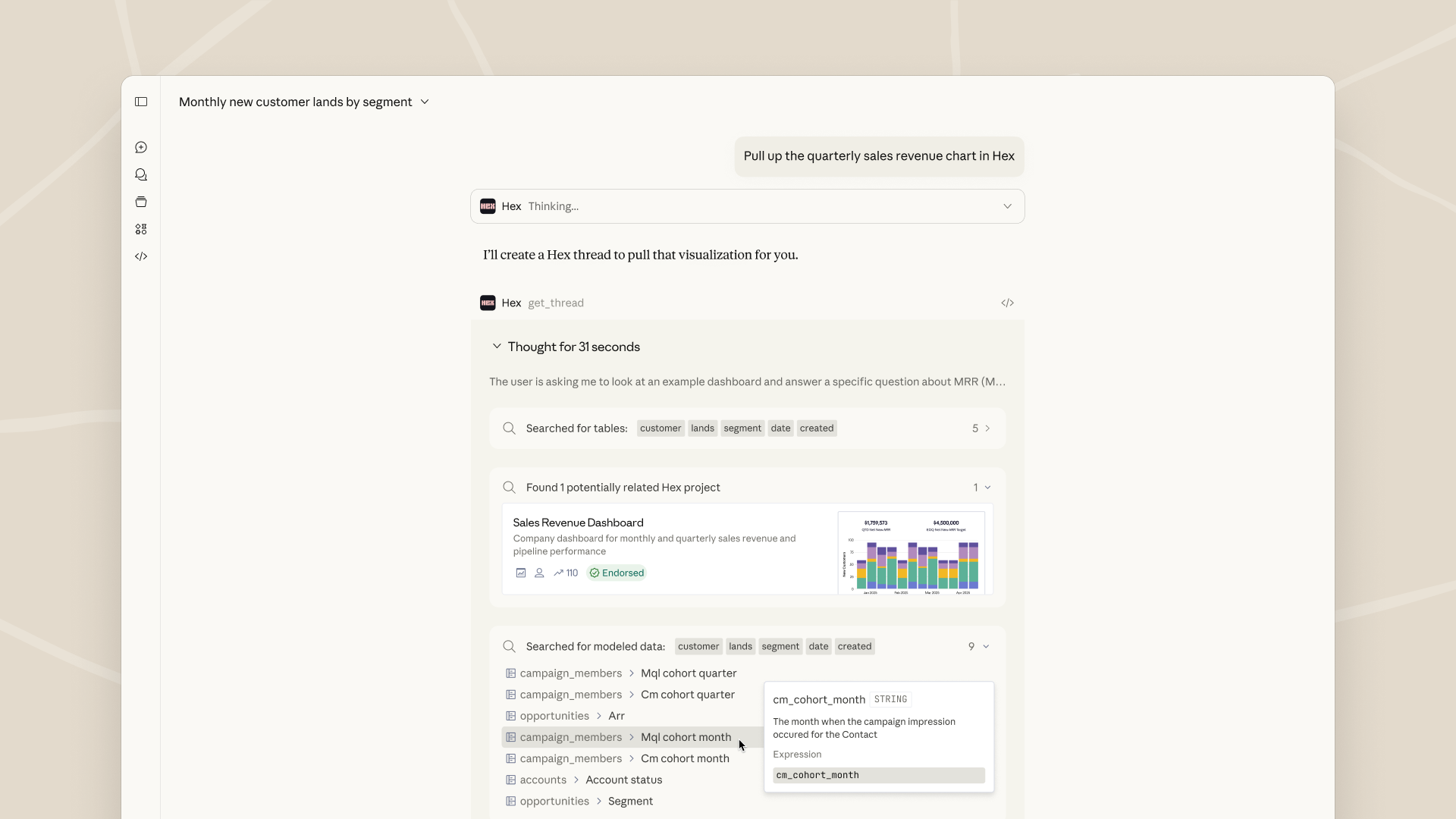
Coming soon: Salesforce - Bring enterprise context to Claude with Agentforce 360, enabling teams to reason, collaborate, and act from a single, connected interface.
The underlying technology is built on the Model Context Protocol (MCP), the open standard for connecting tools to AI applications. MCP Apps is a new extension to MCP that lets any MCP server deliver interactive connectors with a rich user interface within any supporting AI product—not just Claude.
We open sourced MCP to give the ecosystem a universal way to connect tools to AI. Now we're extending MCP further so developers can build interactive UI on top of it, wherever their users are.
To learn more, see the announcement of MCP Apps - The First Official MCP Extension.
Start using interactive connectors (MCP Apps) in Claude today. Head to claude.ai/directory and connect to apps under the "featured" section to get started. Available in Claude on mobile, web and desktop for Free, Pro, Max, Team, Enterprise plans. Also now available on Claude Cowork.

Claude와 함께 조직의 운영 방식을 혁신하세요
개발자 뉴스레터 구독
제품 업데이트, 사용 방법, 커뮤니티 스포트라이트 등 다양한 소식을 전해드립니다. 매달 이메일로 이 소식을 받아보세요.