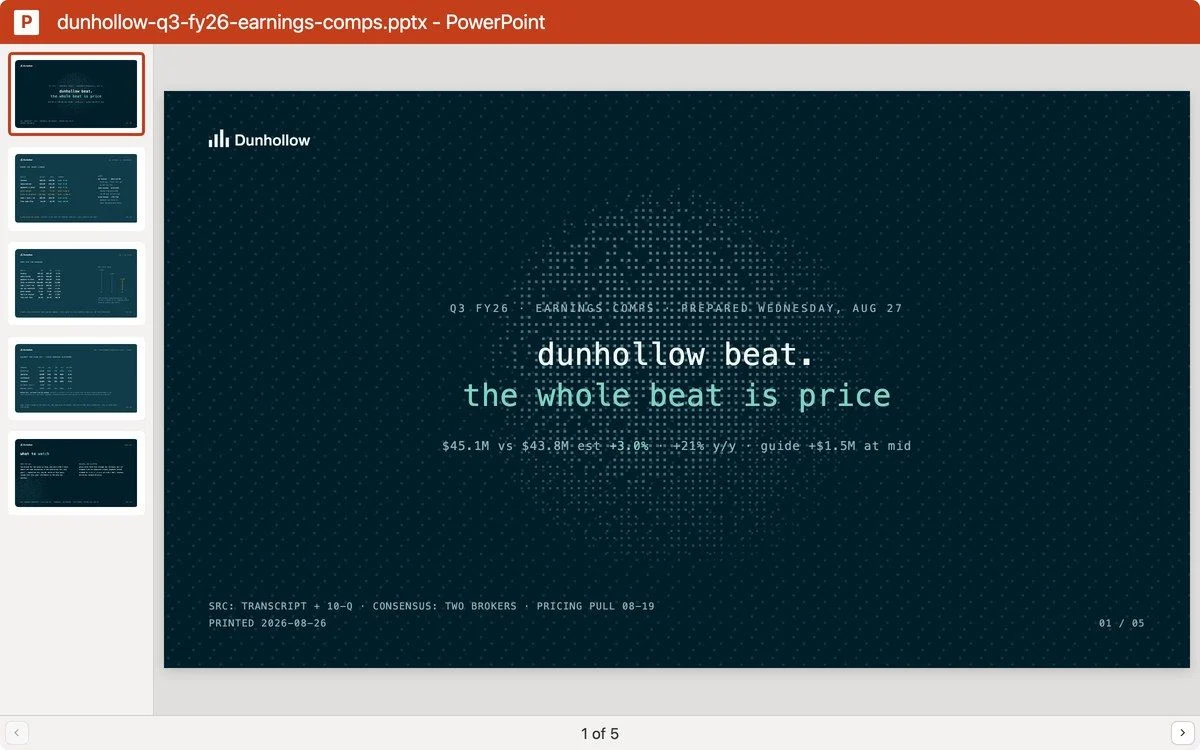
















Read the documents.
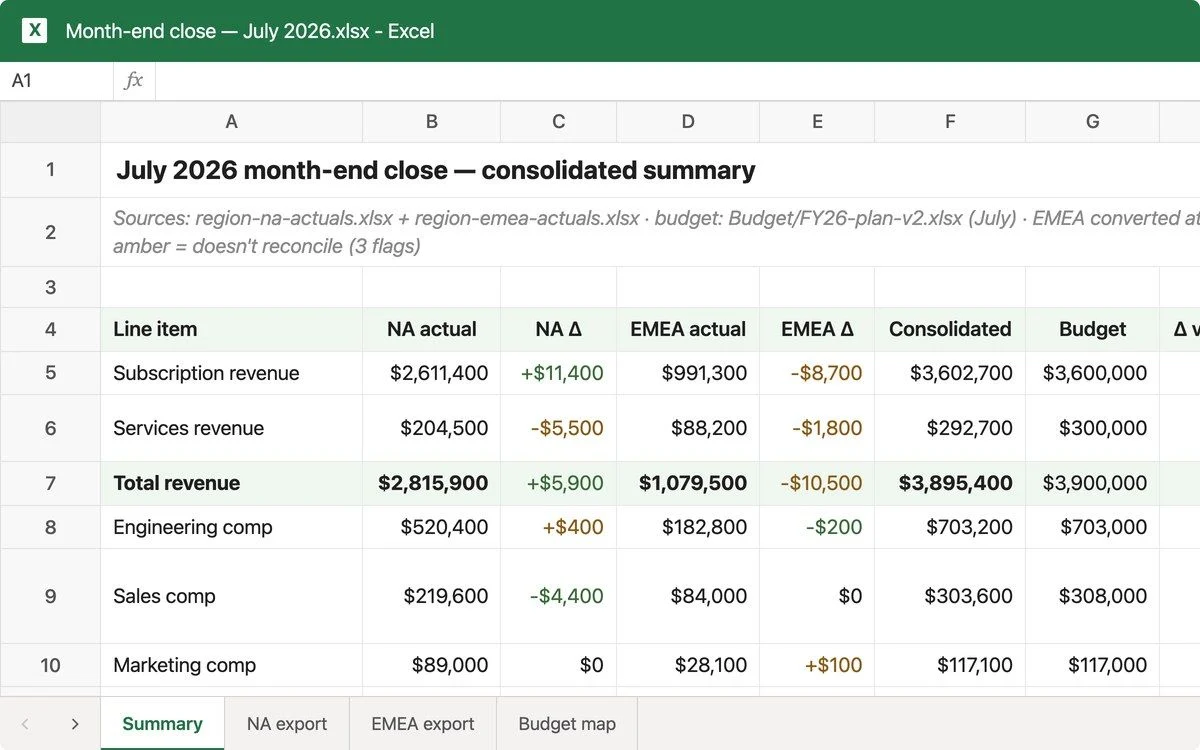
Build the model.
Skip the administrative work.

Cowork reads your financial files and turns them into structured models, comparison tables, and polished reports. You focus on the analysis that requires judgment. Now in research preview.

Download Claude

Read the documents.
Build the model.
Skip the administrative work.

Cowork reads your financial files and turns them into structured models, comparison tables, and polished reports. You focus on the analysis that requires judgment. Now in research preview.

Download Claude
Contact sales

Download the Claude app, navigate to the toggle at the top of the app, and click "Cowork". Support is not available for Windows (arm64) at this time. Open to all paid users. Not on a paid plan? Upgrade now

Play video

Why finance teams choose Cowork

Built for teams that spend more time formatting than analyzing.

Cowork for Finance icon

Documents become structured data

Point Cowork at a folder of invoices, receipts, or vendor submissions. Get back a clean spreadsheet with every line item extracted, organized, and ready to reconcile.

Cowork for Finance icon

Models built from your data, not from scratch

Hand Cowork revenue data and assumptions. Get back a 3-statement model or DCF in Excel with sensitivity tables, formatted and formula-linked.

Cowork for Finance icon

Reach all your tools in one place

Cowork runs in the Claude desktop app and connects to your everyday tools and local files. For web workflows, Claude in Chrome goes wherever your browser takes you.

Tool icon
Tool icon

You stay in control

Cowork handles the work, but you make the calls. You can choose to review outputs before they're sent, approve actions before they're taken, and stay informed every step of the way.

Use cases for finance teams

Folder icon
Folder icon

Invoice and receipt cleanup

Read receipts from a folder, extract vendor, date, and amount, and organize everything into a clean, sortable spreadsheet.

Chart icon
Chart icon

Financial model building

Take revenue data and assumptions and build a 3-statement model or DCF in Excel with sensitivity tables and linked formulas.

Checklist icon
Checklist icon

Vendor onboarding review

Cross-reference vendor submission docs against your internal checklists, flag what's missing, and draft a follow-up email.

Files icon
Files icon

Due diligence summaries

Analyze a data room of documents, surface key risks, and produce an investment-committee-ready summary deck.

Activity icon
Activity icon

Cashflow forecasting

Import bank transactions, calculate historical patterns and seasonality, and generate a 6-month forecast with scenarios in Excel.

Clock icon
Clock icon

Financial reports in minutes

Cowork pulls data from your spreadsheets, compiles a summary, and delivers it to you on time.

logo
logo
logo
logo
logo
logo
logo
logo
logo
logo
logo
logo
logo
logo

Customize Cowork with domain expertise and tools

Cowork ships with plugins built for finance workflows, including journal entries, financial statements, and audit support. If your team uses tools beyond the standard set, you can extend Cowork with custom plug-ins, skills, or MCP connectors.

Browse plugins
Explore connectors

Stick with analysis, not administrative work

Download Claude
Contact sales