Claude Cowork, a research preview
Claude Code's power without the terminal
Claude Code showed developers what’s possible when Claude works in your environment. It can move across your files, pull from multiple sources, and perform actual work on your behalf. It can break complex work into pieces and keep going until the job is done.
Cowork brings Claude Code’s execution power to Claude Desktop for knowledge work, instead of just code. Delegate complex tasks that pull from multiple sources, need sustained effort, and produce real deliverables. The terminal happened to be where Claude Code lived. Now, that power runs directly on your desktop through a familiar interface.
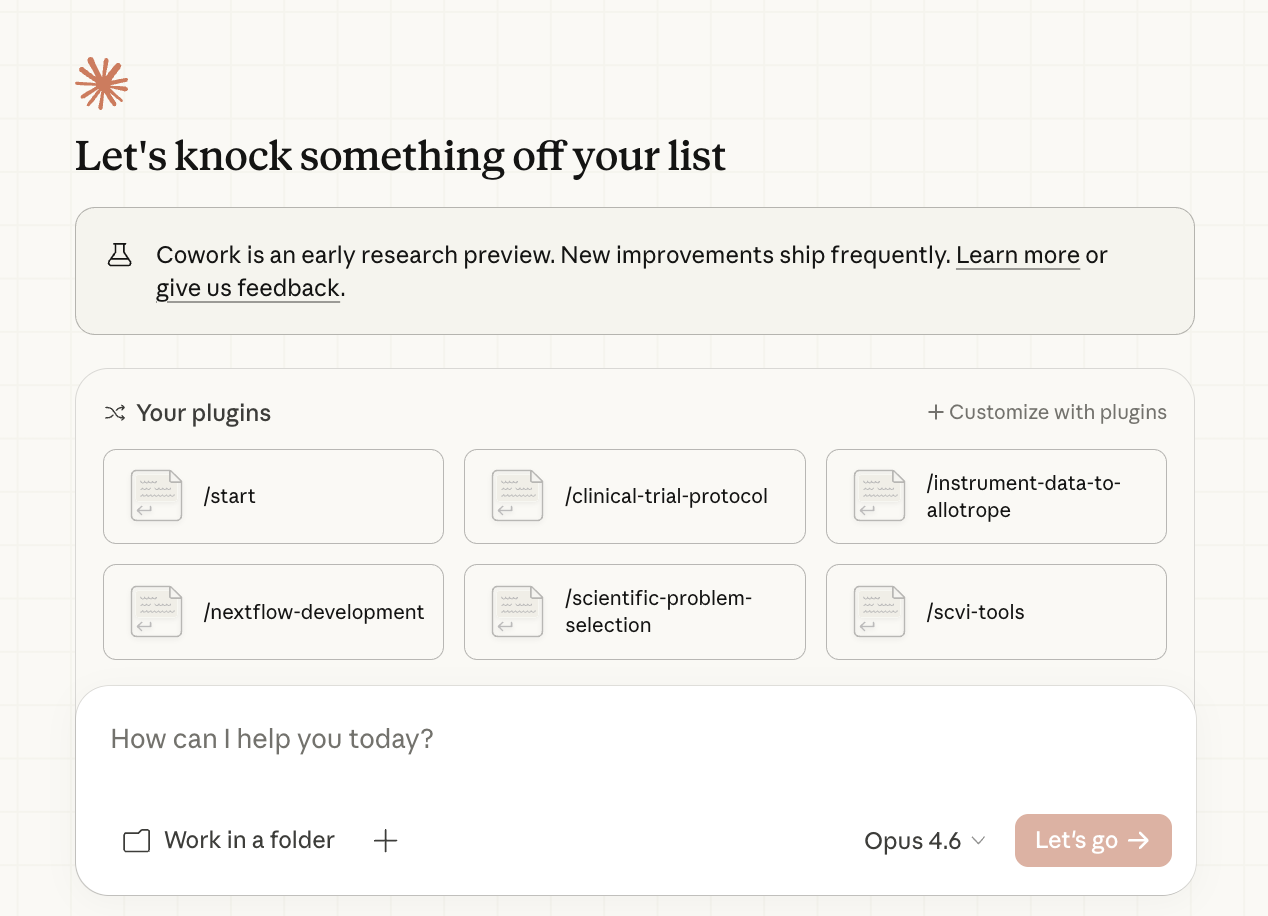
Cowork runs locally on your desktop and operates directly in your folders—reading, organizing, and creating files where your work actually lives. Like Claude Code, it works the way you do: in your filesystem, with your existing files, not just generating new artifacts. Use the Work in a folder option to point Claude at the directory you want it to work with.
Cowork can break complex tasks across independent sub-agents that work in parallel, each with fresh context. Unlike a single chat thread where everything accumulates together, each sub-agent starts clean. This means larger pulls across multiple sources at once, longer tasks that don’t hit context limits, and complex work where each piece gets dedicated attention before results sync up.
Cowork handles the orchestration—breaking work into pieces, managing context, tracking what’s done—so you’re not needed at every step. Give Claude a task, review the approach, then let it run. The sidebar keeps you oriented: see steps as they unfold, track which tools and files are in use, and see outputs as they’re created. Check in and redirect if needed, or let it run to completion—you come back to a finished result. You can also schedule tasks to run on a recurring cadence, so work you hand off once keeps running without you.
Try: Ask Cowork to organize your desktop. It’ll ask a few questions about how you want things grouped, then get to work—a real task where Claude acts directly in your environment.
Cowork shines when you want Claude to take action and follow through. That might mean acting in your environment—organizing files, processing batches, converting formats. Or work too big for a single thread—research across many sources, analysis with many angles. Or something that runs all the way to completion and produces a finished deliverable.
Point Claude at folders on your machine: your notes, project directories, research archives. Claude reads, creates, and organizes files directly.
“Organize my Downloads folder. Group by type and project.”
“Find identical photos and screenshots I can delete.”
Cowork can produce large slide decks, spreadsheets, and reports by researching across your connected tools, synthesizing information, and iterating on the output.
“I have a week in Lisbon. Search my email inbox and calendar for all details regarding the trip. Search the web for the weather, neighborhoods, restaurants, and things to do. Create an itinerary and put it in a doc.”
“I have 50+ customer feedback messages across Teams and Zendesk. Find the top complaints. Then search my SharePoint to find documents I’ve written to begin drafting responses.”
Work that would get disrupted in regular chat (hitting context limits, losing the thread partway through) runs to completion in Cowork.
“Go through my entire notes vault. Find orphaned notes, surface connections I’ve missed, and suggest a better folder structure.”
“Read all the documents in /contracts. Create a summary of key terms, renewal dates, and obligations for each.”
When a task has independent parts, Claude can spin up sub-agents to tackle them simultaneously and synthesize the results.
“I’m evaluating four vendors for our team. Spin up subagents to research each one’s pricing, support reputation, and integration options. Give me a comparison.”
“Spin up subagents to analyze this decision from three angles: financial impact, customer experience, and operational risk. Synthesize a recommendation.”
Start a task, step away, and come back to finished work. Check progress when you want, or let Claude run on its own.
“I have a performance review Friday. Search my Slack, Google Drive, and Asana to look at my completed tickets, project updates, peer feedback. Draft a meeting prep sheet.”
“Look at my team meeting notes from the last quarter in Drive and review our team Slack channel. What has my team accomplished?”
Set Claude to run scheduled tasks on a repeating cadence — daily, weekly, or any schedule you define. A morning briefing that pulls from your Slack and calendar. A weekly roundup of what shipped. A Monday flash report assembled from your connected tools. You describe the task and set when it runs, and Claude handles it each time.
Your desktop app needs to be open for scheduled tasks to run. If your computer was asleep or the app was closed when a task was due, Claude catches up when you’re back.
“Every Monday morning, check my Slack channels and calendar for the week. Summarize what’s coming up and flag anything that needs prep.”
“Every Friday at 4pm, pull my completed Asana tasks and draft a weekly status update. Save it to my Reports folder.”
Access Cowork from the Cowork tab in Claude Desktop. Cowork is a local desktop feature for macOS and Windows, available to paid plan users as a feature preview.
Point Claude at directories you want it to work with. It asks permission before writing.
Cowork becomes more useful with MCP connectors linking it to your actual work environment.
If you’ve set up Claude in Chrome, Cowork can use it for browser-based tasks: reading web pages, filling forms, extracting data from sites that don’t have APIs, and navigating across tabs.
When you open Cowork, you’ll see suggestions like “Create a file,” “Crunch data,” “Organize files,” “Prep for the day.” Get inspired and easily try out tasks suited to your needs that work well in Cowork.
Try describing a task with a specific end state. “Analyze these documents and create a slide deck with the three main themes” gives Claude more to work with than “help me understand this research.”
Try tasks with clear boundaries—“organize this folder,” “synthesize these documents”—as you build up to tackling larger projects. Develop a sense for what Cowork handles well, then scale up.
Cowork is available as a feature preview, with some known limitations:
Local execution means faster iteration and direct file access. Sessions stay on your device and use your machine’s resources.
If you’ve been using Claude Code for non-coding work, Cowork provides the same power without needing to access the terminal.
And if you haven’t used Claude Code? Cowork on Claude Desktop is a good place to start.