> ## Documentation Index
> Fetch the complete documentation index at: https://claude.com/docs/llms.txt
> Use this file to discover all available pages before exploring further.
# In-app configuration
> Build, test, and export a Claude Desktop on 3P configuration from inside the app, with validation and per-provider guidance
The in-app configuration window is the recommended way to configure Claude Desktop for third-party inference. It validates values as you enter them, shows exactly which fields your inference provider requires, tests the connection against your endpoint, and computes the network egress allowlist for your settings, so you don't have to hand-edit JSON, plists, or registry keys.
## Open the configuration window
From the macOS menu bar (or on Windows, the application menu ☰ in the top-left of the sign-in screen), go to **Help → Troubleshooting → Enable Developer Mode**, then **Developer → Configure third-party inference**.
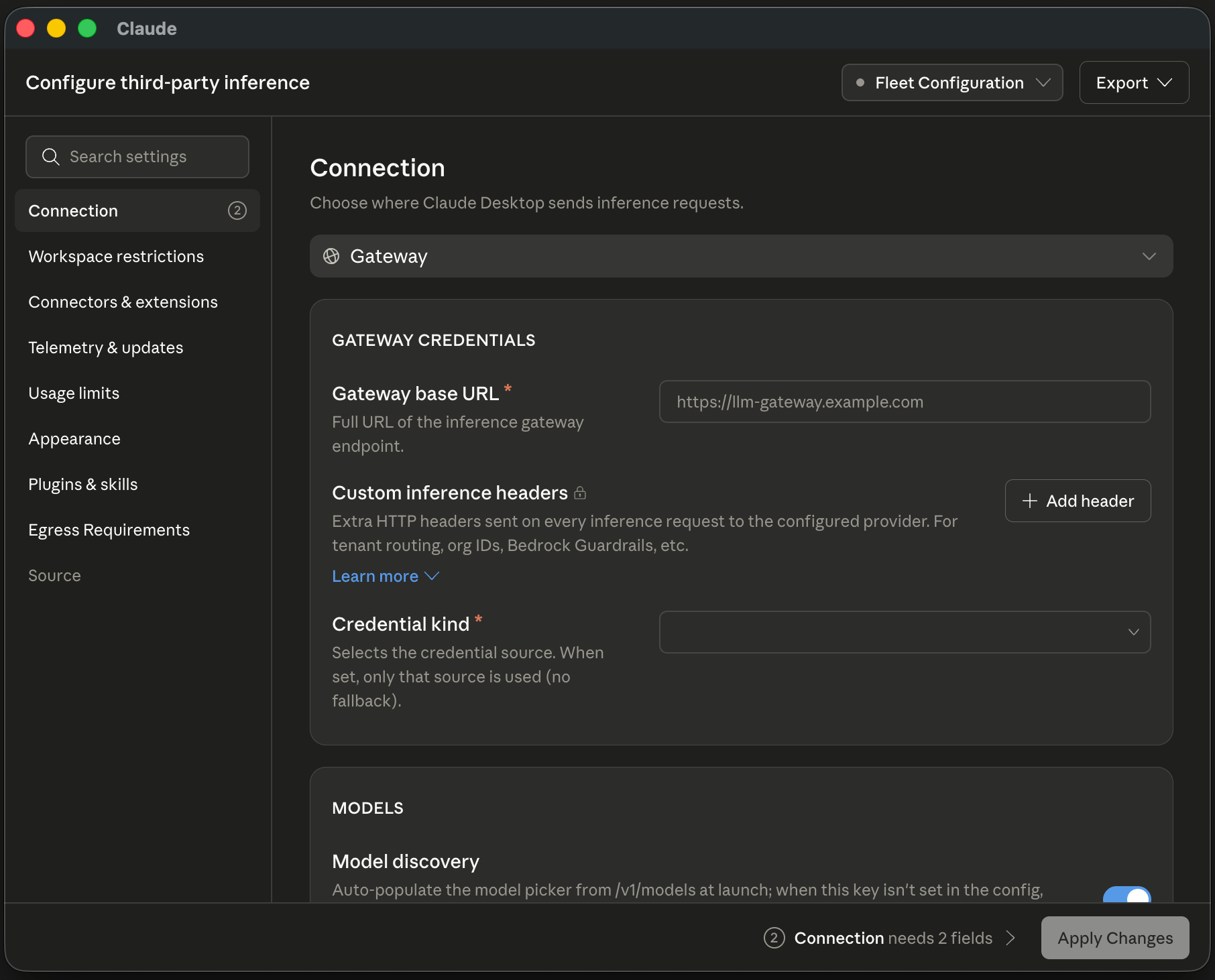 The sidebar groups settings the same way the [configuration reference](/third-party/claude-desktop/configuration) does. Fill in **Connection** first, then work down through the sections your deployment needs.
## Apply locally or export for a fleet
Use **Apply locally** to write the configuration to this device only and relaunch into it. This is the [single-machine setup](/third-party/claude-desktop/installation#single-machine-setup) path for evaluation and pilots.
Use the **Export** menu to generate deployment artifacts for a fleet:
| Export option | Use with |
| ----------------------- | --------------------------------------------------------------------------------- |
| `.mobileconfig` profile | Jamf or any macOS MDM |
| `.reg` policy file | Intune, Group Policy, or any Windows MDM |
| Bootstrap JSON | The response body for a [bootstrap server](/third-party/claude-desktop/bootstrap) |
| Egress allowlist | Your firewall or network team |
See [Deploy with MDM](/third-party/claude-desktop/mdm) or [Deploy with a bootstrap server](/third-party/claude-desktop/bootstrap) to distribute what you exported.
When a managed profile is already present on the device, the window opens in read-only mode and shows the deployed values. Author new configurations from a device without a managed profile.
The sidebar groups settings the same way the [configuration reference](/third-party/claude-desktop/configuration) does. Fill in **Connection** first, then work down through the sections your deployment needs.
## Apply locally or export for a fleet
Use **Apply locally** to write the configuration to this device only and relaunch into it. This is the [single-machine setup](/third-party/claude-desktop/installation#single-machine-setup) path for evaluation and pilots.
Use the **Export** menu to generate deployment artifacts for a fleet:
| Export option | Use with |
| ----------------------- | --------------------------------------------------------------------------------- |
| `.mobileconfig` profile | Jamf or any macOS MDM |
| `.reg` policy file | Intune, Group Policy, or any Windows MDM |
| Bootstrap JSON | The response body for a [bootstrap server](/third-party/claude-desktop/bootstrap) |
| Egress allowlist | Your firewall or network team |
See [Deploy with MDM](/third-party/claude-desktop/mdm) or [Deploy with a bootstrap server](/third-party/claude-desktop/bootstrap) to distribute what you exported.
When a managed profile is already present on the device, the window opens in read-only mode and shows the deployed values. Author new configurations from a device without a managed profile.